EasyManua.ls Logo

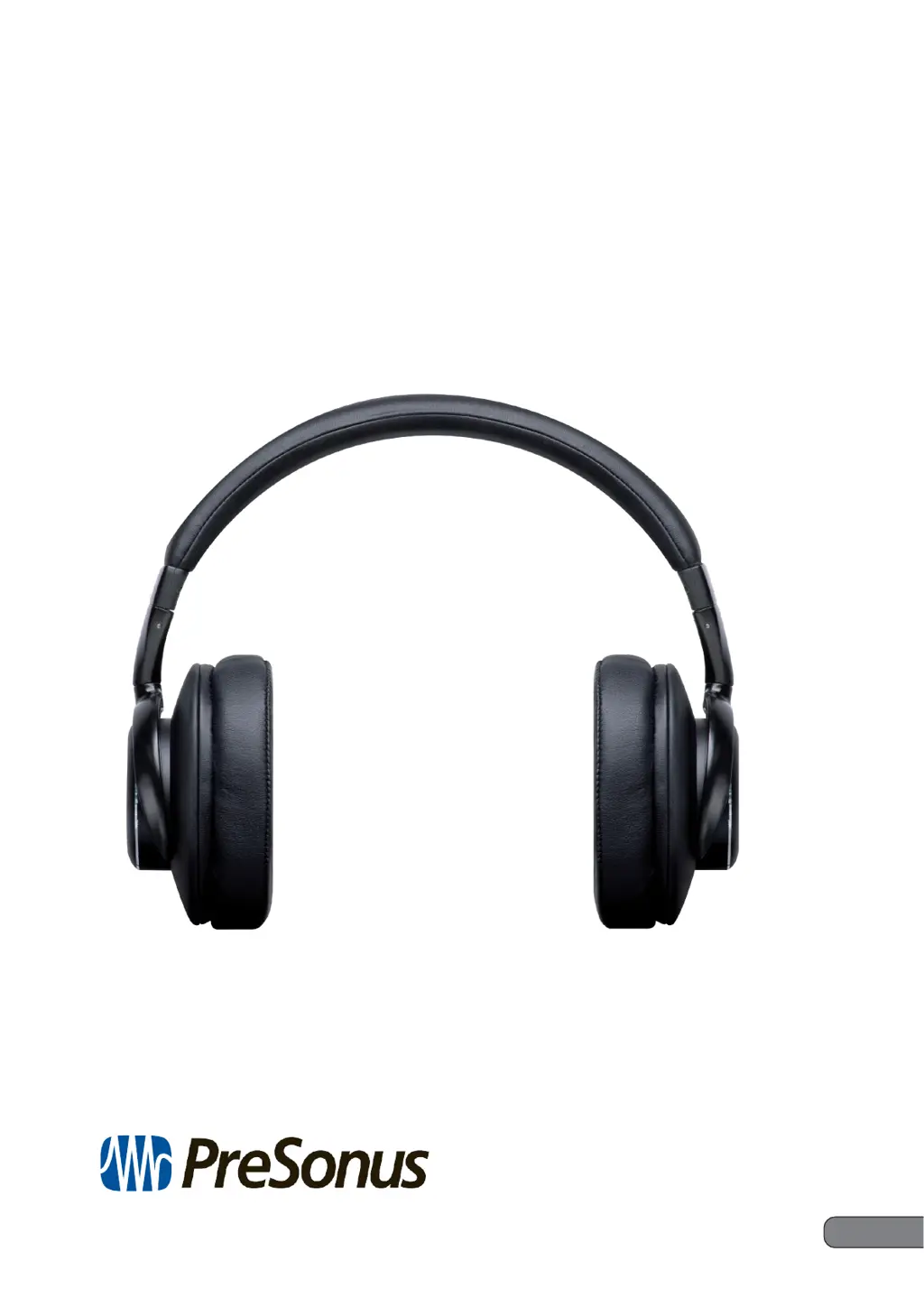
PRESONUS Eris HD10BT - User Manual

PRESONUS Eris HD10BT
14 pages
Print Icon
To Next Page IconTo Next Page
Loading...
Eris
®
HD10BT
Professional Headphones with Active Noise
C
anc
eling
and
Bluetoot
h
®
wir
eless
t
echnology
ANC
线业耳
Owner’s Manual 用户手册
®
www.presonus.com
English
英语

Other manuals for PRESONUS Eris HD10BT

Questions and Answers

  • F
    fkirkAug 14, 2025
    What to do if there is no sound when playing music on my PRESONUS Headphone?
    • P
      Pamela ShermanAug 14, 2025
      If you're not getting any sound, make sure both your wireless headphones and the Bluetooth device are powered on. Also, verify that the Bluetooth connection is set to the A2DP profile. Ensure that the music playback device is set to PLAY and that the volume controls on both your headphones and the playback device are at appropriate levels.
  • M
    Mark Copeland MDAug 17, 2025
    Why won't my PRESONUS Eris HD10BT batteries charge?
    • J
      Joseph CooperAug 17, 2025
      If the batteries aren't charging, first ensure that your computer is turned on and not in power-saving mode. Then, check that the micro-USB cable is securely connected to both the wireless headphones and the computer.
  • M
    Melissa ButlerAug 21, 2025
    How to turn on PRESONUS Headphone if it doesn’t power on?
    • R
      robertpetersenAug 21, 2025
      If your headphones won’t turn on, try recharging the wireless headphones.
  • N
    njacksonAug 25, 2025
    What to do if I can't perform a Bluetooth connection on my PRESONUS Eris HD10BT Headphone?
    • F
      Felicia RussellAug 26, 2025
      If you're having trouble connecting via Bluetooth, ensure that both the wireless headphones and the Bluetooth device are powered on. Also, confirm that the Bluetooth function is turned ON in the device you are connecting to.
  • J
    Jeanette LambertAug 28, 2025
    Why is the sound distorted when playing music on my PRESONUS Headphone?
    • A
      Arthur KimAug 28, 2025
      If the sound is distorted, check to see if any other devices using the 2.4GHz wavelength are nearby. Also, make sure there are no obstructions blocking the signal path.
  • S
    shirleyhernandezSep 1, 2025
    How to pair PRESONUS Eris HD10BT if it doesn’t find device?
    • T
      Timothy WatsonSep 1, 2025
      When pairing, place the wireless headphones and the Bluetooth device closely together.
  • T
    Tracy BishopSep 5, 2025
    Why is the communication distance short and the sound garbled on my PRESONUS Headphone?
    • S
      Steven RichardsonSep 5, 2025
      If the communication distance is short and the sound is garbled, check for other devices using the 2.4GHz wavelength nearby, such as microwave ovens or wireless radios. Also, ensure that there are no obstructions blocking the signal path.
  • A
    Abigail BaileySep 9, 2025
    What to do if I can’t use the hands-free operation on my PRESONUS Eris HD10BT?
    • P
      Phillip MoralesSep 9, 2025
      If you can’t use the hands-free operation, make sure that the wireless headphones and the Bluetooth device are connected using the HFP or HSP profile. If the connection to the Bluetooth device is in the A2DP profile, you might need to change connection profiles, depending on the specifications of the Bluetooth device.

Summary

Overview

Introduction

Introduction to the Eris HD10BT headphones and their features.

What is in the box

Lists the items included in the Eris HD10BT headphone package.

Companion PreSonus Products

Information about other PreSonus products and their integration.

Hookup

Right Earpiece Connections and Controls

Details on the right earpiece connections and controls.

Bluetooth Pairing and Powering

Instructions for pairing Bluetooth devices and powering the headphones on/off.

Track Navigation and Bluetooth Volume

How to navigate tracks and control volume using Bluetooth.

Phone Call Controls

Using the headphones to answer, reject, or redial phone calls.

Hardwiring

Instructions for connecting the headphones via a wired connection.

Left Earpiece Connections and Controls

Details on the left earpiece connections and controls.

Active Noise Canceling (ANC)

Information on activating and using the Active Noise Canceling feature.

Charging

Guide on how to charge the Eris HD10BT headphones and battery life.

PRESONUS Eris HD10BT Specifications

General IconGeneral
Acoustic DesignClosed-back
TypeOver-ear
Driver Size40 mm
Frequency Response20 Hz - 20 kHz
Impedance32 ohms
BluetoothYes
Bluetooth Version5.0
Wireless Range10 m
Battery Life16 hours
Connector3.5 mm
Bluetooth ProfilesA2DP, AVRCP
Wired Connection3.5mm
Cable Length1.2m
Sensitivity100dB SPL