6
2 Hookup
2.2 Back Panel Connections
Studio 26c and Studio 68c
Owner’s Manual
2.2 Back Panel Connections
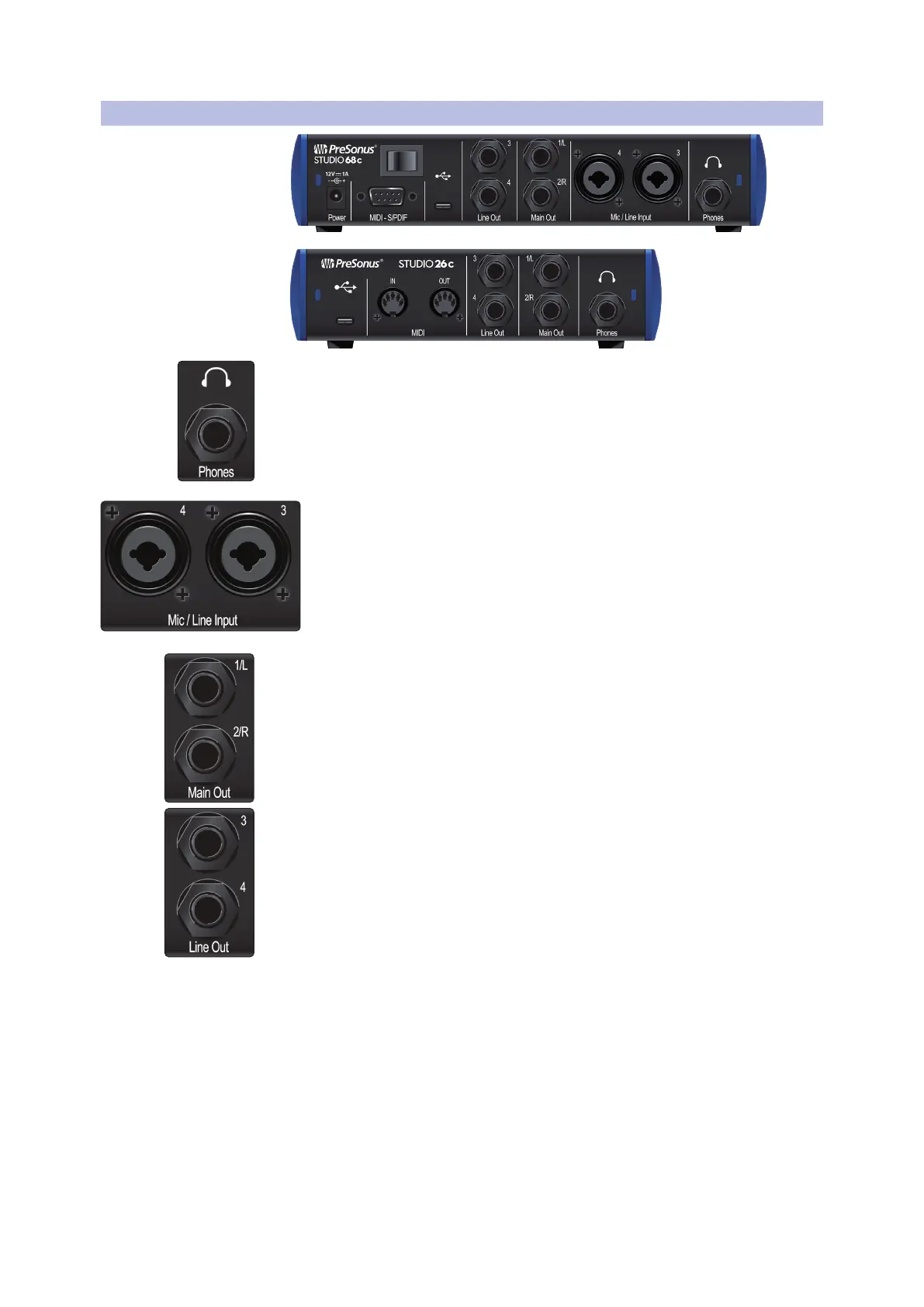
Headphone Output. The rear-panel headphone output can be switched between
playback streams 1/2 and 3/4, the same streams as the Main left/right outputs and
Outputs 3/4. These streams are switched via the Cue A/B button.
Mic/Line Inputs (Studio 68c). These mic/line combo connectors are for use
with microphones on the XLR input and with line-level devices via the
¼-inch TRS connections.
Main Outs. These are the Main outputs for the Studio-series interface. The output
level of the Main outputs is controlled by the Main level control on the front of the
unit. Playback streams 1 and 2 are routed to these outputs.
Line Outputs. These ¼-inch, balanced line outputs allow you to route to external
devices, such as headphone amps, signal processors, and additional monitors. Each
output has an independent playback stream (Playback streams 3 and 4).















 To Next Page