Pressure Systems, Inc. 9016 Upgrade Instructions
www.PressureSystems.com10
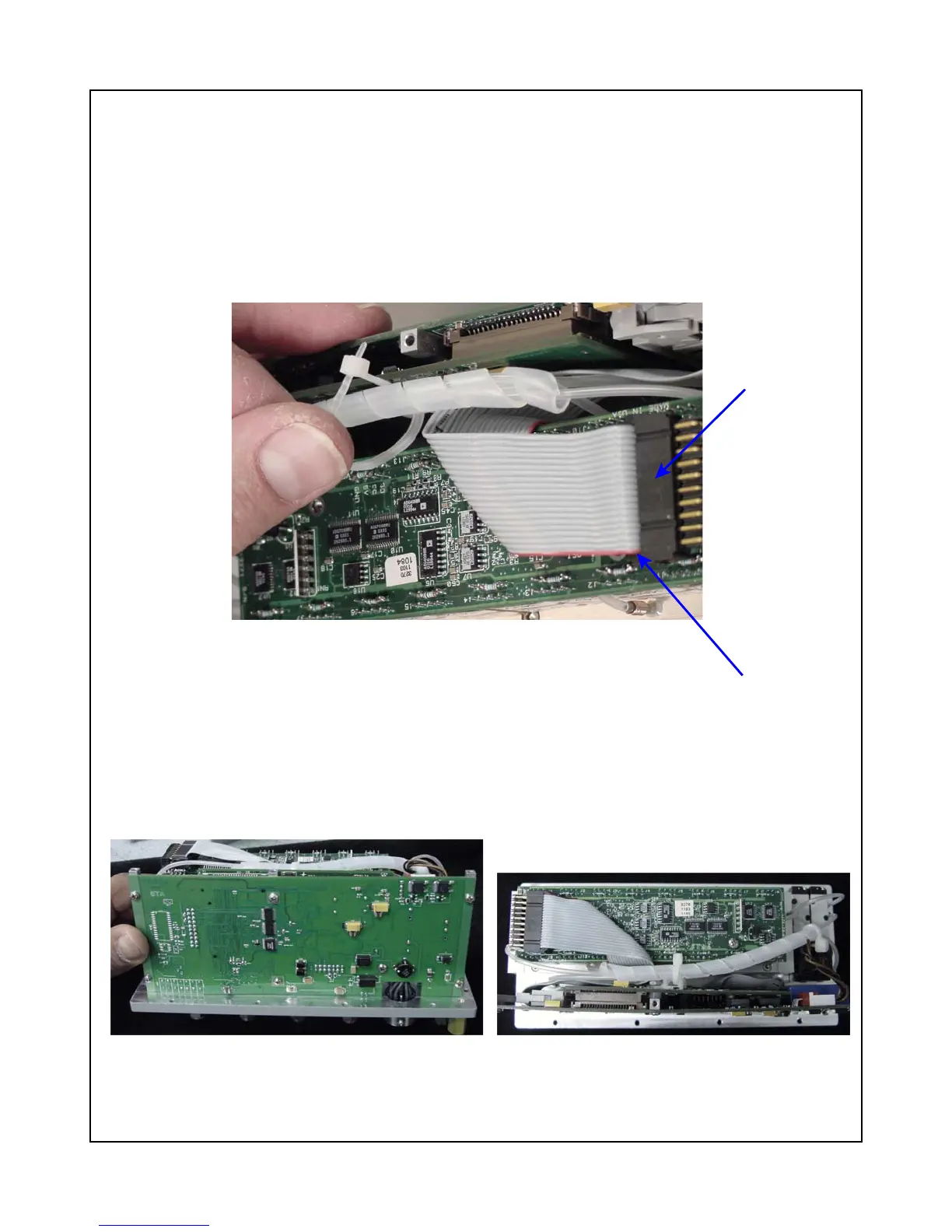
Figure 11
PC-327 Connection and Cable Tie-down
PC-322/323
connection to
the PC-327
board
Note
orientation of
red stripe
Figure 12
Side View of 9016 Upgrade
Figure 13
Top View of 9016 Upgrade
(5) Carefully guide the LEDs (on the PC-322 board) into their respective holes in the scanner
chassis. Ensure that all cables and tubing are not crimped or restricted and attach the PC-
322/323 boards to the chassis with the three (3) Phillips-head screws through the top plate
(that were previously removed and saved). Do not tighten completely.
(6) Connect the ribbon cable from P3 on the PC-322/323 board to the connector on your PC-327
board (red line indicates pin 1). (See Figure 11.)
(7) Insert a plastic cable tie-down through the tie-down mount previously installed and around
the clear plastic tubing as shown in Figure 11.
The following two pictures show a completed 9016 module upgrade with side and top views.



 To Next Page