www.prestigio.com
Camera
Your camera at a galance
Take a photo
Record a video
Photo and video settigns
Take a photo
1. Turn on the camera.
2. Change the camera setting if necessary.
3. Point the camera at what you want to capture.
4. Tap to capture the photo.
Take a photo of yourself
1. Turn on the camera.
2. On the screen, tap , and then select .
3. Tap to capture the photo.
Record a video
1. Turn on the camera.
2. On the screen, tap , and then select .
3. To stop recording, tap .
With your phone, you can take both photos and
videos as desired. In addition to a rear camera,
there is a camera on the front for video calls and
self-portraits.
- To use the camera, on the home screen or list
menu, tap Camera.
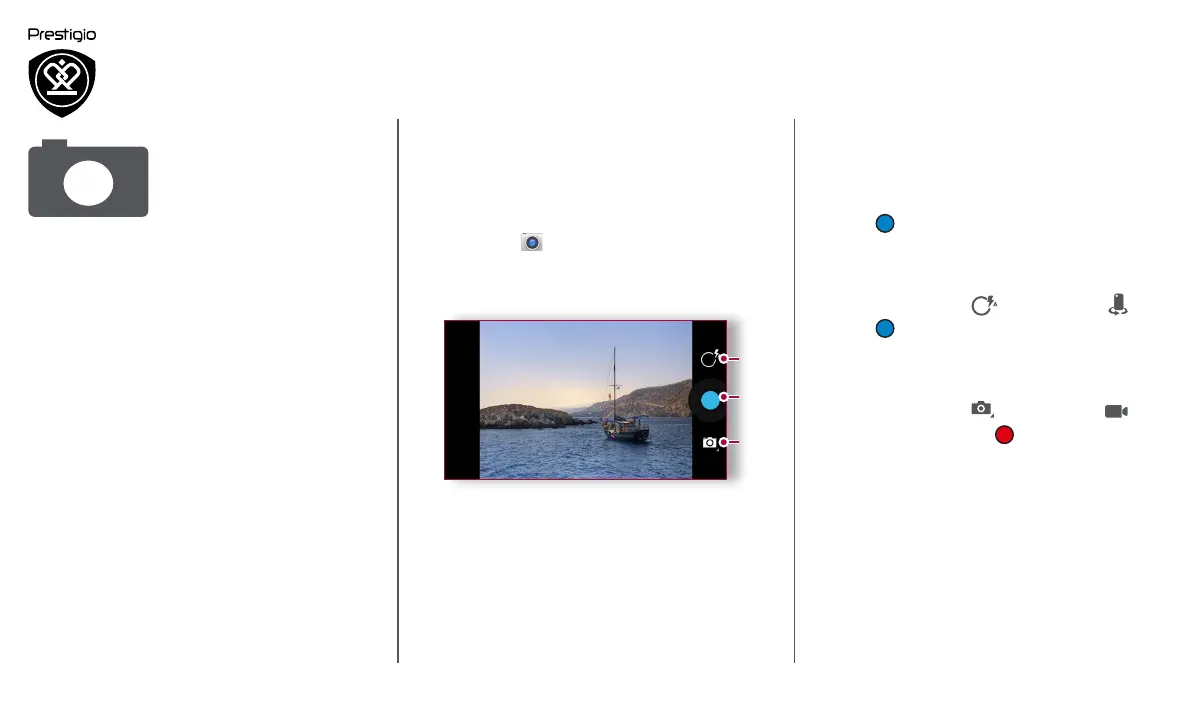
Your camera at a galance
1
2
3
1. Phone / video settings
2. Capture key
3. Capture mode



 To Next Page