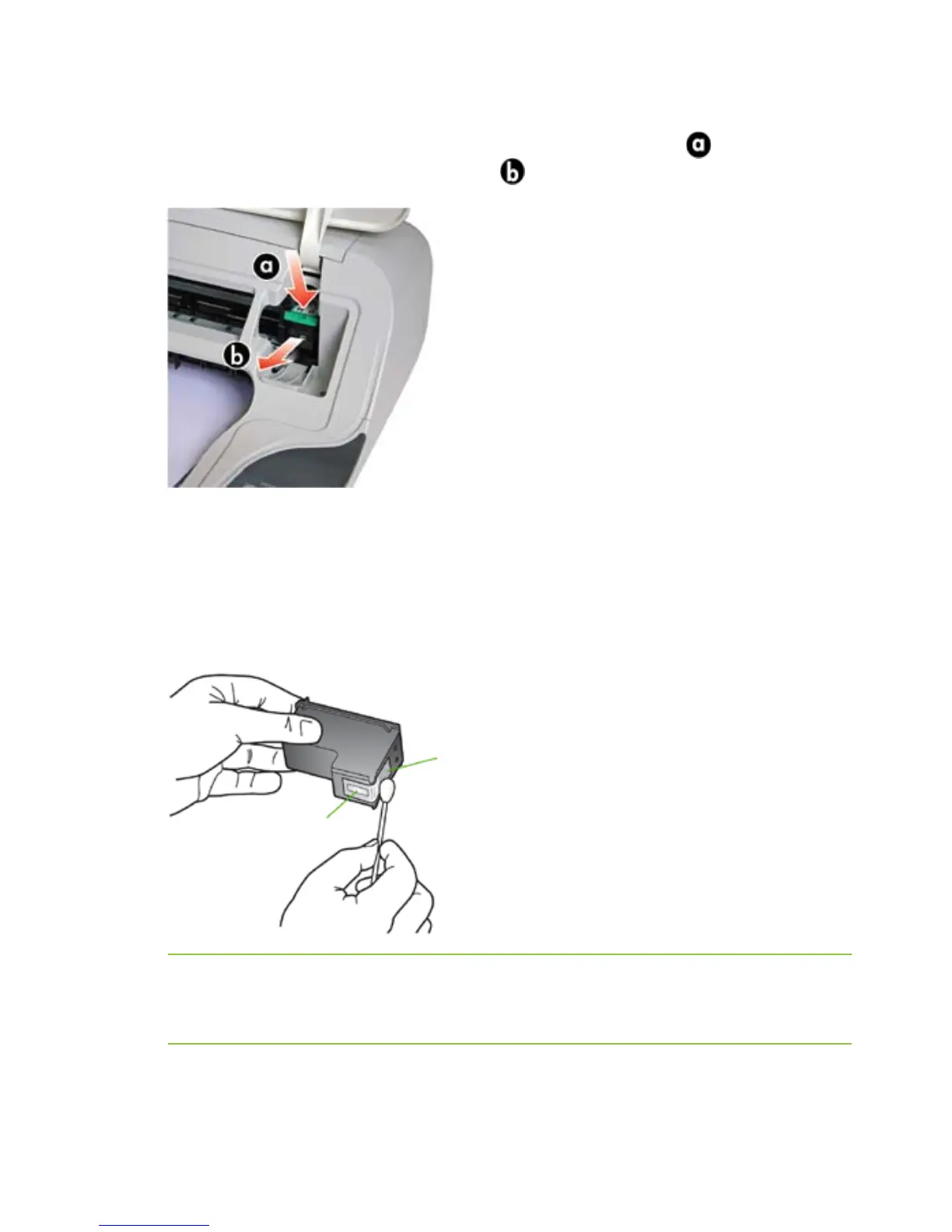
copper-colored contacts
ink nozzles
(do not clean)
24
Troubleshooting
Follow these steps to clean the contacts:
1. Open the top cover.
2. Lightly press down on the ink cartridge to release it (
), then
remove it from the cartridge slot (
).
3. Holding the ink cartridge by its sides, inspect the ink cartridge
contacts for ink and debris buildup.
4. Dip a clean foam rubber swab or lint-free cloth into distilled water,
and squeeze any excess water from it.
5. Clean only the copper-colored contacts.
CAUTION: Do not use any cleaners or alcohol to clean the ink
cartridge contacts. These can damage the ink cartridge or the Presto
Printing Mailbox.
6. Allow the ink cartridge to dry for approximately ten minutes before
putting it back into the ink cartridge slot.
What Should I Do...



 To Next Page