8
III. Hand Unit 3. Detailed Description
A. Grip Configurations.
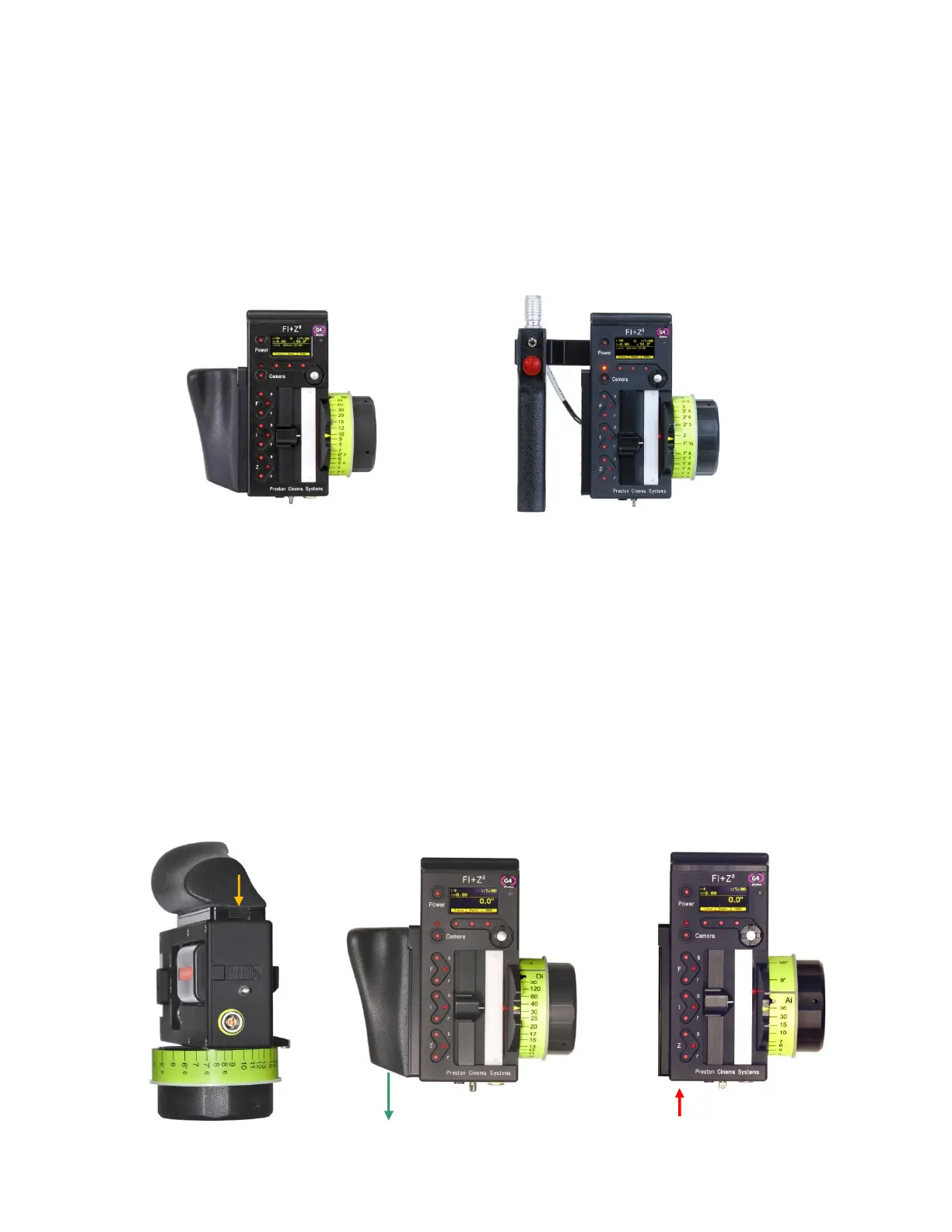
1. The Hand Unit can be set-up with a molded Hand Grip for Focus and Iris control or with
the Hand Grip replaced by a flat cover to accommodate a bracket and Micro Force zoom
control.
2. Removing the Hand Grip. The Handgrip is removed to allow the bracket for the Micro
Force to be installed.
· Press the Grip Release toward the HU3 housing (1).
· Slide the Grip downward (2)
· Replace the Grip with the cover (3).
· Install the Micro Force bracket using the threaded hole at the rear of the
HU3.
HU3 with Hand Grip
HU3 with Micro Force
(1)
(2)
(3)


 To Next Page