EasyManua.ls Logo

Pride Jazzy Select 14 - Troubleshoot Manual

Pride Jazzy Select 14
4 pages
Print Icon
To Next Page IconTo Next Page
Loading...
B
ASIC
T
ROUBLESHOOTING
I
NSTRUCTIONS
: J
AZZY
S
ELECT
14/S
ELECT
14
XL
Any electromechanical device requires occasional troubleshooting. However, most problems that arise can usu-
ally be solved with a bit of thought and common sense. Many of these problems occur because the batteries are
not fully charged or because the batteries are worn down and can no longer hold a charge. Below are a series of
basic troubleshooting instructions for the Jazzy Select 14/14XL power chairs. This information is to be used as a
supplement to the troubleshooting instructions provided in the owner’s manual. If you have any questions about
this information, contact your authorized Pride Provider.
What if the systems on my Jazzy Select 14/14XL seem to be “dead” (controller does not light up when the
on/off key is pressed)?
Make sure the batteries are wired properly—refer to the battery wiring diagram located on the power base.
Make sure the connections on the battery terminals are tight and secure.
Make sure the battery quick-disconnect harness connections are fully joined.
Make sure the main circuit breaker has not tripped—push in the main circuit breaker reset button.
Make sure the controller is completely connected to the power base.
What if the range per charge of my Jazzy Select 14/14XL diminishes over time?
Determine if the batteries have ever been replaced. Batteries over a year old may be defective.
Determine how frequently you charge the batteries in comparison to how often you use the power chair.
If you use your power chair on a daily basis, you should charge the batteries every day for 8-14 hours.
Determine when the batteries were last charged. Even if the power chair has not been in use, the batteries
should be charged once a week for 12-14 hours.
Determine how long you let the batteries charge. It takes 8-14 hours to fully charge a depleted set of
batteries; continual undercharging reduces the overall life of the batteries.
If you have an onboard charger, observe the ammeter during battery charging to determine if the
batteries are receiving a charge. If the ammeter does not go up when the battery charger is plugged into the
charger power cord receptacle and an electrical outlet, the batteries are not getting charged. Check the charger
fuse and ensure the electrical outlet is good.
Determine if a wall switch controls the electrical outlet used for battery charging. If a wall switch does
control the outlet and the switch is turned off inadvertently, the batteries will not fully charge.
Is an extension cord being used to connect the battery charger to the electrical outlet? Pride prohibits the
use of an extension cord when charging the batteries. The charger should be plugged directly into a properly-
wired standard electrical outlet as the length and condition of the extension cord can have an adverse affect on
the battery charger.
Determine how far you let the battery condition meter LEDs go down before charging the batteries. If
you continually allow the battery condition meter LEDs to fall into the red area, the overall life of the batteries
will be reduced.
What if my Jazzy Select 14/14XL is operating slower than it has in the past?
Determine when the batteries were last charged. When the battery charge gets low, the batteries supply less
power to the motors, which causes the motors to spin slower.
Determine the temperature of the power chair at the time the problem occurred. The Jazzy Select 14/
14XL electrical system will protect itself from overheating when its internal temperature gets too high by
reducing the amount of power sent to the motors. When this happens, the power chair will gradually slow to
a stop. Allow the power chair to cool down and it will resume normal operation.
INFINFB2048/Rev. B/November 2008 www.pridemobility.com 1
Question and Answer IconNeed help?

Do you have a question about the Pride Jazzy Select 14 and is the answer not in the manual?

Summary

Troubleshooting System Power Issues

System Dead Diagnosis

Check battery wiring, terminal connections, harness, circuit breaker, and controller connection.

Diminishing Range Over Time

Assess battery age, charging habits, duration, charger function, outlet, and extension cord use.

Slower Operation Diagnosis

Check battery charge level and power chair temperature for potential overheating issues.

Troubleshooting Drive and Movement Issues

Chair Pulling to One Side

Verify joystick deflection, freewheel lever position, and tire inflation pressure.

Powers Up But Will Not Move

Check freewheel levers and controller fault codes (VSI/VR2/Dynamic).

VR2;VSI Diagnostic Flash Codes

Interprets LED flash codes for common issues like low battery, motor faults, and brake faults.

Troubleshooting Controller and Indicator Lights

Speed LEDs Flashing

Indicates charger connection, blown charger fuse, or improper controller connections.

Speed LEDs Scrolling

Signifies the controller is in lock mode; unlock by moving joystick forward then rearward.

Left Red Battery LED Flashing

Indicates very low battery voltage; charge batteries immediately.

All Battery LEDs Blinking

Shows the controller is in sleep mode; turn off and on to resume normal operation.

Dynamic Controller Error Codes and Behavior

Dynamic Controller Diagnostic Flash Codes

Lists error codes (1-11) for faults like stall timeout, battery, motor, or park brake issues.

Dynamic Controller Left Red LED Flashing

Indicates very low battery voltage; batteries require immediate charging.

Dynamic Controller Lock Mode

Identified by scrolling LEDs; unlock by pressing the horn button twice.

Dynamic Controller Programming;Inhibit;Charging

Indicated by scrolling LEDs alternating with steady display; joystick movement causes speed indicator flash.

Dynamic Controller OONAPU Fault

Occurs when joystick is not neutral on power up; return joystick to center to clear.

Summary

Troubleshooting System Power Issues

System Dead Diagnosis

Check battery wiring, terminal connections, harness, circuit breaker, and controller connection.

Diminishing Range Over Time

Assess battery age, charging habits, duration, charger function, outlet, and extension cord use.

Slower Operation Diagnosis

Check battery charge level and power chair temperature for potential overheating issues.

Troubleshooting Drive and Movement Issues

Chair Pulling to One Side

Verify joystick deflection, freewheel lever position, and tire inflation pressure.

Powers Up But Will Not Move

Check freewheel levers and controller fault codes (VSI/VR2/Dynamic).

VR2;VSI Diagnostic Flash Codes

Interprets LED flash codes for common issues like low battery, motor faults, and brake faults.

Troubleshooting Controller and Indicator Lights

Speed LEDs Flashing

Indicates charger connection, blown charger fuse, or improper controller connections.

Speed LEDs Scrolling

Signifies the controller is in lock mode; unlock by moving joystick forward then rearward.

Left Red Battery LED Flashing

Indicates very low battery voltage; charge batteries immediately.

All Battery LEDs Blinking

Shows the controller is in sleep mode; turn off and on to resume normal operation.

Dynamic Controller Error Codes and Behavior

Dynamic Controller Diagnostic Flash Codes

Lists error codes (1-11) for faults like stall timeout, battery, motor, or park brake issues.

Dynamic Controller Left Red LED Flashing

Indicates very low battery voltage; batteries require immediate charging.

Dynamic Controller Lock Mode

Identified by scrolling LEDs; unlock by pressing the horn button twice.

Dynamic Controller Programming;Inhibit;Charging

Indicated by scrolling LEDs alternating with steady display; joystick movement causes speed indicator flash.

Dynamic Controller OONAPU Fault

Occurs when joystick is not neutral on power up; return joystick to center to clear.

Overview

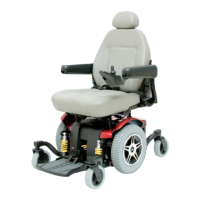
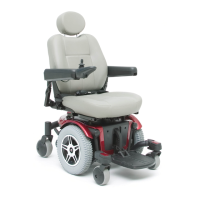
This document provides basic troubleshooting instructions for the Jazzy Select 14 and Select 14XL power chairs. It serves as a supplement to the owner's manual, addressing common issues that may arise due to battery conditions or other electrical system anomalies.

Function Description:

The Jazzy Select 14 and Select 14XL are power chairs designed for mobility. Like any electromechanical device, they require occasional troubleshooting to maintain optimal performance. This guide focuses on diagnosing and resolving common operational problems.

Important Technical Specifications (implied from troubleshooting):

  • Battery System: The power chairs operate on a battery system that requires regular charging. The document indicates that batteries over a year old may be defective, suggesting a typical battery lifespan. Charging times range from 8-14 hours for a depleted set, with weekly charges of 12-14 hours recommended even when not in use.
  • Controllers: The chairs are equipped with either a VSI, VR2, or Dynamic controller. These controllers manage the chair's electrical system and provide diagnostic feedback through flashing LEDs or service indicators.
  • Motors: The chairs utilize motors for propulsion, which can be affected by battery charge levels and system overheating.
  • Brakes: The system includes park brakes, which are monitored by the controller.
  • Tires: If equipped with pneumatic tires, proper inflation (to the specified psi/bar/kPa) is crucial for straight driving.
  • Circuit Breaker: A main circuit breaker is present to protect the electrical system, with a reset button for user intervention.
  • Charger: An onboard charger is mentioned, which includes a charger inhibit feature and a fuse.

Usage Features:

  • On/Off Key: The chair is activated by an on/off key.
  • Joystick Control: The joystick is the primary input for driving the chair. Its position (neutral, deflected) is critical for operation and fault detection.
  • Manual Freewheel Levers: These levers allow the user to disengage the motors for manual movement of the chair. Both levers must be in the drive position for powered operation.
  • Battery Condition Meter LEDs: These LEDs provide visual feedback on battery charge status and also display diagnostic fault codes.
  • Speed LEDs: On VR2 or VSI controllers, these LEDs indicate speed settings and can also flash to signal specific conditions.
  • Lock Mode: The VR2, VSI, and Dynamic controllers feature a lock mode to prevent unintended use. Specific joystick movements or horn button presses are required to unlock.
  • Horn Button: Used to unlock the Dynamic controller from lock mode.

Maintenance Features:

  • Battery Charging: Regular and proper charging is the most critical maintenance aspect. Daily charging for 8-14 hours is recommended for daily users, and weekly charging for 12-14 hours even when not in use. The document explicitly advises against using extension cords for charging.
  • Battery Replacement: Batteries over a year old may need replacement.
  • Connection Checks: Users are instructed to ensure battery wiring is correct, terminal connections are tight, quick-disconnect harness connections are fully joined, and the controller is completely connected to the power base.
  • Circuit Breaker Reset: The main circuit breaker can be reset by the user if it trips.
  • Tire Pressure Maintenance: For pneumatic tires, maintaining correct inflation pressure is essential.
  • Diagnostic Codes: The controllers (VSI, VR2, Dynamic) provide diagnostic flash codes via LEDs or service indicators, allowing users or technicians to identify specific system faults.
  • Overheating Protection: The electrical system has a self-protection mechanism that reduces power to the motors and slows the chair if it overheats. Allowing the chair to cool down resolves this issue.
  • Professional Assistance: For more complex issues, such as motor wiring faults, controller errors, or unknown faults, users are advised to contact an authorized Pride Provider.

Troubleshooting Scenarios Covered:

  • "Dead" System (controller not lighting up): Checks include battery wiring, connections, circuit breaker, and controller connection.
  • Diminished Range per Charge: Focuses on battery age, charging frequency, charging duration, charger functionality (ammeter, fuse, outlet), wall switch interference, extension cord use, and how low battery LEDs are allowed to drop before charging.
  • Slower Operation: Investigates low battery charge and system overheating.
  • Pulling to One Side: Examines joystick deflection, freewheel lever positions, and tire inflation (for pneumatic tires).
  • Powers Up but Will Not Move: Checks freewheel lever positions and controller fault codes.
  • VR2/VSI Diagnostic Flash Codes: A detailed table lists LED patterns, corresponding fault codes, causes (e.g., low battery, motor open/fault, inhibit active, joystick error, controller error, brake fault, high battery voltage), and possible solutions.
  • Flashing Speed LEDs (VR2/VSI): Indicates charger connection, blown charger harness fuse, or improper controller connections.
  • Scrolling Speed LEDs (VR2/VSI): Indicates lock mode.
  • Flashing Red Battery Condition Meter LED (VR2/VSI & Dynamic): Indicates very low battery voltage.
  • Blinking Battery Condition Meter LEDs (VR2/VSI): Indicates sleep mode.
  • Dynamic Controller Diagnostic Flash Codes: A table lists error codes, probable causes (e.g., stall timeout, battery fault, motor fault, park brake fault, controller module/power/communications fault, unknown fault, incompatible controller fault), and possible solutions.
  • Scrolling Battery Condition Meter LEDs (Dynamic): Indicates lock mode (right to left) or programming/inhibit/charging mode (left to right, alternating).
  • Rapidly Flashing Battery Condition Meter LEDs (Dynamic): Indicates Out of Neutral At Power Up (OONAPU) condition.

This comprehensive guide aims to empower users to perform initial diagnostics and resolve common issues, thereby extending the life and reliability of their Jazzy Select 14/14XL power chairs.

Pride Jazzy Select 14 Specifications

General IconGeneral
BrandPride
ModelJazzy Select 14
CategoryWheelchair
LanguageEnglish

Related product manuals