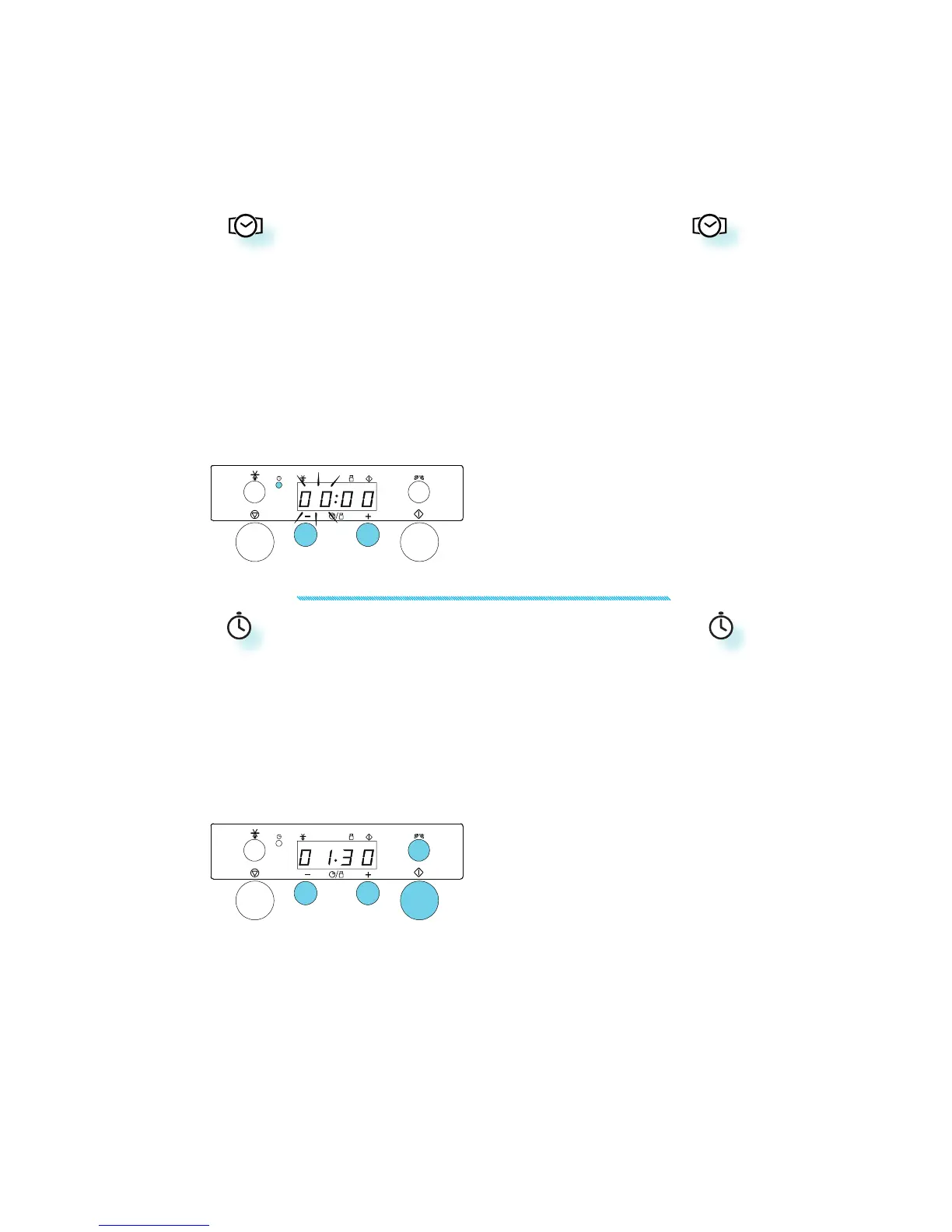
KITCHEN TIMER
USE THIS FUNCTION when you need a kitchen tim-
er to measure time for various purposes such
as cooking eggs or letting the dough rise be-
fore baking etc.
1. PRESS THE +/- BUTTONS to set the desired
length of the timer.
2. PRESS THE POWER BUTTON repeatedly to set the
power to 0 W.
3. PRESS THE START BUTTON.
AN ACOUSTIC SIGNAL will be heard when the timer
has finished to count down.
4. TO TURN THE KITCHEN TIMER OFF before the count-
down have finished, press the Stop button.
CLOCK
KEEP THE DOOR OPEN while setting the Clock. This
gives you 5 minutes to complete the setting
of the Clock. Otherwise, each step must be ac-
complished within 30 seconds.
1. P
RESS THE CLOCK BUTTON (3 seconds) until the
left-hand digit (hour’s) flicker.
2. PRESS THE +/- BUTTONS to set the hours.
3. PRESS THE CLOCK BUTTON AGAIN. (The two right
hand digits (minutes) flicker).
4. PRESS THE +/- BUTTONS to set the minutes.
5. PRESS THE CLOCK BUTTON AGAIN.
THE CLOCK IS SET and in operation.
N
OTE: When the appliance is first plugged in or
after a power failure, the display is blank. If the
clock is not set, the display will remain blank
until the cooking time is set.
q
e
t
w
r
q
e
w



 To Next Page