When screen displays END, lid can be opened to serve the food
as follow:
Method One: Press the Exhausting Button to release the steam, until the Floating Valve sinks.
Method Two: Wait for cooling down itself, until the Floating Valve sinks.
For liquid food(Congee, viscous fluid), when screen
displays END, never use method one, must use method
two to serve the food to avoid the fluid of food to spurt out
from the vent holes. Wet towel can be placed on the Lid to
increase the speed of cooling down.
*
Unplug the Power cord.
Open the Lid
Hold the Lid's Handle, turn it anticlockwise
until reaching the end position, lift upward
the Lid, then food can be served.
EN
27
4. Operating
Preset Timer
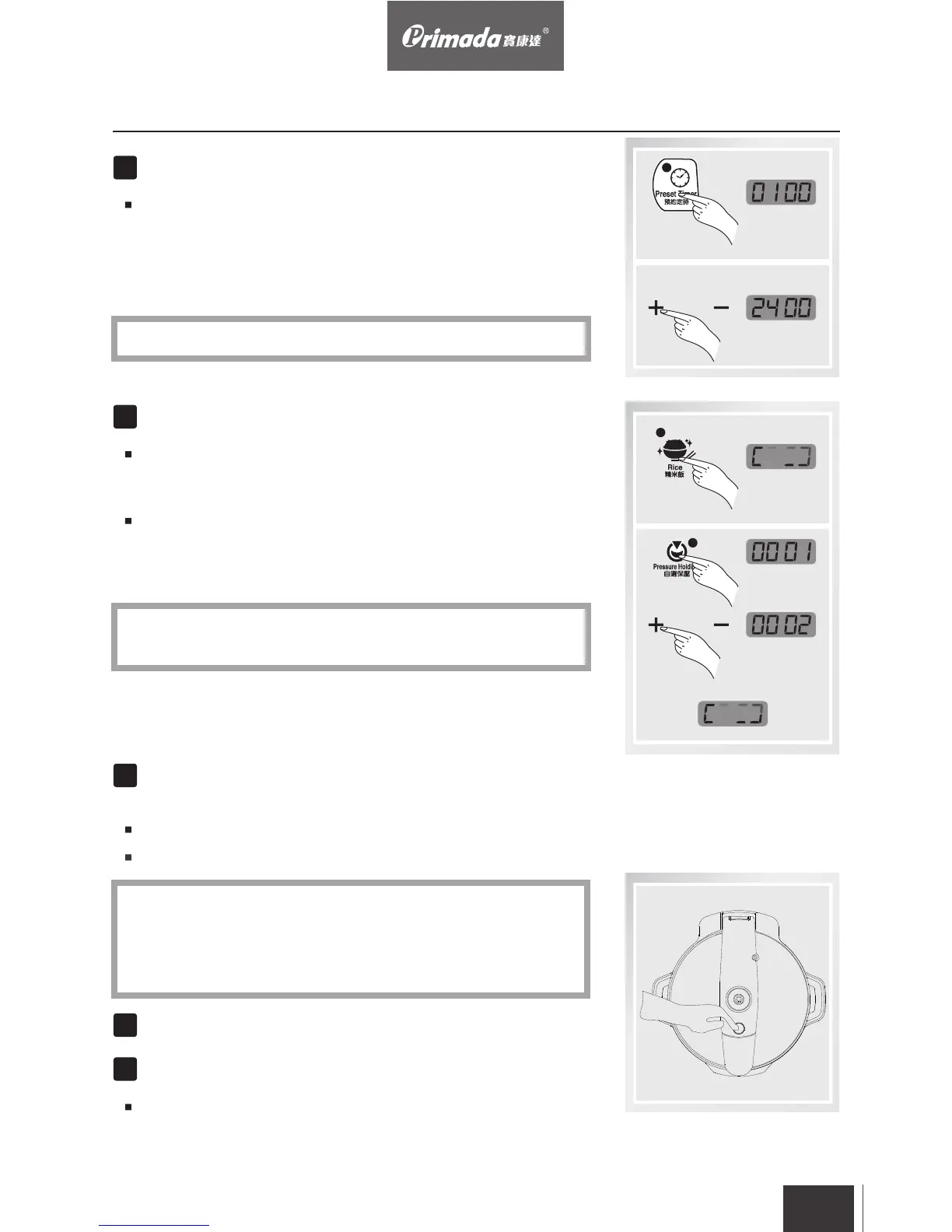
Set the Preset Timer(If Preset Timer is not required, skip
this step). Press “Preset Timer” button, then press “+” “-”
button to adjust preset time. The maximum Preset Timer
period is 24 hours. (The time that displays on the Screen
shows how long user wants the cooker to wait before
heating process starts).
Choose the menu according to different recipes.
Press the menu button(press “rice” for rice cooking, for
example), the indicator light switches on and heating
process starts.
If user wants to change the cooking time, after pressing
“Pressure Holding” button, cooking time can be adjusted by
pressing “+” “-” button. After time setting, wait 6 seconds,
the heating process starts.
“Preset Timer” is not applicable for “Refine” function.
*
after 6 seconds
The pressure holding time of “Refine” is 1 hour, press “+”“-”
button to adjust the time. The maximum time is 6 hours.。
*


 To Next Page