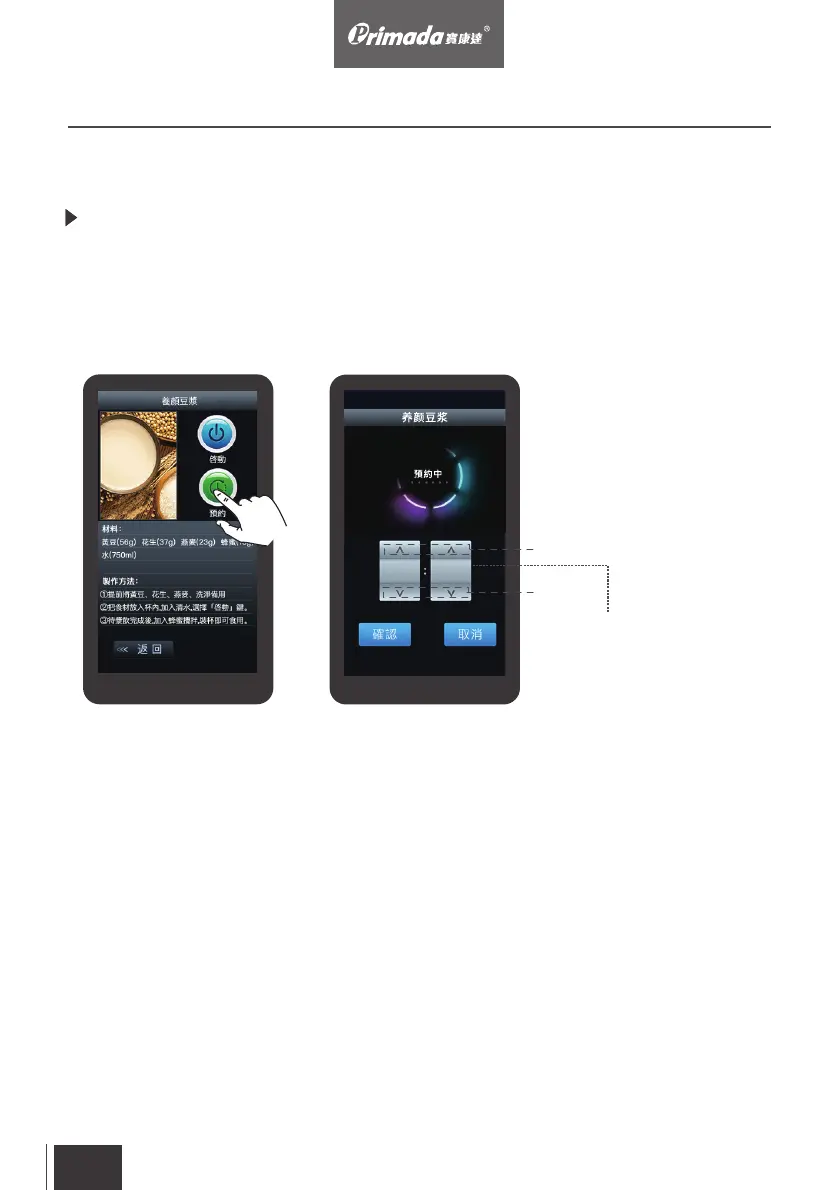
Scheduling: Touch the “preset” button in the program menu to enter the
preset control panel. The timer uses a 24 hour display and the user can set
the time as needed. Press “ ” will increase hour/minute by 1, vice versa.
After setting the time, press the “confirm” button and count down will start.
The program will be executed when countdown finished.
(圖七)預約應⽤程序 (圖八)設置預約⽰意圖
35
19 00
Plus+
Minus-
>
Scheduling Countdown box
Adjustable 0-59 minutes
3. Operating
3.4 Scheduling
EN
23


 To Next Page