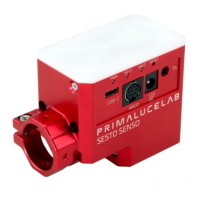
PrimaLuceLab SpA SESTO SENSO 2 user manual
CAUTION
In order to correctly use SESTO SENSO 2, you have to connect it to your telescope’s focuser. The installation
procedure changes based on the telescope’s focuser so please refer to the next paragraphs. But if you want, you
can proceed with the SESTO SENSO 2 first use also without having the focuser not installed on the telescope’s
focuser.
NOTE
In order to proceed with installation you have to download the SESTO SENSO 2 drivers and softwares package
from our website:
www.primalucelab.com/astronomy/downloads
Save the package (it’s in zip format) in the EAGLE or computer you want to use to control the SESTO SENSO 2
and unzip it with the proper unzip software (if you haven’t an unzip software, you can use https://www.winzip.-
com).
12V - 5.5/2.5 connector - positive tip polarity
Internal to read motor temperature (in the package)
External for focus temperature compensation (optional)
Driver for Windows 64 bits (compatible with Windows Vista, 7, 8 and 10)
FOCUSER Manager for control with Windows operative system
ASCOM driver for control from external software (tested with ASCOM platform
6.4)
SESTO SENSO 2 Virtual HandPad for WiFi control


 To Next Page