Primare AB • Renvägen 1 • SE-35245 Växjö • Sweden • Tel +46 470 729215 • www.primare.net
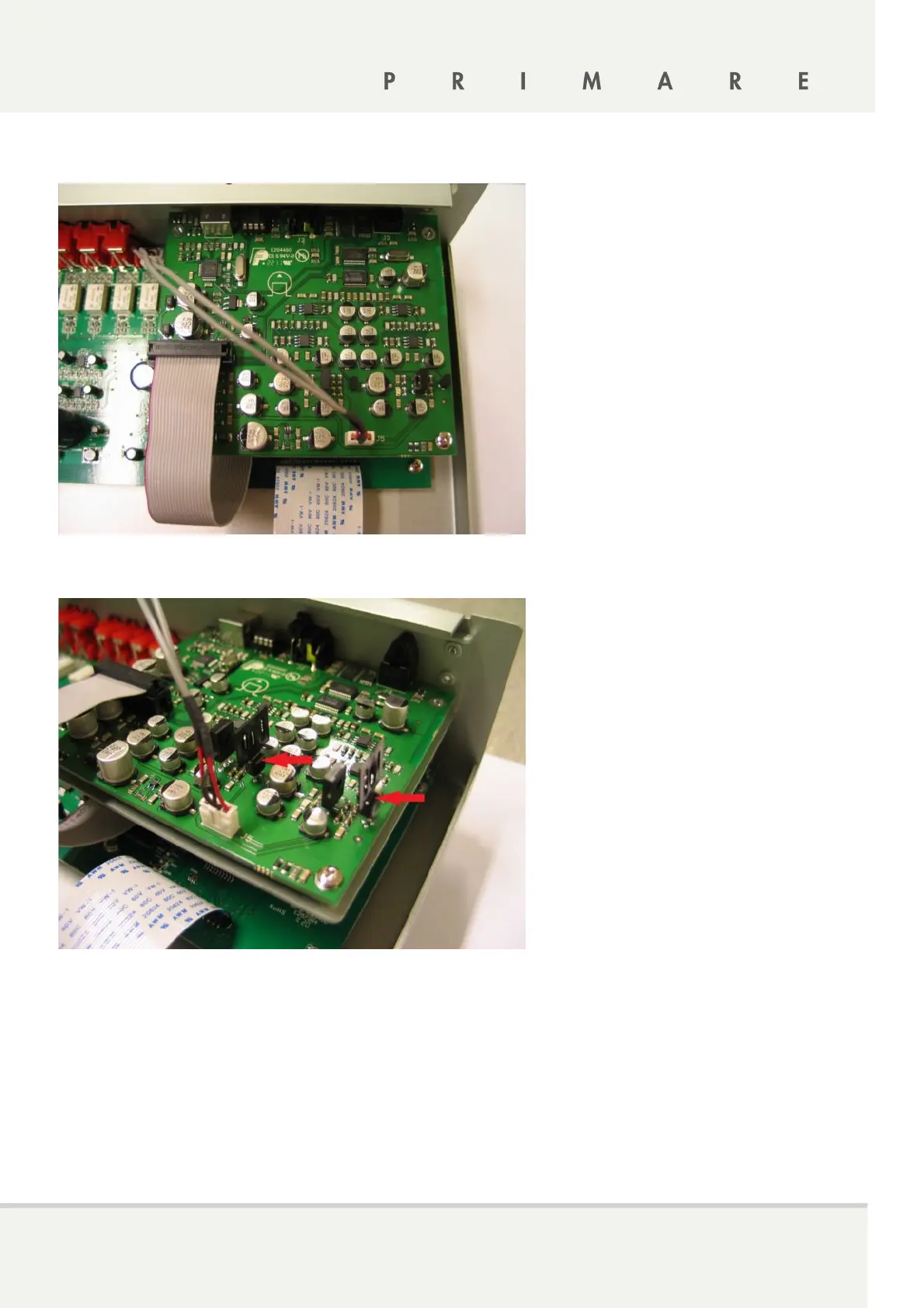
6. Connect both cables to DAC board. See picture.
7. Install transistor heat sinks. See picture RED Arrows
8. Close I22 top cover.
9. Connect AC cable.
10. Switch I22 ON.
11. PRESS and HOLD the standby button until software version shows.
12. Keep pressing standby and use lower SELECTOR button till display shows IR FRONT.
13. Release STANDBY button and use lower SELECTOR till display shows MOD NONE.
14. Use volume button till display show MOD DAC.
15. Press STANDBY to exit from settings.


 To Previous Page