3
SP31 MULTI-CHANNEL PROCESSOR USER GUIDE
HOW TO GET STARTED
This chapter explains how to get started quickly
with the SP31 Multi-Channel Processor. More
detailed instructions are presented in the following
chapters.
Connecting the SP31 Multi-Channel
processor with standard
configurations
Source Audio Video Surround Description
mode
CD Analog 1 None Bypass High quality CD
player
DVD Digital 2 S-Video 1 2-CH DVD player
Tuner Analog 2 None Stereo FM radio tuner
TV Analog 3 Video 1 Dolby Pro Television or
Logic II monitor
Sat Analog 5 Video 2 Dolby Pro Satellite receiver
Logic II
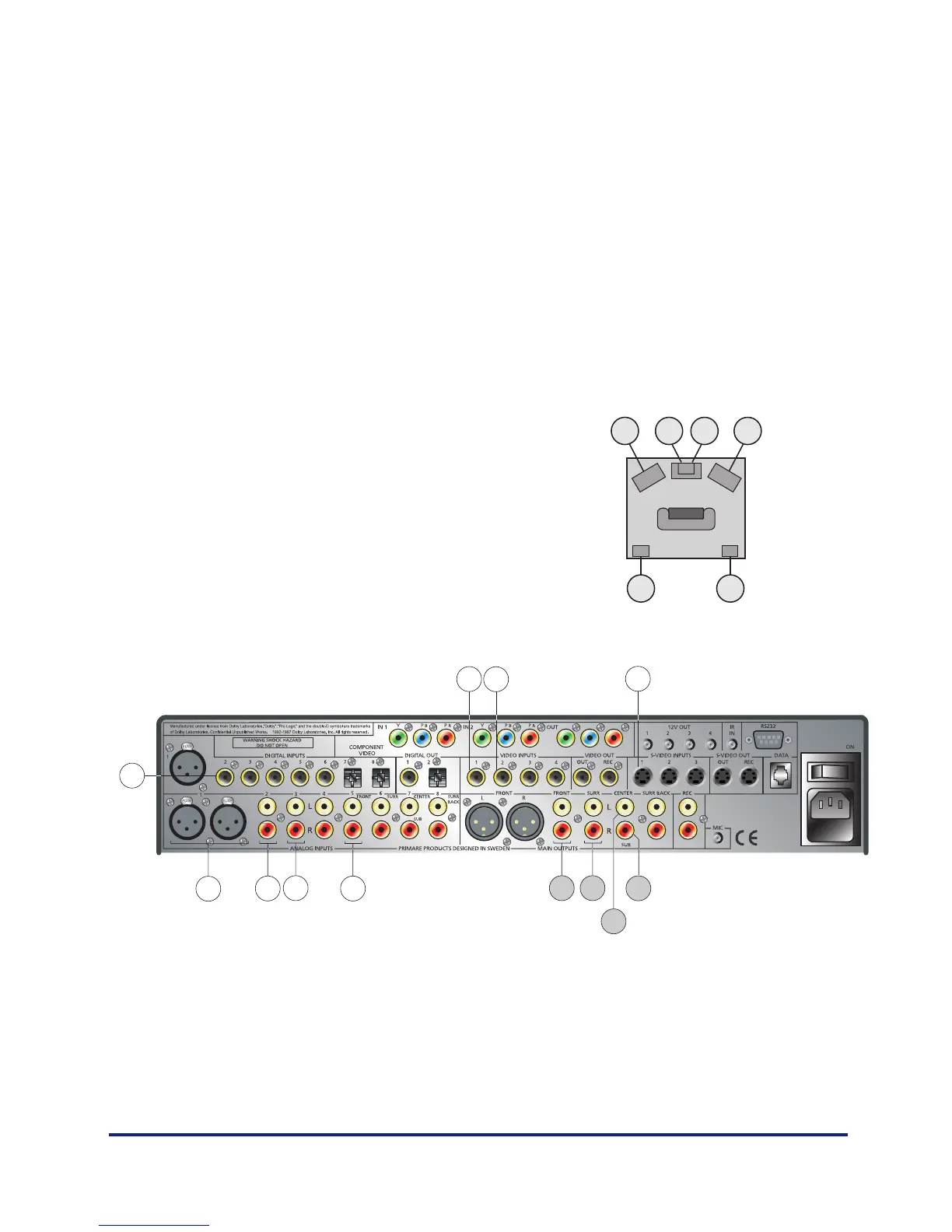
Standard audio connections
4. Sat
5. TV
6. Tuner
Standard video connections
1. TV
2. Sat
3. DVD
Quick connection of speakers
The SP31 is preset for you to connect a five channel
surroundsystem with a subwoofer. This example shows a
5:1 channel.
7. CD
8. DVD
A
BC
DD
12 3
4567
8
A
A
D
B
C


 To Next Page