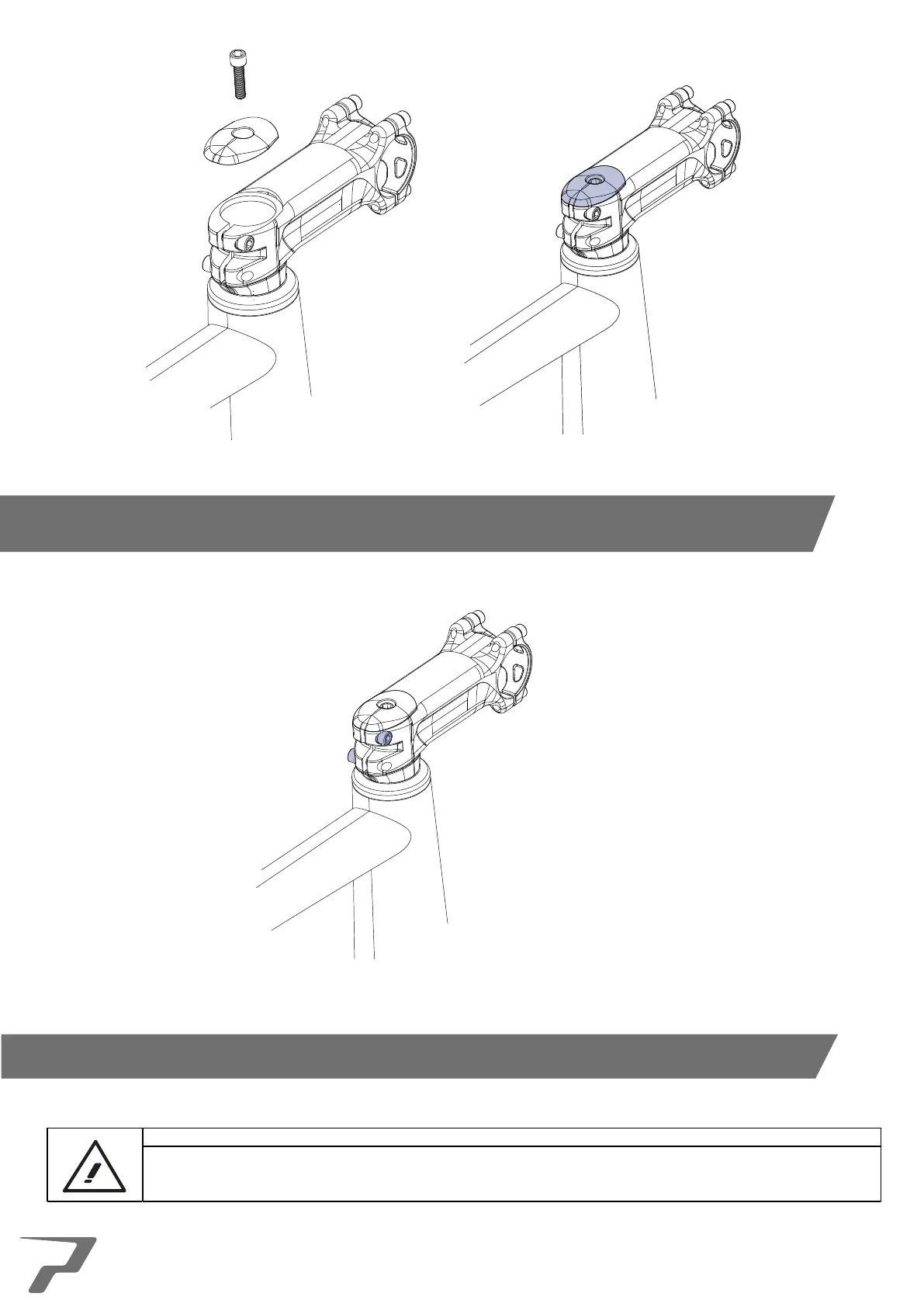
10. Place the headset top cap onto the stem and begin to tighten the compression bolt. This bolt is a compression
bolt and has no specific torque setting. Ensure all play is removed side to side and back forth.. The stem/handlebars
should be able to spin freely without any play.
11. Ensure the stem is aligned correctly then tighten the stem pinch bolts up using the necessary hex allen key to the
stem manufacturers recommended torque setting.
It is advised that a test ride is performed once the headset re-assembly is complete to ensure that everything
has been fitted correctly.
If performing a test ride it is advised that all necessary safety gear is used to prevent any form of injury.
This concludes the assembly and replacement of a Prime headset.
16



 To Next Page