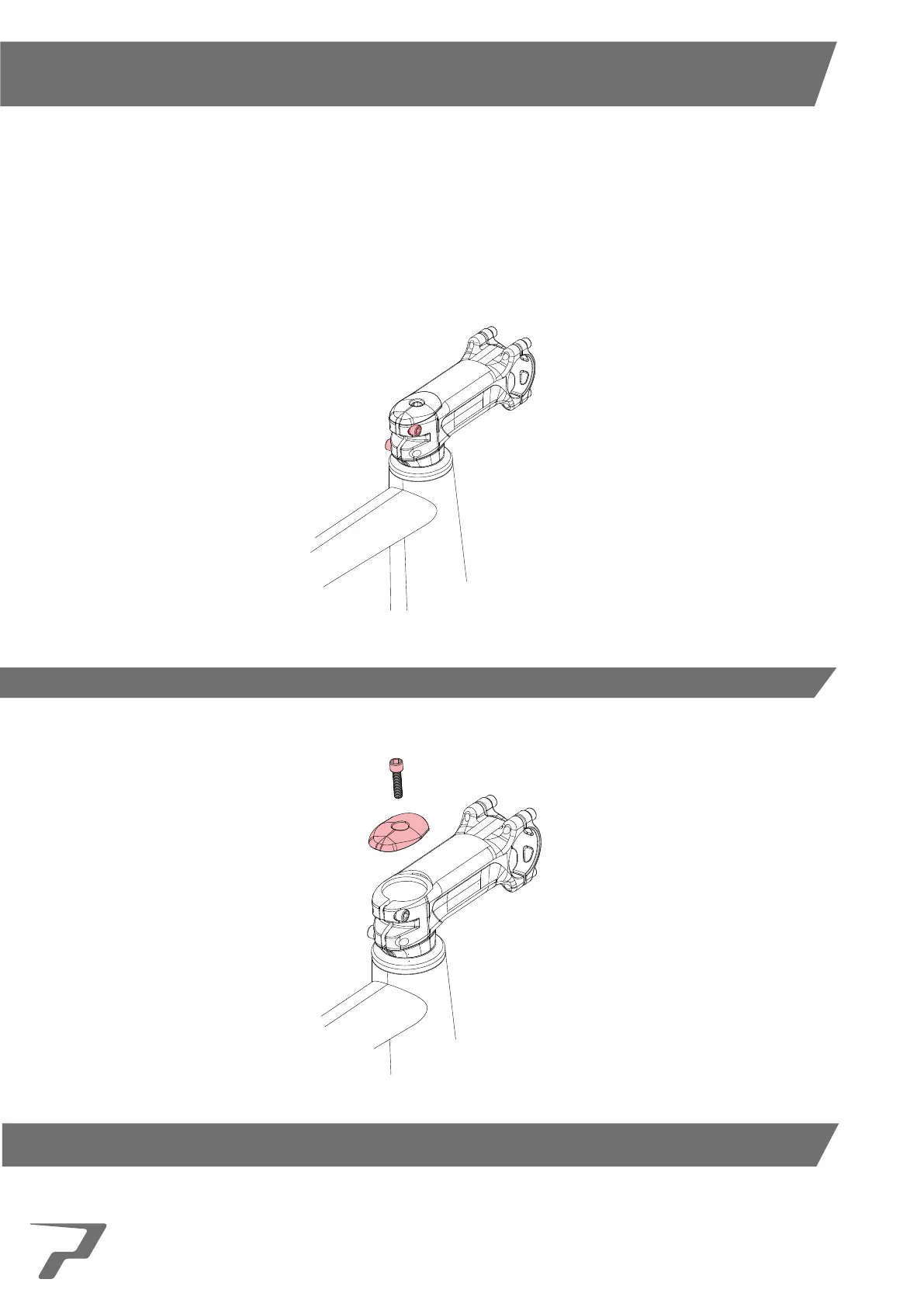
1. Using the required Hex Allen Key or Torx Key loosen the stem pinch bolts that clamp the stem to the steerer.
2. Using the required Hex Allen Key or Torx Key remove the stem compression top cap bolt by turning it
counter-clockwise, then remove compression top cap.
The following steps go through the disassembly of the headset for the purpose of replacing it with a Prime headset, each
step should be followed precisely to avoid any error.
This manual is subject to the frame and fork being compatible with the Prime headsets and should be checked before either
purchasing or performing the disassembly or replacement of the headset.
It is advised that through all the steps in the disassembly that frame and fork bearing surfaces should be cleaned before
moving on to the assembly process.
6
DISASSEMBLY



 To Next Page