Menu: INFO
INFO 1
Menu: INFO
In the menu “Information” there is information on the firmware version of your
®
device as well as device name, Bluetooth address and the serial number.
In addition there is information regarding where you can obtain support for your
device; further information is available through the software “PrimeLab Desktop
Assistant”.
1 2 3 4
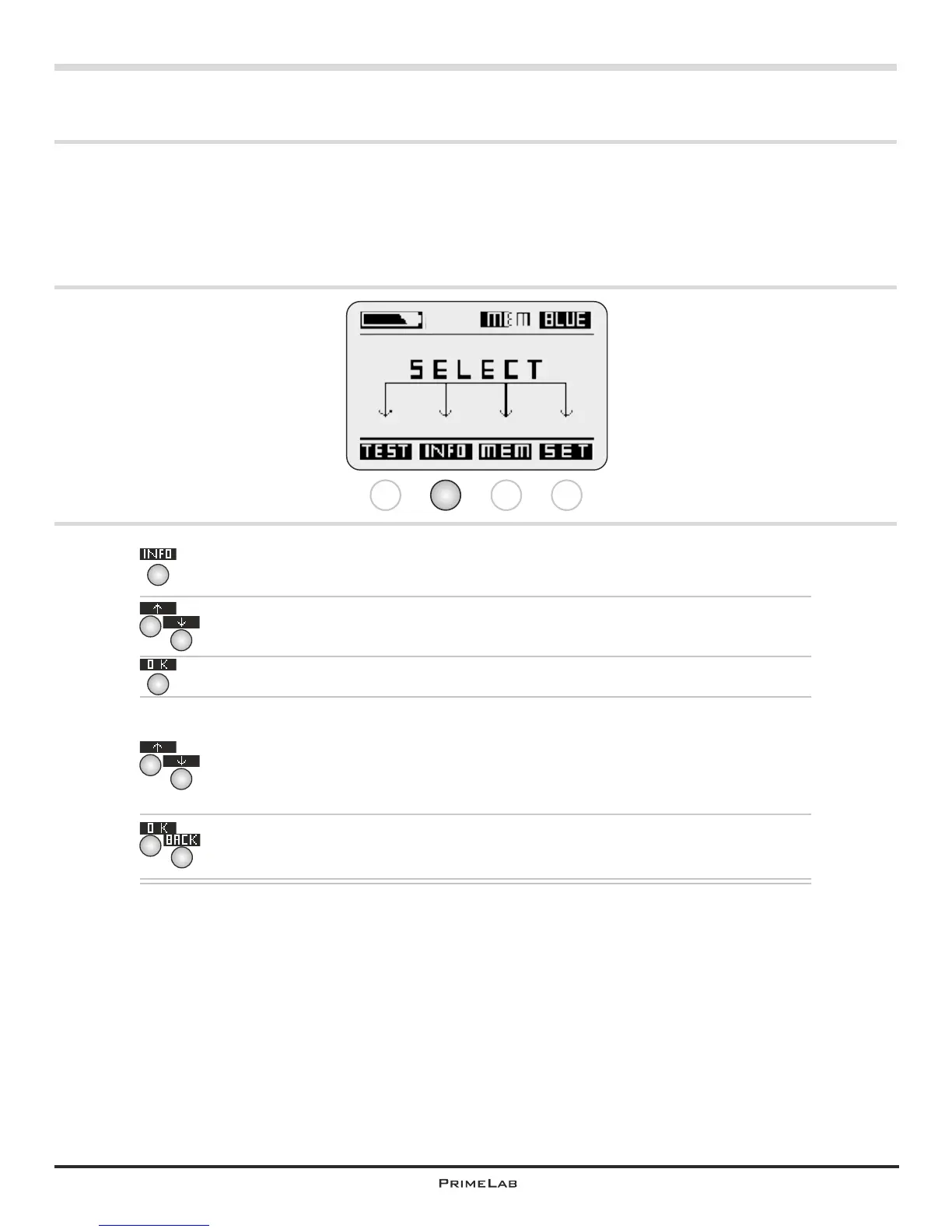
In the start menu, press button 2 to access the INFO menu.
Using button 2 and 3 to scroll up and down respectively through the
selection list until the entry “Device” appears white on black.
Confirm your selection by pressing button 4.
Using button 2 and 3 to scroll up and down respectively to view the
various information details for your device; these include: device, brand,
®
serial number, Bluetooth address, device name (determined by you
through the “PrimeLab Desktop Assistant”, firmware version, firmware
®
date and whether a Bluetooth module is installed or not.
Press button 4 or 1 to return to the INFO menu.
In a second step select the entry “Support” to view the link to the
PrimeLab website: www.primelab.org
4
2
3
2
2
3
4
1
INFO 1


 To Next Page
 Loading...