PrimeLab Desktop Assistant
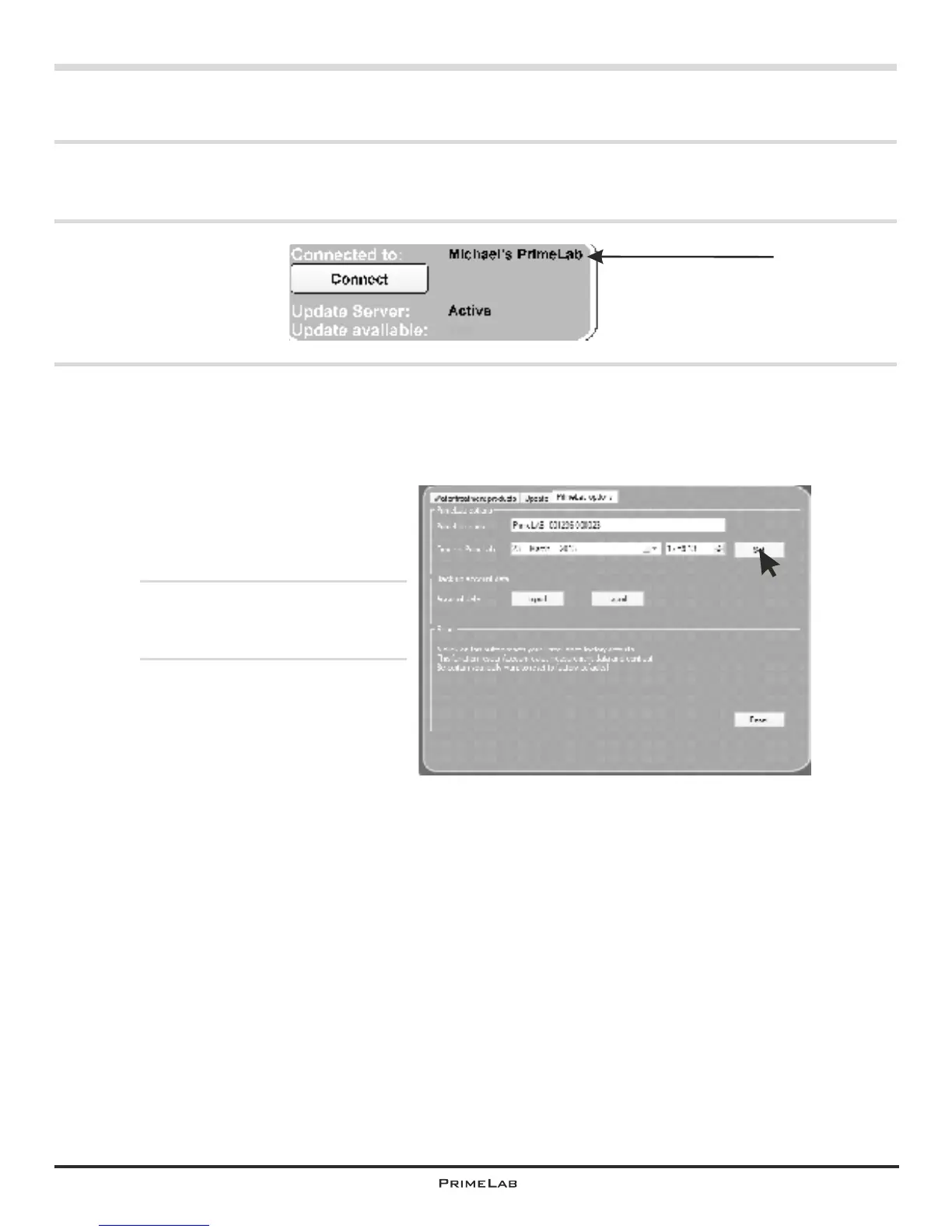
Menu: Setup / Assign a name to PrimeLab
Especially if you are using several PrimeLab devices (e.g. in a lab) it makes sense
to assign a unique name to each PrimeLab device. This can be easily done as
follows:
Click on the SETUP menu and
select the third tab (“PrimeLab
options”).
In the field “PrimeLab name”
enter a name of your choice and
confirm the entry by clicking “Set”.
The PrimeLab device will then be
identified by the name assigned
by you.
PDA-13PDA-13
Yes


 To Next Page