!
PrimeLab Desktop Assistant
Menu: Account data / Add new account
The software has the function of importing external data, e.g. from your
customer database, so that you do not have to re-enter huge amounts of
data again. For more information see the chapter “Setup – Importing and
exporting account data”.
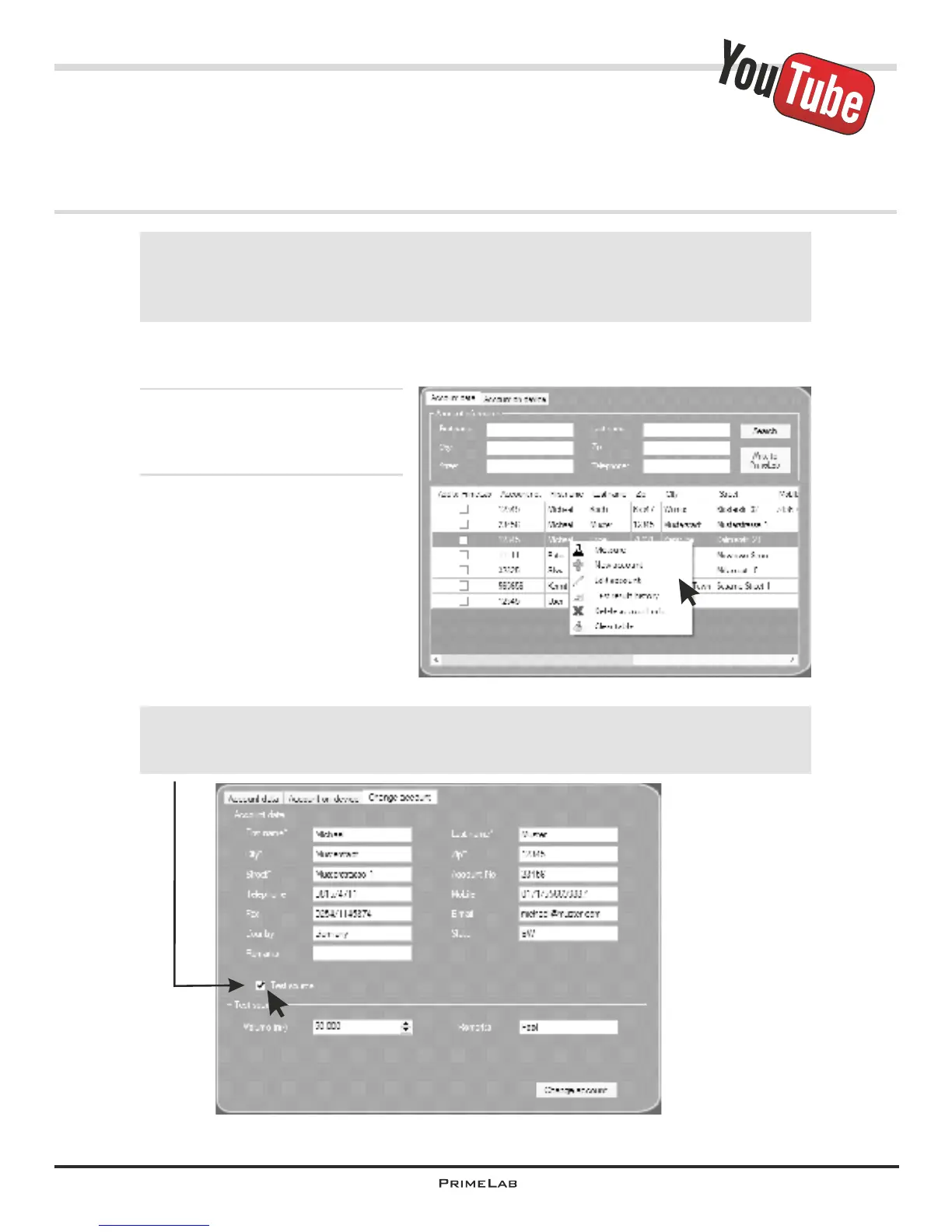
Click on the menu “Account data” and select the first tab (Account data).
With a right click (!) in the address
data field open a submenu.
Select:
“New account” to create a new
account
“Edit account” to edit data of an
existing account
“Delete account” to delete an
existing account
Menu: Account data / Edit existing account
Menu: Account data / Delete account
!
Under “Test basis” always include the volume of the measurement water
source (in m³), because you must have this information to be able to
calculate the dosage recommendations!
PDA-21PDA-21


 To Next Page
 Loading...