Initial setup
System requirements:
Windows XP / 7 / 8 / 8.1 / 10
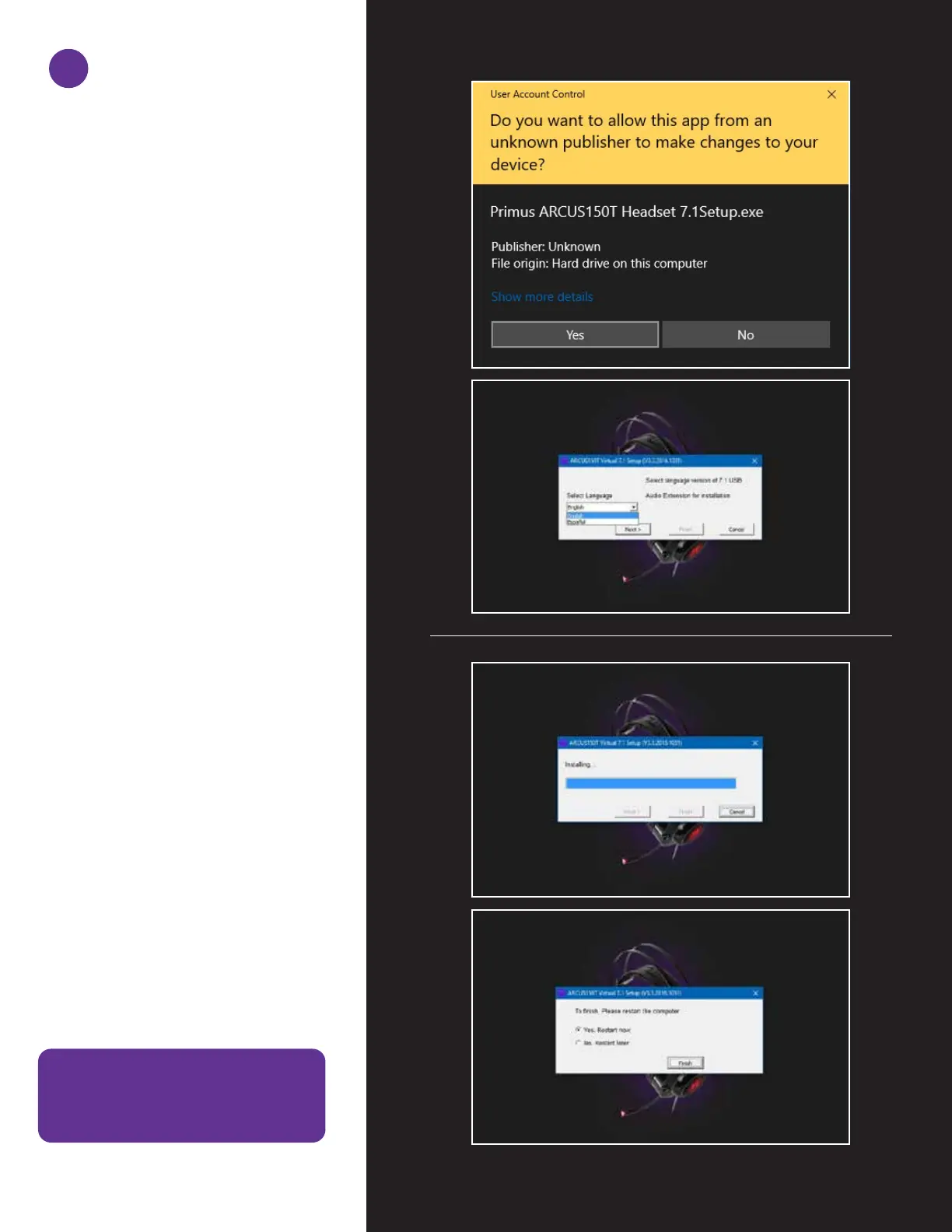
1. Turn on your computer.
2. Go to www.primusgaming.com/software
to download the driver software.
3. Run the set up program and follow the
onscreen installation prompts.
4. Once the software installation is complete,
a screen will be displayed notifying the
user to restart the computer, in order to
allow changes to take effect.
5. Connect the headset to the USB port of
your computer after the system has
finished rebooting.
1


 To Next Page