EasyManua.ls Logo

Prior Scientific OptiScan II ES111 - User Manual

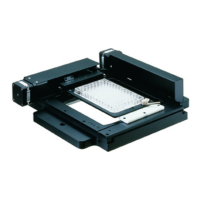
Prior Scientific OptiScan II ES111
94 pages
Print Icon
To Next Page IconTo Next Page
Loading...
(217) 352-9330 | sales@artisantg.com | artisantg.com
-~
ARTISAN
®
~I
TECHNOLOGY
GROUP
Your
definitive source
for
quality
pre-owned
equipment.
Artisan Technology
Group
Full-service,
independent
repair
center
with
experienced
engineers
and
technicians
on staff.
We
buy
your
excess,
underutilized,
and
idle
equipment
along
with
credit
for
buybacks
and
trade-ins
.
Custom
engineering
so
your
equipment
works
exactly as
you
specify.
Critical
and
expedited
services
Leasing
/
Rentals/
Demos
In
stock/
Ready-to-ship
!TAR-certified
secure
asset
solutions
Expert
team
I
Trust
guarantee
I
100%
satisfaction
All
tr
ademarks,
br
a
nd
names, a
nd
br
a
nd
s a
pp
earing here
in
are
th
e property of
th
e
ir
r
es
pecti
ve
ow
ner
s.
Find the Prior ES9 at our website: Click HERE
Question and Answer IconNeed help?

Do you have a question about the Prior Scientific OptiScan II ES111 and is the answer not in the manual?

Summary

Safety Information and Precautions

General Safety Precautions

Covers warnings and precautions for safe operation.

System Unpacking and Components

OptiScan II System Components

Lists all parts included in the OptiScan II system.

Related Accessories List

Lists frequently supplied optional accessories.

Installation Procedures

Stage Removal Procedure

Instructions for safely removing the old stage.

OptiScan II Stage Mounting

Steps for mounting the new stage onto the microscope.

Controller Cable Connections

Details on connecting the controller and its ports.

Focus Drive Installation Guide

Guide for installing the focus drive mechanism.

Filter Installation Procedure

Procedure for loading filters into the filter wheel.

Filter Wheel and Shutter Mounting

Steps for attaching filter wheels and shutters.

Getting Started with OptiScan II

System Power On and Initial Setup

How to power on and basic operational overview.

USB Connectivity and Software Setup

Step-by-step guide for USB connection and software setup.

Joystick (CS152 DP) Operation

Explanation of joystick controls and features.

Z Axis Digipot (CS152 Z) Control

Description of the Z axis digipot control.

Filter Wheel Keypad (CS100 K) Control

Guide for operating filter wheels and shutters via keypad.

Touch Screen Keypad (CS152 KB) Overview

Overview of the touch screen controller.

Advanced Operation and Commands

RS232 Command Set and Protocol

Details on communication protocols and commands.

Macro and Soak Command Routines

Explanation of macro and soak routines for automation.

General Controller Commands Reference

Description of common controller commands.

Stage Movement Command Set

Specific commands for controlling the stage movement.

Z Axis Focus Command Set

Commands related to the Z axis focus control.

Filter Wheel Command Reference

Commands for operating filter wheels.

Shutter Control Command Set

Commands for controlling shutters.

Pattern Scan Command Set

Commands for pattern scanning.

H127;H128 Compatible Commands

Commands for compatibility with older controllers.

Z Axis Encoder Functionality

Information on the Z axis encoder system.

Error Code Reference Guide

List and explanation of error codes.

Joystick Configuration (CS152)

How to configure joystick button functions.

Troubleshooting Guide

Stage Unresponsiveness Troubleshooting

Solutions for when the stage is unresponsive.

Stage Movement Direction Issues

Troubleshooting for single-axis movement problems.

Software Communication Troubleshooting

Issues with image analysis software integration.

RS232 Command Communication Issues

Problems related to RS232 communication.

Focus Motor and Drive Malfunctions

Troubleshooting focus motor and drive issues.

Filter Wheel and Shutter Malfunctions

Solutions for filter wheel and shutter malfunctions.

System Specifications

Performance Specifications

Details on maximum speeds and travel ranges.

Power Supply Details

Information on the power supply.

Returns and Repair Services

Service Contact and RMA Information

How to contact for service and obtain RMA.

Appendices

Appendix A: Non-Standard Focus Drive Installation

Guide for installing focus drives on specific microscopes.

Appendix B: Direct Coupling Focus Installation

Instructions for direct coupling focus installation.

Appendix C: HyperTerminal Communication Guide

Guide for using HyperTerminal for communication.

Prior Scientific OptiScan II ES111 Specifications

General IconGeneral
BrandPrior Scientific
ModelOptiScan II ES111
CategoryLaboratory Equipment
LanguageEnglish