QUICK START
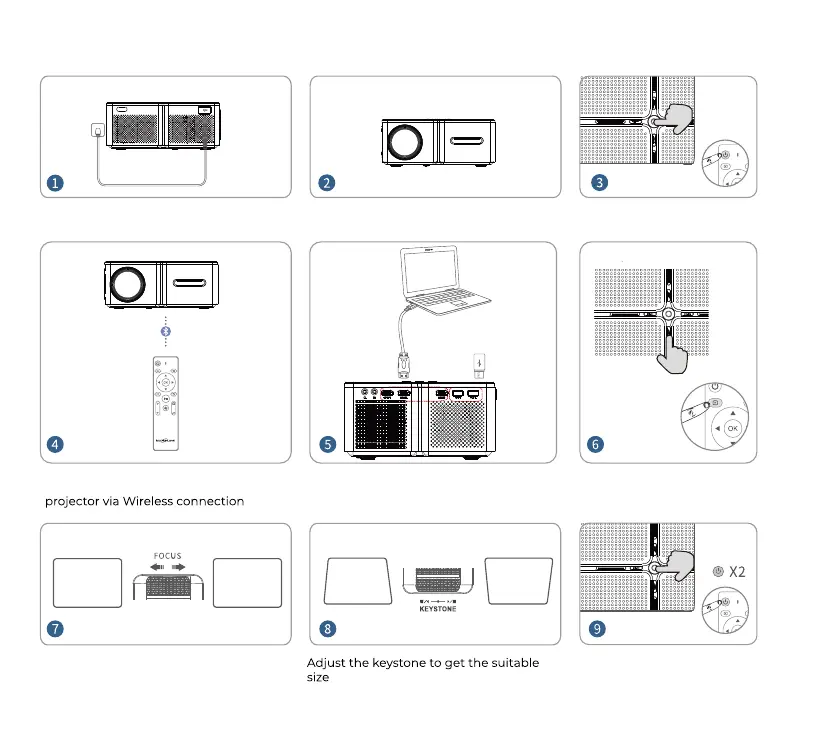
Plug the power cord into an outlet Press the Power Button to turn on
the projector
Press Source button and select
the correct input source
Connect your remote control to the
Adjust the focus ring to get the best
image performance
Press the Power Button twice
to turn off the projector
Connect your device to the projector
correctly
Remove the lens cover before using.


 To Next Page