5
Performing the upgrade
Unpack the firmware package and/or copy the file update.img to an easily accessible location like the
desktop.
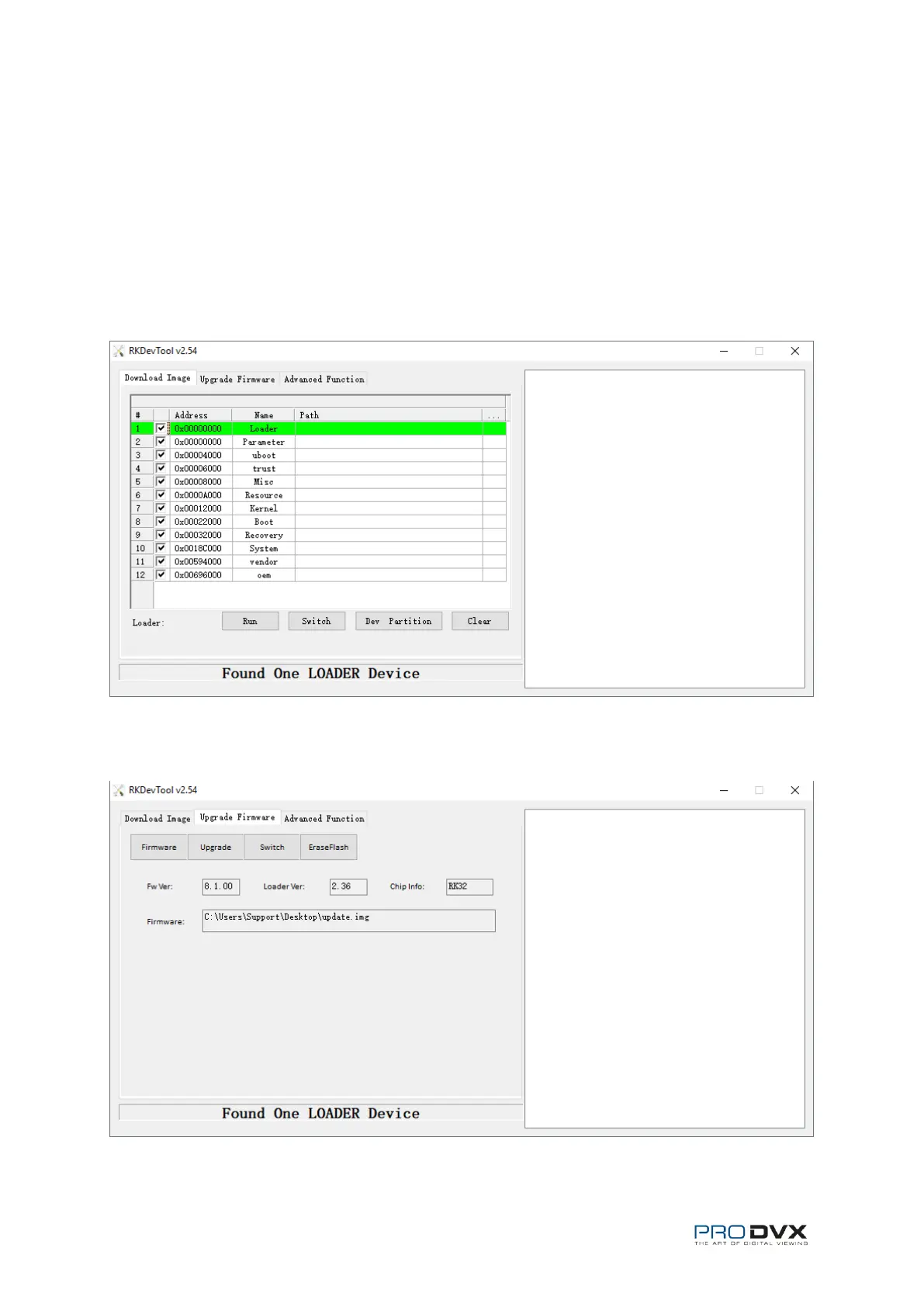
Unpack AndroidTool_Release_v2.54.zip and open AndroidTool.exe. The RKDevTool v2.54 will now
start. Plug in the USB cable as done with the UpgradeDII Tool; Make sure the device is powered down
and press the plus part of the volume control and plug in the micro-USB part of the USB cable that is
connected to your pc. Keep it pressed and simultaneously turn the device on. The RKDevTool will
show “Found One LOADER Device”.
Go to the “Upgrade Firmware” tab and click the Firmware button. Select the update.img file of the
firmware package.


 To Next Page