16 / 29
3.3. Receive screen data from GP3000 series
You can transfer data to GP3000 Series via;
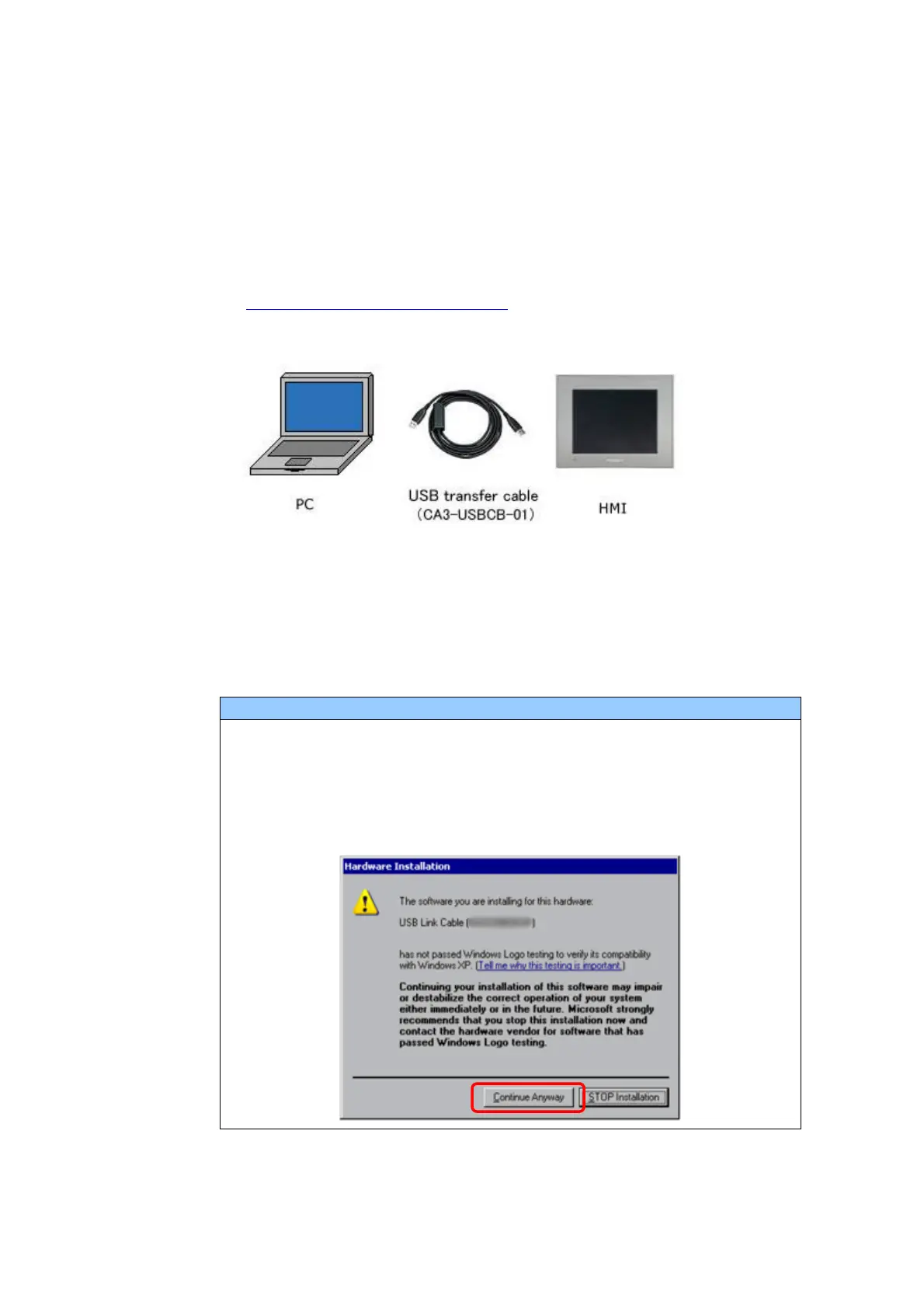
A USB transfer cable (model: CA3-USBCB-01)
A CF card/USB storage device
Ethernet
If you have backed up screen data, this step is unnecessary, skip to the next
section [3.4 Change the Display Unit Type].
(1) Connect your PC and GP3000 Series with a USB transfer cable.
If the driver of the cable has not been installed on your PC yet, a dialog
box will appear. Please follow the instructions.
The “Hardware Installation” dialog box as shown below may appear
during installing the USB driver depending on the security level of
Windows
®
. Click [Continue Anyway] to start installing the driver. When
installation is completed, click [Finish].


 To Next Page