24 / 29
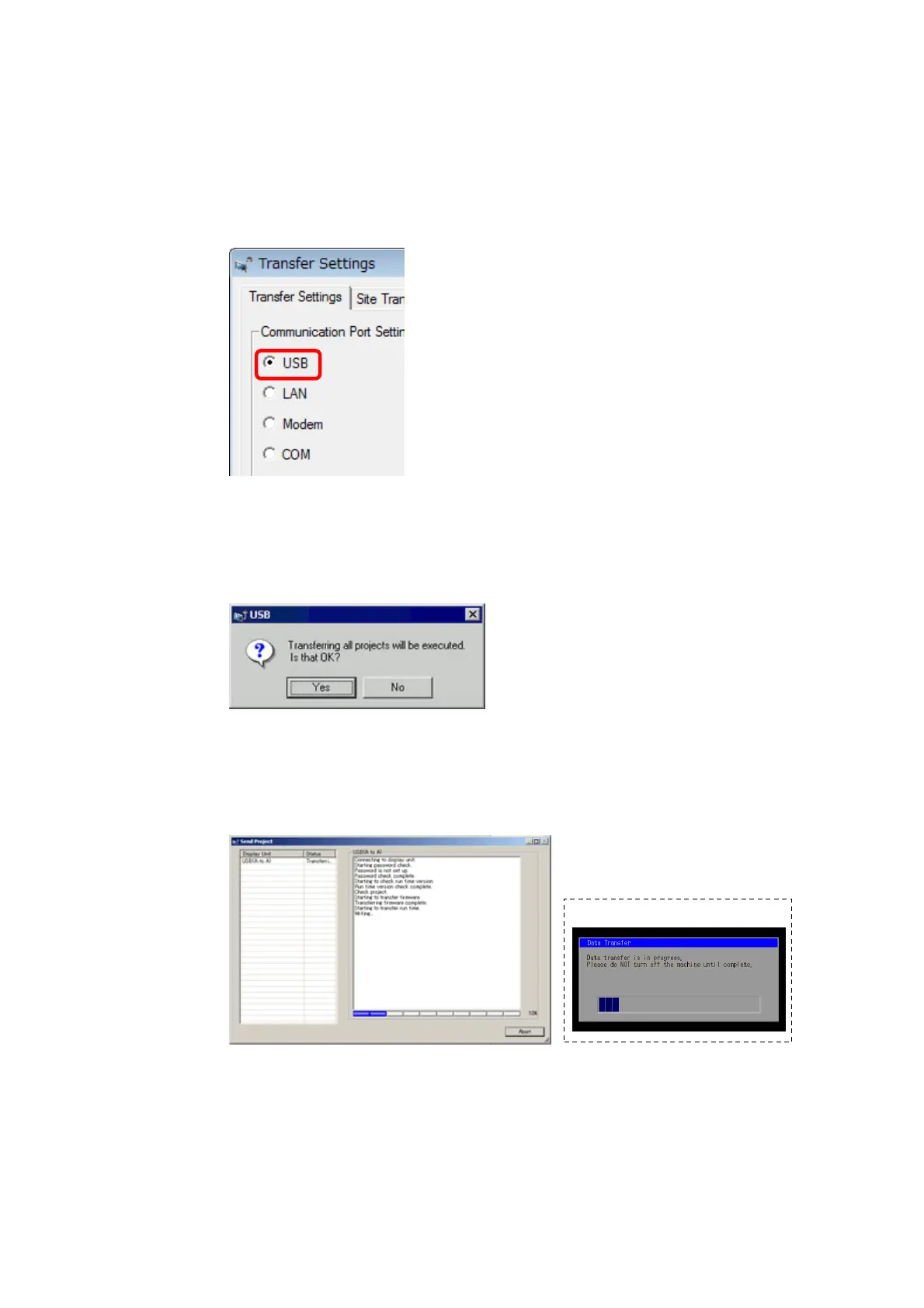
(4) Make sure that the [Device] in the “Transfer Settings Information” is set
to [USB].
If not, click the [Transfer Setting] button to open the “Transfer Setting”
dialog box.
Select [USB] in the Communication Port Settings field and click [OK].
(5) Click [Send Project] to start transfer.
When the following dialog box appears, click [Yes]. This dialog box
doesn’t appear when the same project file is sent again.
(6) The following dialog box appears during transfer and you can check the
communication status. (The display unit enters the Transferring mode
and communication with the device such as a PLC is terminated.)


 To Next Page