25 / 29
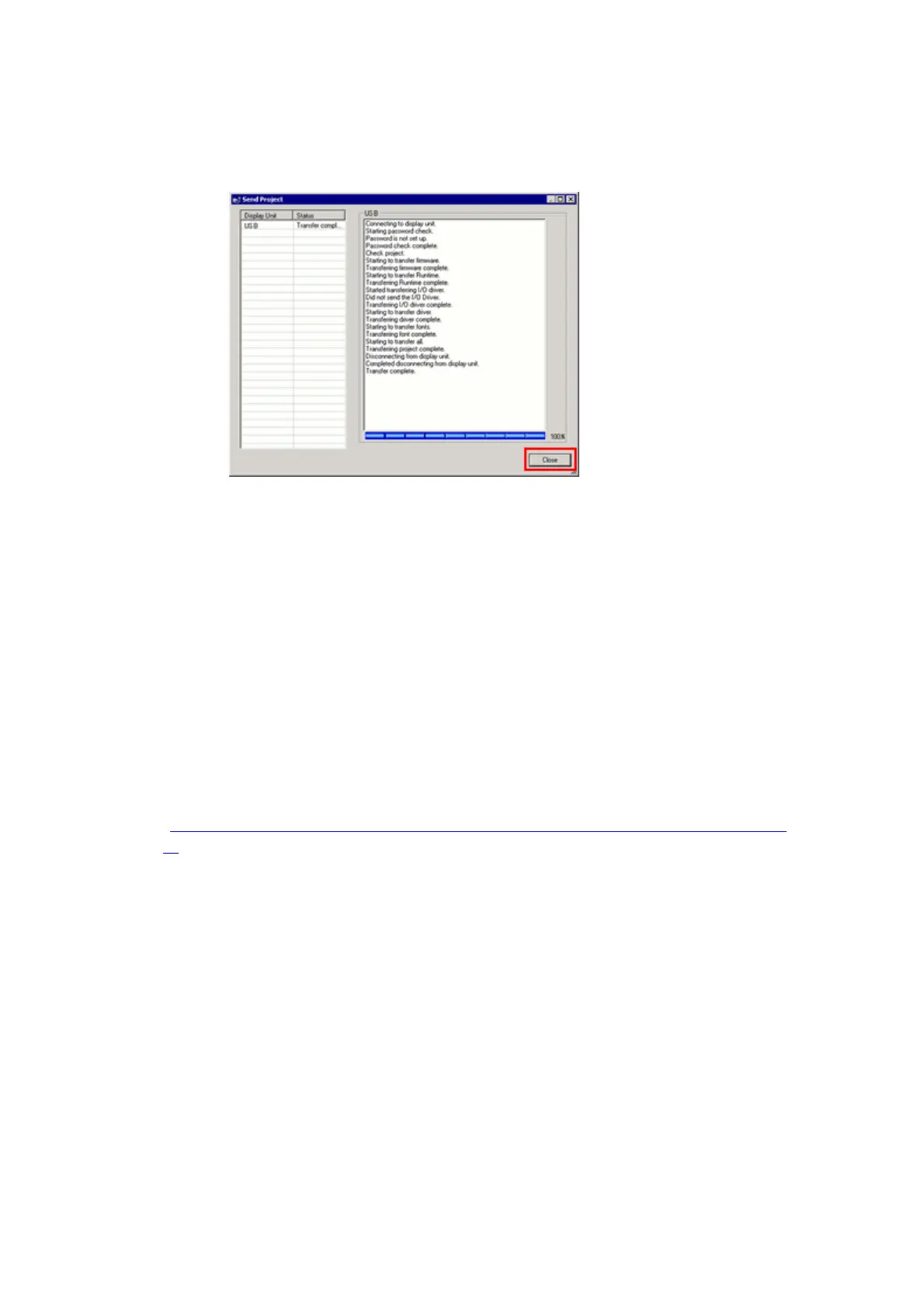
(7) When transfer is completed, the status displayed in the dialog box will
change from [Transferring] to [Complete Transfer]. Click [Close] to close
the dialog box.
The display unit will be reset and a screen of the transferred project file
will be displayed.
(8) Close the Transfer Tool.
(9) Click the [X] mark on top right of the screen or [Project]->[Exit] to close
GP-Pro EX.
3.6. Differences of software
Some functions supported by GP3000 Series are not supported by SP5000 series.
For details of the details of the supported parts and functions, refer to [Supported
Features] of GP-Pro EX Reference Manual
(http://www.pro-face.com/otasuke/files/manual/gpproex/new/refer/gpproex.ht
m).


 To Next Page