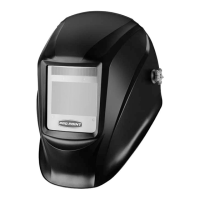
8510851 Variable Shade Auto-Darkening Welding Helmet V1.3
BATTERY REPLACEMENT
1. Replace the batteries by removing the filter cartridge from the
retaining frame.
2. Pull the top of the frame up and push the cartridge forward past
the retaining tabs, then slide it out. Open battery compartments
on the bottom left and right and replace batteries. Always
replace both batteries at the same time. Replace battery covers.
3. Insert the bottom of the cartridge behind the bottom tabs.
4. Pull the top of the retaining frame up and slide the top behind
the retaining tabs.
5. Place the retaining frame back into the welding helmet and push
the lock switches outward to lock in place.
CLEANING
NOTICE! Do not use alcohol, gasoline or diluents to clean the filter
cartridge. Do not put place the filter cartridge into water as this will
damage the filter.
Clean the lens, helmet shell and headband with a soft cotton cloth and
mild soap. Replace the headband when required.
DISPOSAL
Recycle a tool damaged beyond repair at the appropriate facility.
Contact your local municipality for a list of disposal facilities or by-laws
for electronic devices, batteries, oil or other toxic liquids.
10 For technical questions call 1-800-665-8685


 To Next Page