EasyManua.ls Logo

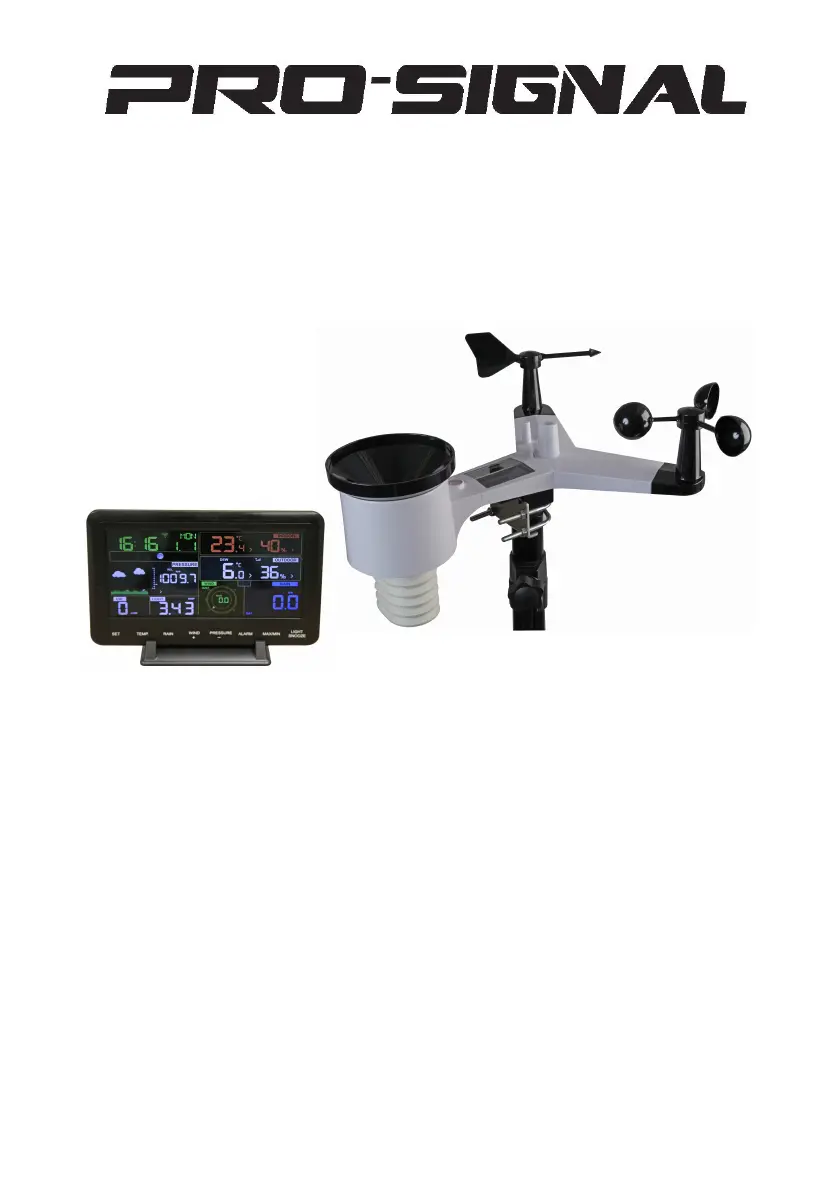
PRO SIGNAL PSG04173 - User Manual

PRO SIGNAL PSG04173
65 pages
Print Icon
To Next Page IconTo Next Page
Loading...
Professional Weather St
ation
M
odel: PSG04173

Questions and Answers

Summary

Introduction

Warnings and Cautions

Safety Warnings and Precautions

Important safety advice for installation and operation to prevent hazards.

Quick Start Guide

Installation and Operation Steps

Essential steps to install, operate, and upload the weather station.

Pre-Installation Checkout and Site Survey

Pre Installation Checkout

Initial checkout in a temporary location to test functions and wireless range.

Site Survey

Evaluating the installation site for optimal placement and avoiding obstructions.

Setting Started

Contents

Lists all items included in the weather station package.

Sensor Set Up

Step-by-step instructions for assembling and connecting the outdoor sensor components.

Install U-bolts and mounting pole

Details on attaching the sensor package to a mounting pole using U-bolts.

Install wind vane

Procedure for attaching the wind vane to the sensor, ensuring free rotation.

Install wind speed

Procedure for attaching the wind speed cups to the sensor, ensuring free rotation.

Install Rain Gauge

Instructions for correctly orienting and installing the rain gauge component.

Install Batteries

Guidance on inserting batteries into the sensor for power and checking the LED indicator.

Mount assembled outdoor sensor package

Instructions for mounting the complete sensor array onto a pole, including alignment.

Reset Button and Transmitter LED

How to reset the sensor array and understand the transmitter's LED status.

Best Practices for Wireless Communication

Tips for ensuring reliable wireless communication and minimizing interference.

Display console

Instructions for setting up the display console, including placement and stand usage.

Vertical Desk Stand

Information on using the console's vertical desk stand for better viewing.

Display Console Operation

Screen Display Overview

Explanation of the various icons and data points shown on the console's LCD screen.

Initial Display Console Set Up

Steps to connect the power adapter and initialize the display console for use.

Console Key Functions

Overview of the console's buttons and their primary functions for operation.

Setting Mode Configuration

Guide to entering and navigating the console's setting menus for customization.

Beep Settings

Configuration option to enable or disable beep sounds for key presses.

Time and Date Settings

Procedure for setting the console's time, date, and preferred format.

Pressure Settings

Settings related to absolute and relative pressure units and their display.

Unit Settings for Measurements

Options for selecting units for light, temperature, wind speed, and rain.

Alarm Mode Operation

How to set, view, and manage alarm thresholds for various weather parameters.

Max;Min Data Mode

How to display and reset the maximum and minimum recorded weather data.

Calibration Mode

Instructions on how to access the calibration menu for sensor adjustments.

Other Console Features

Covers factory reset, transmitter registration, backlight, tendency indicators, MAC address, and snooze functions.

Specification

Outdoor data specifications

Technical specifications for outdoor sensors including range, accuracy, and resolution.

Indoor data specifications

Technical specifications for indoor readings like temperature, humidity, and pressure.

Power consumption details

Details on the power requirements and consumption of the base station and remote sensor.

Live Internet Publishing

Connecting to WiFi

Guide to connecting the console to a Wi-Fi network for internet data upload.

Configure Device Setup

Steps for configuring the weather station device within the mobile application.

Upload Setting for Weather Services

Information on setting up data upload to various internet weather services.

Upload to Ecowitt Website

Detailed instructions for uploading sensor data to the Ecowitt online platform.

Upload to Wunderground.com

Guide on how to register and upload weather data to the Wunderground service.

Upload to Weathercloud.net

Steps for uploading weather data to the Weathercloud platform.

Upload to WeatherObservationWebsite (WOW)

Instructions for uploading weather data to the UK Met Office WOW website.

Upload to Customized Website

How to upload data to a custom website using specific protocols.

Registering WeatherUnderground.com via PC;Mac

PC;Mac Weather Underground Registration

Comprehensive guide to registering your weather station on WeatherUnderground.com via a computer.

Maintenance

Maintenance Tasks

Regular tasks for cleaning sensors, replacing batteries, and preventing snow buildup.

Troubleshooting Guide

Troubleshooting Common Issues

Solutions for common problems like communication failure, incorrect readings, and connectivity issues.

PRO SIGNAL PSG04173 Specifications

General IconGeneral
Indoor Temperature Range0°C to +50°C
Temperature Resolution0.1°C
Humidity Range20% to 95%
Humidity Resolution1%
Transmission Range30m
Frequency433 MHz
Power Source (Remote Sensor)2 x AAA batteries
TypeWireless Weather Station
Outdoor Temperature Range-20°C to 60°C
Power Source (Main Unit)2 x AA batteries
FeaturesLCD display, min/max memory