• Overload Protection: 250V DC or AC Peak Value.
WARNING: DO NOT input any voltage at this range for safety
concern!
2-2-7. Capacity (F)
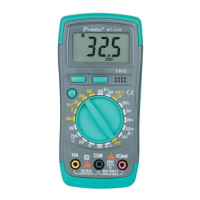
A) Rotate function switch to “Ω”setting.
B) Press “SELECT” button to select the Capacity measurement mode.
C) Insert the black test lead to “COM” terminal and red test lead
to“VΩHz”terminal;
D) Connect the tested capacity by the test leads, the screen will show
capacitance parameter. (The relative value measurement could be
conducted by pressing “REL” button.)
Caution:
1. Fully discharge the tested capacitor in case it may damage the meter.
2. When measuring in-line capacitor, the power should be turned off and
all capacitors should be discharged completely.
3. It takes about 15 seconds to input stable reading at 200uF Range.
WARNING: DO NOT input any voltage at this range for safety
concern!
2-2-8. Frequency (Hz) and Duty cycle
A) Test Volt Frequency, connect test leads and shielded cable
respectively to “COM” terminal and“VΩHz”terminal.
B) Rotate function switch to “Hz”gear. Connect test leads and the cable
to the signal source or the tested load. The tested signal will show
on the screen.
C) Press Hz/% button, the screen displays (%), and the measurement
signal value shows duty cycle (%)


 To Next Page