enter the Pause Duration setting. LCD will show “FLASH 3 110“.
It means the default pause duration time is 110 ms, Change the
value by ▲/▼ keys then press STO to move to the “SET 4
LCD”.
LCD light adjust
When the “SET 4 LCD” is displayed on LCD, press STO key to
enter the LCD light adjust mode. There are 5 LCD light level can
be selected. Press ▲/▼ key to change the level then press
STO to jump to “SET 5 ALAR” or press DEL to quit.
CAUTION:
The “SET 5 ALAR” is not used by MT-8006B; we suggest users
do not to change the value in “SET 5 ALAR” setting item. In this
setting item press STO to jump to “SET 6 IPP” or press DEL to
quit.
Dialing mode
If the “SET 6 IPP” is displayed on LCD, press STO key to enter
the dial mode setting. The IPP ON/OFF will show on LCD, use
▲/▼ key to swap between them. If “IPP OFF” is selected, the
dialing mode is tone; otherwise, the dialing mode is pulse.
3. Connect the angled bed of nails (or RJ11 plug) to the telecom line
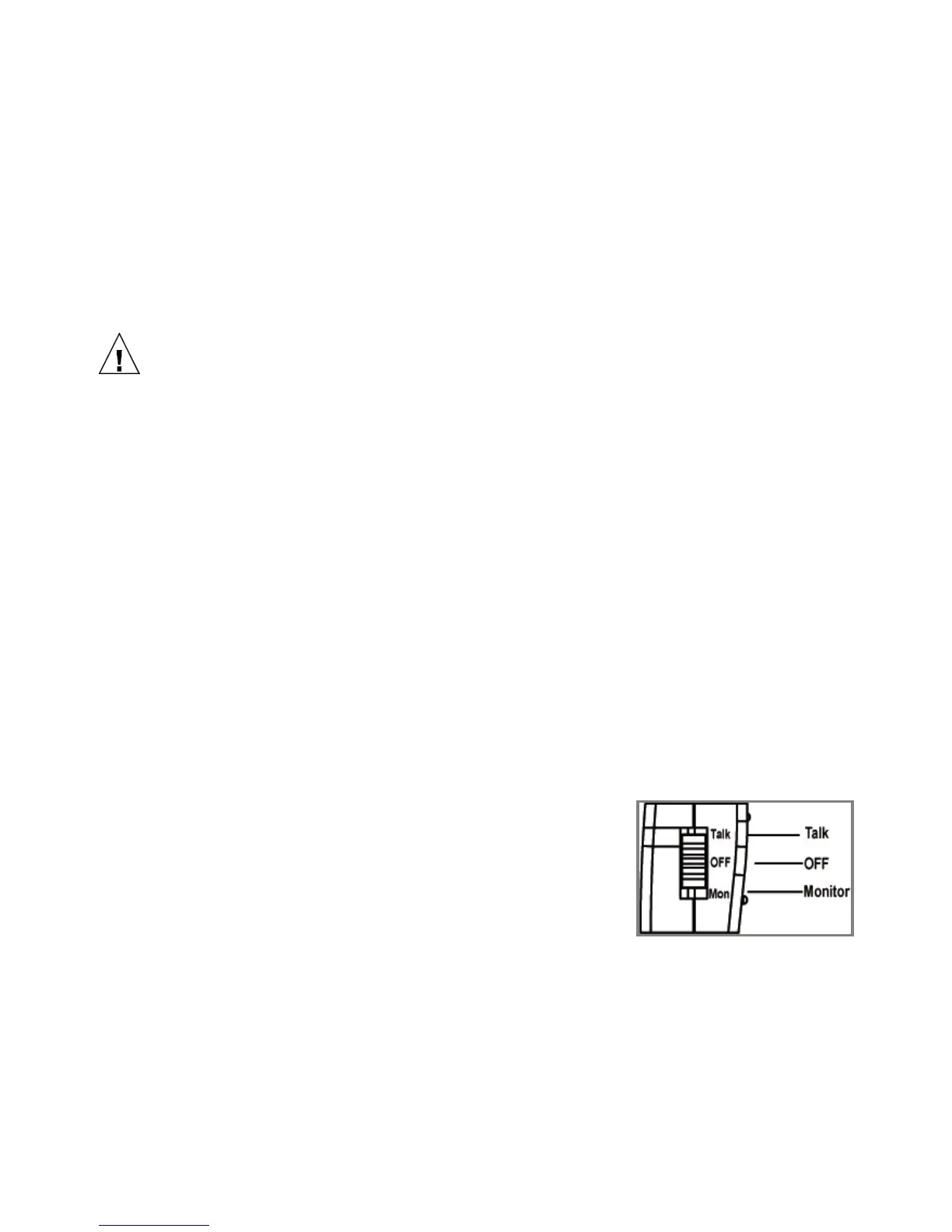
● Talk / OFF / Mon. →Test mode switch:
The Data Diver has three basic modes of
operation: Talk mode, OFF mode and
Monitor mode. Before using the MT-8006B,
please set the Data Diver to proper mode;
otherwise, it will remain in the OFF mode.
(Your Data Diver is set at the “OFF” position before your first use)
T
alk Mode:
The “Talk” mode gives an off hook condition for dialing and talking as
a common battery telephone. It is also available for memory dialing,
last number dialing, caller dialing, redialing…etc.
7


 To Next Page