9
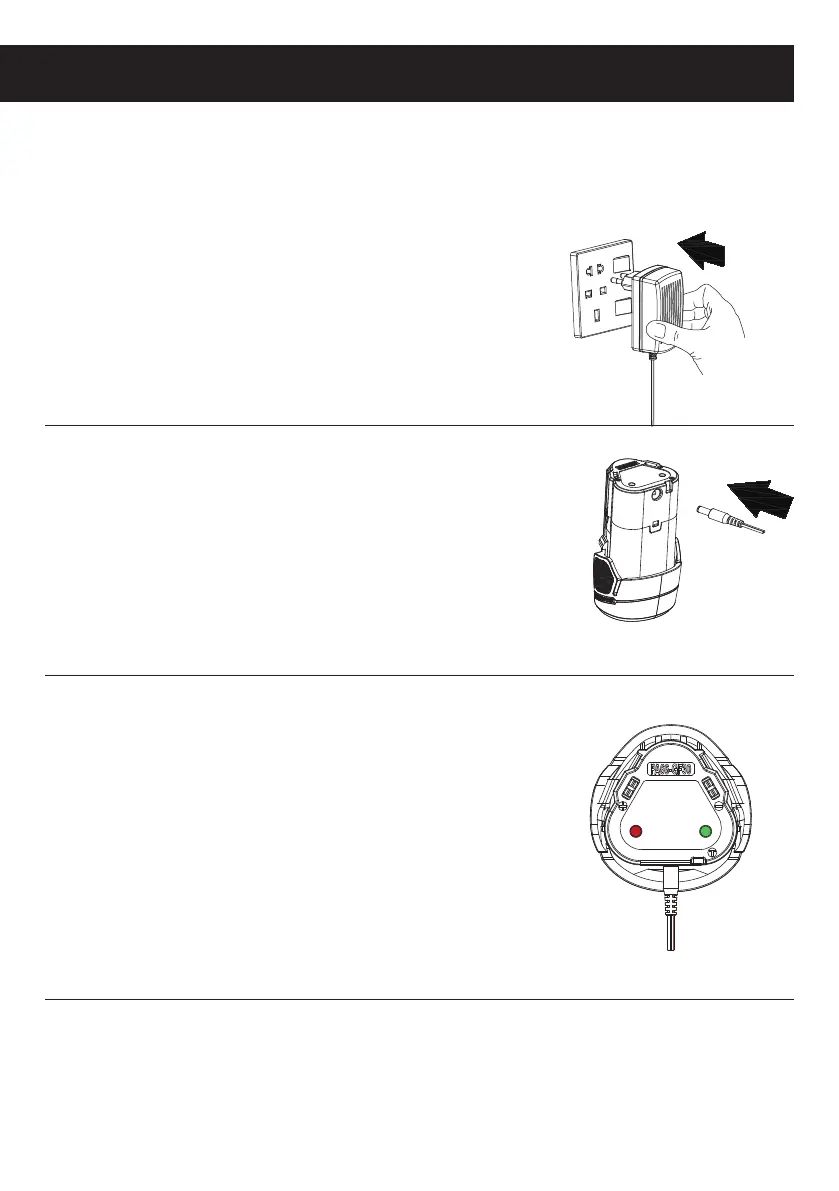
Charging a battery
2. The charging output interface insert battery
of charging port.
Note:
The battery will require 1 hours
charging time after normal use. If the
battery is fully run down the charging time
will be 1 hours.
1. Insert the plug on the charging unit into
a power socket and turn the power on if
required.
WARNING: Place the battery pack and charger on a flat non-flammable surface
and away from ammable material when re-charging the battery pack
3.
The process of charging battery pack,red light and
green light in turn.
Note:
Plugged in, red light represent the
rechargeable battery pack.
When the red light turns into a green light,
said the battery pack is fully charged.



 To Next Page