
 Need help?
Do you have a question about the ProAudio AIR Series and is the answer not in the manual?
General safety instructions for the product, including compliance and earthing requirements.
Precautions for installation, sound levels, electrical factors, and potential damages.
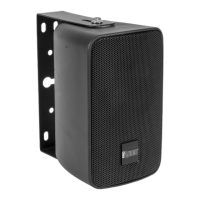
Description of the AIR04X loudspeaker, its features, and IP rating.
Description of the AIR04T loudspeaker, including transformer for 100V systems.
Description of the AIR06X loudspeaker, its features, and IP rating.
Description of the AIRO6T loudspeaker with 100V transformer.
Description of the AIR08X loudspeaker, its features, and IP rating.
Description of the AIRO8T loudspeaker with 100V transformer.
Description of the AIR08TCOAX loudspeaker, IP56, coaxial design.
Description of the AIR12HTCOAX loudspeaker, IP56, coaxial, horn-loaded HF driver.
Instructions for mounting the loudspeaker using an optional bracket.
Instructions for mounting the loudspeaker using the standard bracket.
Details of the rear panel for AIR04T and AIR04X models.
Details of the rear panel for AIR06T and AIR06X models.
Details of the rear panel for AIR08T and AIR08X models.
Details of the rear panel for AIR08TCOAX model.
Details of the rear panel for AIR12HTCOAX model.
Example configuration using AIR series with ARK subwoofers.
Second example configuration for AIR series with ARK subwoofers.
Third example configuration using AIR series with DP2000 amplifier.
Technical specifications for the AIR04X loudspeaker.
Technical specifications for the AIR04T loudspeaker.
Technical specifications for the AIR06X loudspeaker.
Technical specifications for the AIRO6T loudspeaker.
Technical specifications for the AIRO8X loudspeaker.
Technical specifications for the AIRO8T loudspeaker.
Technical specifications for the AIR08TCOAX loudspeaker.
Technical specifications for the AIR12HTCOAX loudspeaker.
Guidelines for connecting input signals using balanced or unbalanced cables.
Guidelines for connecting speaker cables, including wire section recommendations.
Explanation of balanced XLR male and female connectors for audio signals.
Checks to perform if the unit does not receive power.
Troubleshooting steps for no sound output from the speakers.
Steps to resolve distorted audio output and avoid amplifier clipping.
How to address uneven volume levels between channels.
Tips for reducing noise and hum, suggesting balanced cables and common grounding.
Explanation of loudspeaker efficiency and its relation to amplifier power.
Explanation of loudspeaker impedance and connection considerations.
Guidance on selecting an amplifier based on AES power rating and application.
How to avoid clipping by managing input signal levels and amplifier gain.
Definitions of technical terms like SPL, AES, and RMS.
 General
| Wireless Connectivity | Bluetooth |
|---|---|
| Dimensions | Varies by model |
| Speaker Size | Varies by model |
| Features | Built-in Microphone |
| Power Output | Varies by model |
| Frequency Response | Varies by model |
| Woofer Size | Varies by model |
| Tweeter Size | Varies by model |
| Weight | Varies by model |

 To Next Page