
 Need help?
Do you have a question about the PROCASTER LE-40SL702H and is the answer not in the manual?
Covers electrical safety, ventilation, placement, and battery handling.
Explanation of safety symbols used on the product.
Specific warnings and instructions for securely mounting the TV.
Lists all items provided with the television.
Highlights the main capabilities and functions of the TV.
Details on High Dynamic Range and Hybrid Log-Gamma picture.
Instructions for attaching and detaching the TV stand.
VESA dimensions and screw information for wall mounting.
Details on various input/output ports like HDMI, USB, LAN.
Instructions for powering up, standby, and quick standby modes.
Using the remote control and TV's physical buttons.
Switching sources and basic audio/channel adjustments.
Step-by-step guide for installing batteries in the remote.
Instructions on how to connect the remote to the TV.
Detailed descriptions of each button on the remote control.
Setting up language, country, and pairing accessories.
Connecting to the internet and signing into Google.
Configuring Google services, password, and tuner settings.
Navigating the Home Screen and Live TV menus.
Using the Channels and TV Options menu sections.
Adjusting display, audio, and power management settings.
Configuring advanced video settings and subtitle preferences.
Setting up interactive HbbTV and Teletext features.
Viewing system details and setting up recording features.
Setting up Wi-Fi and Ethernet connections.
Configuring antenna and cable channel scanning.
Scanning for digital terrestrial and cable channels.
Skipping, swapping, moving, and deleting channels.
Installing, moving, and managing app permissions.
Setting up restrictions and managing Google accounts.
Checking system info, updates, and device settings.
Resetting TV to defaults and configuring date/time.
Setting power timers and adjusting picture modes.
Adjusting aspect ratio, noise reduction, and color.
Configuring audio output, volume, and sound styles.
Surround sound, equalizer, Dolby processing, and volume leveller.
Managing USB storage, formatting, and ejecting devices.
Personalizing Home Screen, Store Mode, Google Assistant, Chromecast.
Configuring energy saving, location services, and accessibility options.
Connecting accessories and managing channel lists.
Accessing and navigating the electronic programme guide.
Steps for establishing an internet connection.
Connecting the TV to the internet via Ethernet cable.
Connecting the TV to a Wi-Fi network.
How to play video content from USB or other sources.
How to play music files from USB or other sources.
How to view photo files from USB or other sources.
Advanced playback controls and features within the player.
Tips for connecting and using USB storage devices.
Enabling automatic playback of media from USB devices.
Steps for recording TV programs to a USB storage device.
Using instant recording, watching recordings, and timeshifting.
Formatting USB drives and managing recording timers.
Controlling connected devices and casting content.
Resolving problems with TV power and remote response.
Troubleshooting no channels, poor signal, or input source problems.
Resolving issues with distorted picture or no sound.
List of supported video codecs, resolutions, and containers.
Details on video encoding capabilities and supported codecs.
List of supported audio codecs, sample rates, and containers.
List of supported image resolutions for display.
List of supported subtitle file extensions and parsers.
Details on TV broadcasting standards and reception capabilities.
Information on wireless transmission power and frequency ranges.
Information on HDMI, Dolby, and other technology licenses.
Instructions for proper disposal of the product and batteries.
 General
| Display Technology | LED |
|---|---|
| Screen Size | 40 inches |
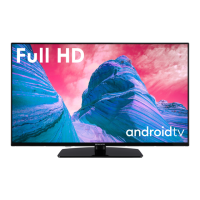
| Resolution | 1920 x 1080 (Full HD) |
| Refresh Rate | 60 Hz |
| Smart TV | Yes |
| Operating System | Android |
| HDMI Ports | 3 |
| USB Ports | 2 |
| Wi-Fi | Yes |
| Bluetooth | Yes |











 To Next Page