
 Need help?
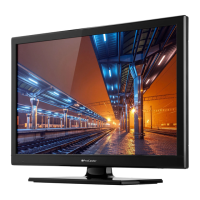
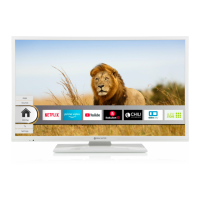
Do you have a question about the PROCASTER LE-24F421WH and is the answer not in the manual?
Warnings about shock risk, servicing, and product symbols.
Guidelines on ventilation, placement, batteries, and children's safety.
Advice on stand attachment, sound pressure, and screen handling.
Covers battery ingestion risks and preventing tip-overs.
Addresses earthing connection hazards and mounting precautions.
Details on reducing power consumption and display settings.
Lists primary features like remote control, HDMI, and USB.
Covers teletext, audio options, Ethernet, and HbbTV.
Lists included items and explains standby behavior.
Describes the operation of the TV's side control button.
How to navigate, customize, and access menu options.
Setting timers, recording programs, and playback.
Configuring recording preferences and formatting USB drives.
Managing TV settings and installed apps.
Connection requirements and battery replacement.
Third-party notices and product disposal guidelines.
Details on TV broadcasting, channels, and audio output.
Power consumption, dimensions, and display resolution.
Wi-Fi specifications and regional usage limitations.
Explains the purpose of each button on the remote control.
Instructions for assigning a special function to My Button 1.
Details on VGA, HDMI, USB, AV, and other connections.
Advice on using specific cables and connection scenarios.
Methods for powering the TV on and off.
Step-by-step guide for initial setup process.
Configuring privacy, network, and broadcast search.
Playing files from USB and drive formatting.
How to record programs and use timeshifting.
Notes on recording capacity and immediate recording.
Playback options and recording configuration.
Accessing and viewing media files.
Controlling HDMI devices and audio return channel.
Connecting external amplifiers and managing sound output.
How to find and use the TV's built-in manual.
Mode, contrast, brightness, sharpness, color settings.
Dynamic contrast, noise reduction, color temperature, white point.
Zoom, shift, film mode, skin tone, HDMI range.
Autoposition, phase, dot clock, reset for PC input.
Volume, equalizer, balance, headphone settings.
Sound modes, AVL, Dolby, output selection, surround sound.
Network type, scanning, speed test, advanced settings.
Automatic/manual scans, analogue fine tune.
Service lists, signal monitoring, first-time installation.
Language, privacy, parental controls, accessibility.
Netflix, HBBTV, software upgrades, application version.
Auto TV OFF, store mode, AVS, virtual remote.
HDMI CEC control, auto power, speaker output.
Managing cookies, viewing open source licenses.
Editing, filtering, and managing favorite channels.
Setting PIN, menu lock, maturity lock, child lock.
Browsing schedules, genre search, event options.
Timeline/Now-Next, event options, timers.
Using teletext and addressing common TV issues.
Automatic and manual software updates.
Troubleshooting remote and signal problems.
Issues with USB recording and PC display modes.
Supported signal types for different inputs.
Lists compatible file extensions for media playback.
Supported subtitle file types.
Resolutions for DVI to HDMI connection.
Connecting via Ethernet and Wi-Fi.
Bandwidth testing and network configuration.
Scanning, connecting, and using WPS.
Network wake-up and wireless screen mirroring.
Wireless display, AVS, and network problems.
Configuring and using AVS feature.
Accessing, adding apps, and using Freeview Play.
Navigating websites and using browser features.
Website access and hybrid broadcast broadband TV.
Overview of the companion mobile application.
Navigating app tabs and viewing programme info.
Streaming content to mobile and screen mirroring.
Sharing files, remote control, voice commands.
Device and OS requirements for the app.
Specifications for energy class and display dimensions.
Details on wattage, kWh, and pixel resolution.
Detailed breakdown of power consumption figures.
Pixel resolution information.
Dimensions for VESA mounting.
Details on thread type and length.
Statement of compliance with EU directives.










 To Next Page
 General