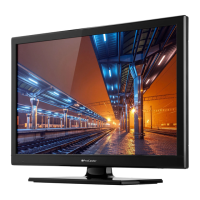
This document describes the ProCaster LE-22F418H, a color television with remote control. It is designed for household and similar general use but can also be used in public places.
Function Description
The ProCaster LE-22F418H is a fully integrated digital terrestrial/cable/satellite TV (DVB-T-T2/C) with HDMI inputs for connecting other devices and a USB input. It features an OSD menu system, a Scart socket for external devices (such as DVD players, PVRs, video games, etc.), and a stereo sound system. The TV also includes Teletext, headphone connection, automatic programming system (APS), manual tuning, automatic power down after up to eight hours, a sleep timer, child lock, automatic sound mute when no transmission, NTSC playback, AVL (Automatic Volume Limiting), PLL (Frequency Search), PC input, Game Mode (optional), picture off function, program recording, and program timeshifting.
Important Technical Specifications
- TV Broadcasting: PAL BG/DK/II', SECAM BG/DK
- Receiving Channels: VHF (BAND I/III) - UHF (BAND U) - HYPERBAND
- Digital Reception: Fully integrated digital terrestrial-cable TV (DVB-T-C) (DVB-T2 compatible)
- Number of Preset Channels: 1 000
- Channel Indicator: On Screen Display
- RF Aerial Input: 75 Ohm (unbalanced)
- Operating Voltage: 110-240V AC, 50/60 Hz
- Audio: German+Nicam Stereo
- Audio Output Power (WRMS.) (10% THD): 2 x 2.5
- Power Consumption (W): 47 W
- Weight (Kg): 3.70
- TV Dimensions DxLxH (with foot) (mm): 134 x 516 x 353
- TV Dimensions DxLxH (without foot) (mm): 35 x 516 x 317
- Display: 22"
- Operation Temperature and Operation Humidity: 0 °C up to 40 °C, 85% humidity max
The TV supports various video and audio file formats via USB.
- Supported Video File Formats for USB Mode:
- .dat, .vob: MPEG1/2 (1080P@30fps - 40 Mbps)
- .mpg, .mpeg: MPEG1/2, MPEG4 (1080P@30fps - 40 Mbps)
- .ts, .trp, .tp: MPEG1/2, H.264, AVS, MVC (H.264: 1080Px2@30fps - 62.5 Mbps, 1080P@60fps - 62.5 Mbps MVC: 1080P@30fps - 62.5 Mbps Other: 1080P@30fps - 40Mbps)
- .mp4, .mov, .3gpp, .3gp: MPEG1/2, MPEG4, H.263, H.264, Motion JPEG
- .avi: MPEG1/2, MPEG4, Sorenson H.263, H.263, H.264, WMV3, Motion JPEG (H.264: 1080Px2@30fps - 62.5 Mbps, 1080P@60fps - 62.5 Mbps Motion JPEG: 640x480@30fps - 10 Mbps Other: 1080P@30fps - 40 Mbps)
- .mkv: MPEG1/2, MPEG4, H.263, H.264, WMV3, Motion JPEG
- .asf: Sorenson H.263, H.264, WMV3, Motion JPEG
- .flv: WMV3 (1080P@30fps - 40 Mbps)
- .swf: RV30/RV40 (1080P@30fps - 40 Mbps)
- .wmv: H.264, WMV3, VC1 (H.264: 1080Px2@30fps - 62.5 Mbps, 1080P@60fps - 62.5 Mbps Other: 1080P@30fps - 40 Mbps)
- .mp4, .mov, .3gpp, .3gp, MPEG transport stream, .ts, .trp, .tp, .mkv: HEVC/H.265 (1080P@60fps - 50Mbps)
- Supported Picture File Formats for USB Mode:
- JPEG (Base-line: 15360x8640, Progressive: 1024x768)
- PNG (non-interlace: 9600x6400, interlace: 1200x800)
- BMP (9600x6400)
- The limitation of max resolution depends on DRAM size.
- Supported Audio File Formats for USB Mode:
- .mp3: MPEG1/2 Layer1/2/3 (32Kbps~448Kbps to 8Kbps~320Kbps, 16KHz~48KHz)
- .avi: MPEG1/2 Layer1/2/3, AC3, AAC, HEAAC, WMA, LPCM, IMA-ADPCM, MS-ADPCM, G711 A/mu-law (various bit rates and sample rates)
- .asf: MPEG1/2 Layer1/2/3, WMA (various bit rates and sample rates)
- .mkv, .mka: MPEG1/2 Layer1/2/3, AC3, AAC, HEAAC, WMA, VORBIS, LPCM, IMA-ADPCM, MS-ADPCM, G711 A/mu-law, FLAC (various bit rates and sample rates)
- .ts, .trp, .tp, .dat, .vob, .mpg, .mpeg: MPEG1/2 Layer1/2/3, AC3, EAC3, AAC, HEAAC, LPCM (various bit rates and sample rates)
- Supported Subtitle File Formats for USB Mode:
- Internal Subtitles: .dat, .mpg, .mpeg, .vob (MPG, MPEG - DVD Subtitle), .ts, .trp, .tp (TS - DVB Subtitle), .mp4 (MP4 - DVD Subtitle, UTF-8 Plain Text), .mkv (MKV - ASS, SSA, UTF-8 Plain Text, VobSub, DVD Subtitle)
- External Subtitles: .srt (Subrip), .ssa/.ass (SubStation Alpha), .smi (SAMI), .sub (SubViewer, MicroDVD, DVDSusbtitleSystem, Subldx (VobSub) - SubViewer 1.0 & 2.0 Only), .txt (TMPlayer)
- Supported DVI Resolutions: The TV supports various DVI resolutions from 640x400 to 1920x1080 at different refresh rates (56Hz, 60Hz, 66Hz, 70Hz, 72Hz, 75Hz).
Usage Features
- First Time Installation: Upon first power-on, the TV will display a language selection screen. After selecting the language and pressing OK, you can adjust settings using the directional buttons. The TV will then search for available broadcasts based on the selected broadcast type (Digital Aerial, Digital Cable, Analog).
- Channel Management: The TV sorts all stored stations in the Channel List. Users can edit this list, set favorites, or select active stations. The Channel List can be accessed by pressing the OK/TV button. Filtering options are available using the Blue button, and advanced changes can be made via the Edit Channel List menu (Green button).
- Parental Settings: Parental settings (Menu Lock, Maturity Lock, Child Lock, Guidance) can be configured in the System>Settings>Parental menu to restrict viewing of certain programs, channels, or menus. A PIN number is required to access these settings.
- Electronic Programme Guide (EPG): Access the Programme Guide menu by pressing the EPG button. Three schedule layouts are available: Timeline Schedule, List Schedule, and Now/Next Schedule. Users can zoom, filter by genre, view event details, and set timers for future events.
- Media Playback via USB Input: Connect a USB disk (2.5" or 3.5" HDD with external power supply, or USB stick) to the TV's USB ports to play photo, music, and movie files. It is recommended to format new USB drives using the "Format Disk" option in the Media Browser>Settings>Recording Settings menu.
- Program Recording: To record a program, connect a USB disk to the TV while it is switched off, then power on the TV. The USB drive needs at least 2 GB of free space and must be USB 2.0 compatible. Recordings are saved to the USB disk and can only be played back on the TV.
- Timeshift Recording: Press the Pause button during a broadcast to activate timeshifting mode. The program is paused and simultaneously recorded to the connected USB disk. Press Play to resume, and Stop to end timeshift recording.
- CEC and CEC RC Passthrough: This feature allows controlling CEC-enabled devices connected via HDMI ports using the TV's remote control. The CEC option must be enabled in the System>Settings>More menu.
- System Audio Control: Allows an Audio Amplifier/Receiver to be used with the TV, with volume control via the TV remote. Set the Speakers option to "Amplifier" in System>Settings>More to activate.
- E-Manual: Access the E-Manual for instructions on TV features by pressing the Info button while the main menu is displayed or by selecting "Information Booklet" from the Quick Menu.
Maintenance Features
- Software Upgrade: The TV can automatically find and update its firmware via broadcast signals. Users can also manually check for updates via the System>Settings>More>Software upgrade menu.
- Troubleshooting & Tips: The manual provides guidance for common issues such as the TV not turning on (check power cord, batteries), poor picture quality (check TV system, signal level, antenna connection, channel frequency), no picture (check source, antenna connection), no sound (check mute, volume, balance), remote control not working (check batteries), and USB recording issues (check USB disk speed, re-insert device).
- Environmental Information: The TV is designed to be environmentally friendly. Energy consumption can be reduced by adjusting the "Energy Saving" settings (Custom, Minimum, Medium, Maximum, Auto, Screen Off, Off).
- Safety Information: Important safety precautions include ensuring proper ventilation (at least 5cm free space), avoiding obstruction of ventilation openings, ensuring easy access to the power cord, protecting the TV from liquids and open flames, and securing the stand properly. Batteries should not be exposed to excessive heat and should be disposed of safely. The product is Class II equipment, meaning it does not require a safety connection to electrical earth.

 Need help?








 To Next Page
 General