Need help?
Do you have a question about the Professional Series PS78503 and is the answer not in the manual?
Precautions against electrical shock and fire from improper electrical use.
Warnings about improper operation, repair, and use near flammable materials.
Guidelines for safe placement, ventilation, and avoiding water splashes or heat.
Advice against self-repair and proper cleaning procedures.
Ensure proper airflow by not covering vents and maintain filters regularly.
Care needed for infants, children, elderly, or humidity-sensitive individuals.
Protect power cords from damage and handle water spills carefully.
Avoid chemicals, climbing on unit, placing items on top, or using in restricted areas.
Importance of proper grounding and precautions regarding power cords and outlets.
Guidelines and restrictions on using extension cords with the unit.
Function of the POWER pad to turn the unit on and off.
Using the CONTINUE pad for maximum dehumidification until the bucket is full.
Adjusting the desired humidity level in 5% increments.
Choosing between High and Normal fan speeds for moisture removal.
Understanding the display for humidity levels and error codes.
Explains the Bucket Full Light and Auto Shut Off features.
Details on Auto Defrost and Power Outage recovery.
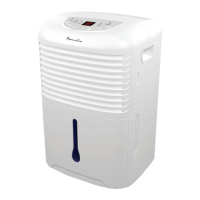
Identifies components like control panel, grilles, water bucket, and handles on the front.
Identifies rear components like air filter, drain hose outlet, power cord hook, and casters.
How and where to place the dehumidifier for optimal performance and safety.
Instructions for first-time use, operating environment, and electrical connections.
Methods for emptying the water bucket or using continuous draining.
Instructions for cleaning the exterior parts using mild detergent and water.
How to clean the water bucket to prevent mold and mildew.
Procedures for removing, cleaning, and reattaching the air filter.
Steps for storing the unit when not in use for extended periods.
Checks for power connection, circuit breakers, and bucket position.
Troubleshooting steps for reduced drying performance.
Diagnosing and resolving loud operating noises.
Understanding frost formation and the auto defrost feature.
Identifying causes for water on the floor, like hose issues.
Interpreting error codes (E1, E2, P1, P2) shown on the display.
 General
| Brand | Professional Series |
|---|---|
| Model | PS78503 |
| Category | Dehumidifier |
| Language | English |


 To Next Page