Need help?
Do you have a question about the Profile California AP400 and is the answer not in the manual?
Instructions to attach and keep the sales receipt for warranty service.
Advice on proper installation, recommending professional installation or careful DIY reading.
Crucial safety notes regarding battery disconnection and high sound levels.
Fuse the power wire within 12 inches of the car's battery for protection.
Recommendation to use high-grade wires and terminal rings for secure connections.
Best practice to run wires through the vehicle interior to avoid damage.
Cautionary advice when mounting to avoid puncturing vehicle lines or drilling gas tank.
Advice to run signal wires separately to prevent induced noise.
Guidance for short, common ground wires to reduce resistance and noise.
Recommendation to use grommets for wire protection against sharp edges.
Description of variable high and low pass crossovers with frequency ranges.
Feature for added low frequency performance with variable boost.
Feature for added high frequency performance on specific models.
Wired remote control for adjusting bass level.
Filter to avoid damaging subwoofers from inaudible low frequencies.
Adjustable control for subwoofer phase alignment.
Adapter to convert speaker level to RCA level for factory radios.
Pre-amp signal output for connecting additional amplifiers or crossovers.
Ability to run stereo and mono simultaneously for flexible speaker configuration.
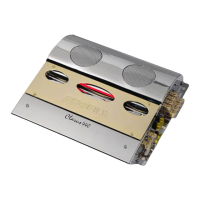
Decorative red light strip on the amplifier's top center.
Automatically turns the amplifier on/off with the head unit's remote output.
Fine-tunes input sensitivity for proper level matching between source and amplifier.
Blocks for maximum power and signal transfer with minimal resistance.
Information on stable load impedances for stereo and bridged modes.
Protects the amplifier against short circuits and excessive current.
Protects speakers from damage due to DC voltage at the output stage.
Protects the amplifier from damage caused by speaker or wiring shorts.
Shuts down the amplifier when overheating to prevent damage.
Red diagnostic LED indicating the amplifier has entered protection mode.
Instructions for connecting the positive power terminal to the car battery with fuse.
Procedure for connecting the ground terminal to the vehicle chassis.
Connecting the remote terminal for automatic turn-on with the head unit.
Guidance on choosing a mounting location for ventilation and avoiding vehicle components.
Connecting the head unit's RCA output to the amplifier's RCA input terminals.
Diagram showing RCA connections for a two-channel setup.
Diagram for four-channel connections with separate front/rear outputs.
Diagram for four-channel connections using Y-adapters for single RCA output radios.
Connecting the amplifier to factory radios without RCA outputs using a converter.
Diagram for two-channel signal connections using a factory radio.
Diagram for four-channel signal connections using a factory radio.
Guidelines for connecting speakers, emphasizing proper phasing and wire gauge.
Diagram illustrating speaker connections for two-channel amplifiers.
Diagram for specific mono amplifier speaker connections.
Diagram showing speaker connections for four-channel amplifiers.
Diagram for bridging two-channel amplifiers for mono output.
Diagram for bridging four-channel amplifiers for mono output.
Cautionary note on impedance requirements for tri-mode operation.
Setting the low-pass crossover and using bass boost for subwoofers.
Setting the high-pass crossover and using treble boost for tweeters/midranges.
Guidance on using the bass remote, subsonic filter, and phase controls.
Guide to setting amplifier gain for optimal input sensitivity without distortion.
Troubleshooting steps for when the amplifier has no audio output.
Troubleshooting steps for reduced audio output levels.
Troubleshooting steps for engine noise or electrical interference.
Troubleshooting steps when the protection LED is illuminated.
Section to record model number, purchase date, and location for warranty.
Contact details for sending the unit for warranty repair.

 To Next Page
 General