17
17
18
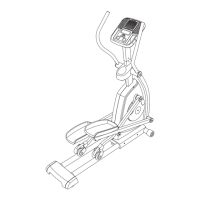
19. Make sure that all parts are properly tightened before you use the elliptical. Extra parts may be included.
Place a mat beneath the elliptical to protect the floor.
18. Attach the Tablet Holder (127) to the Console
(7) with four M4 x 16mm Machine Screws (111);
start all the Machine Screws, and then tighten
them.
7
127
111
79
4
80
101
101
101
17. Orient the Rear Console Cover (80) as shown
and attach it to the Upright (4) with two
M4 x 16mm Screws (101).
Next, orient the Front Console Cover (79) as
shown and attach it to the Rear Console Cover
(80) with two M4 x 16mm Screws (101).


 To Next Page
 Loading...