10
www.profoto.com
Profoto
Connect
How to use Profoto Connect in Manual mode
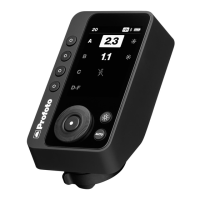
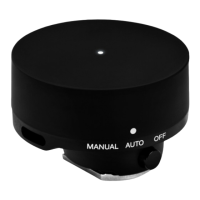
1. Attach the Profoto Connect to the camera’s hot shoe
and turn it to MANUAL (manual mode). You can now
control the flash power manually.
2. Open the Profoto app to get access to all additional
features.
3. Start shooting!
Additional notes
• To detach the Profoto Connect from your camera, press
the release button and slide it off.
• To charge the battery, connect the device to a power
source with the USB-C to USB-A charging cable.
• The default radio setting for Profoto Connect is
channel = 1.
• Profoto Connect automatically enters sleep mode after
30 minutes of inactivity and switches off completely
after 60 minutes.


 To Next Page