
 Need help?
Do you have a question about the Progeny Preva Dental X-Ray System and is the answer not in the manual?
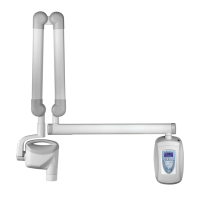
Details the components of the Preva Dental X-Ray System including Control Unit, Tubehead, Arms, and Cone.
Details the standards and certifications the Preva Dental X-Ray System adheres to, including radiation and EMI/EMC.
Provides the official declaration of the Preva Dental X-Ray System's compliance with EC Medical Device Directive and relevant standards.
Lists authorized representatives for Progeny Dental in North America and Europe for support and service.
Explains the meaning of various symbols found on the Preva Dental X-Ray System's labels.
Provides contact information for Progeny Dental technical support for assistance with the system.
Guidelines for safe operation regarding radiation exposure for operators and patients.
Requirements for safe electrical installation and operation of the equipment.
Precautions against using flammable or explosive gases or vapors near the equipment.
Details the functions and layout of the Preva's operator panel for system control.
Step-by-step guide on how to properly operate the X-ray system for taking radiographs.
Instructions for using the optional 12-inch cone, including configuration requirements for longer exposure times.
Outlines the necessity of annual system function checking by qualified personnel.
Provides detailed procedures and precautions for cleaning and disinfecting the X-Ray system components.
A checklist to verify the proper installation and functioning of all system components and features.
Procedure to condition new X-ray tubes for stable operation and extended lifespan.
Troubleshooting steps for images that are too light or too dark, involving exposure settings and component checks.
Steps to diagnose and resolve issues where no X-ray is produced, checking power and connections.
Explanation of pre-termination errors, their cause (early exposure release), and effect (underexposed image).
Overview of the system configuration mode and its available procedures for adjusting settings.
Instructions to modify the display contrast and reverse the image on the Preva operator panel.
Allows modification of image density and technique factors for presets, or restoring factory defaults.
Steps for preprogramming technique settings for digital sensors on the Preva system.
Allows individual modification of technique factors and presets for specific settings on the operator panel.
Restores all system presets to their original factory default settings.
Provides alternative digital exposure settings for various teeth, receptors, and patient sizes.
Instructions to record customized exposure settings using provided tables for future reference.
Displays current system configuration details such as software version, cone size, and diagnostic mode status.
Procedure to select and configure the 12-inch cone, overriding custom presets with factory defaults.
Enables display of maintenance data and feedback values after each exposure.
 General
| X-Ray Tube Current | 7 mA |
|---|---|
| Focal Spot | 0.8 mm |
| Total Filtration | 2.5 mm Al equivalent |
| Frequency | 50/60 Hz |
| Type | Intraoral X-ray system |
| Focal Spot Size | 0.8 mm |
| X-Ray Tube Voltage | 60-70 kV |
| Exposure Time | 0.02-3.2 seconds |
| Sensor Type | Digital |
| Dimensions | Varies depending on configuration (wall mount, mobile) |

 To Next Page
