Speed settings for warm or cool weather depend on
factors such as the room size. Ceiling height, number
of fans and so on.
NOTE: To operate the reverse function on this fan,
press the reverse button while the fan is running.
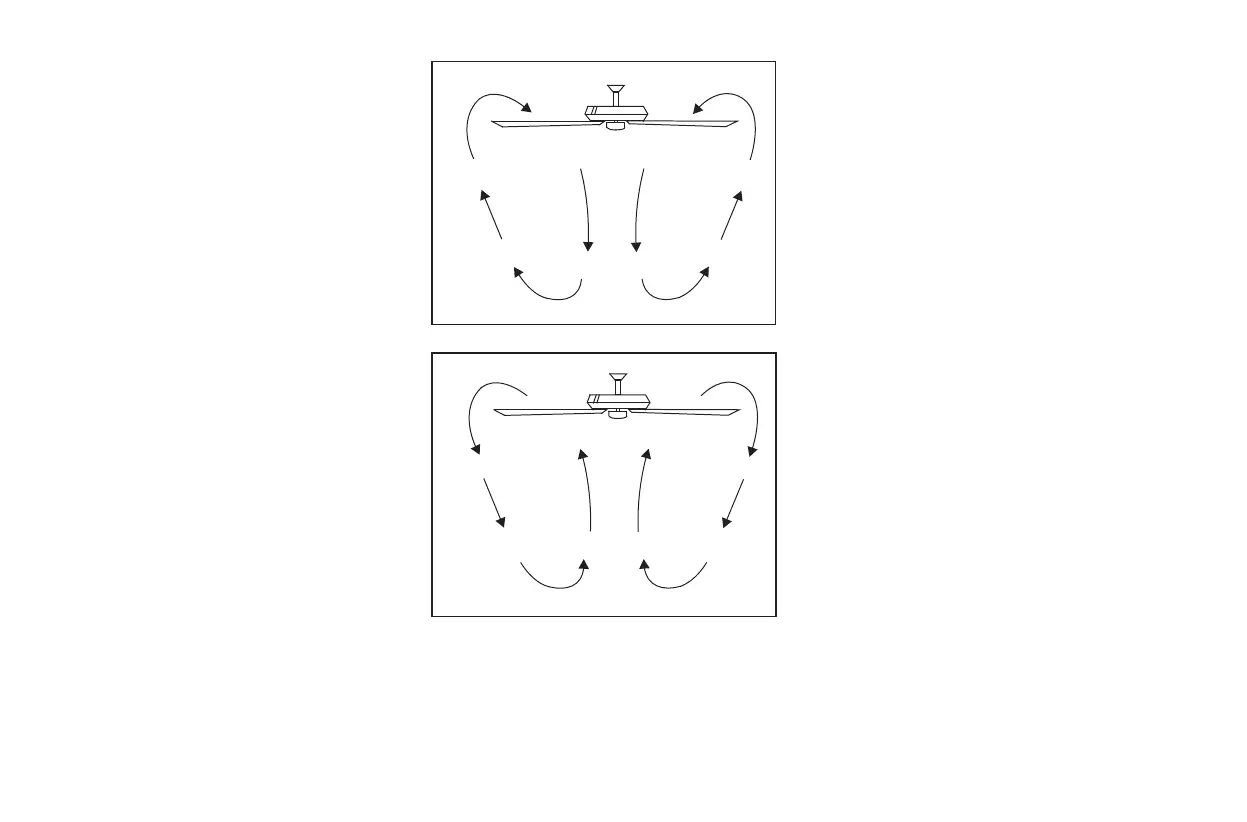
Warm weather - (Forward) A downward airflow
creates a cooling effect as shown in Fig. 18. This
allows you to set your air conditioner on a warmer
setting without affecting your comfort.
Cool weather - (Reverse) An upward airflow moves
warm air off the ceiling area as shown in Fig. 19. This
allows you to set your heating unit on a cooler setting
without affecting your comfort.
Figure 18
Figure 19
11.


 To Next Page