EasyManua.ls Logo

ProKlima FN-105025.1 - User Manual

ProKlima FN-105025.1
132 pages
Go to English
Print Icon
To Next Page IconTo Next Page
Loading...
Question and Answer IconNeed help?

Do you have a question about the ProKlima FN-105025.1 and is the answer not in the manual?

Overview

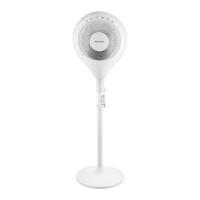
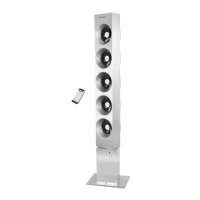
This document describes the PRIMA KLIMA FAN-105025.1 & FAN-105025.2 Multi-Blower Stand Fan, a versatile appliance designed for household and similar applications.

Function Description

The fan offers multiple operating modes and speed settings, controllable via a control panel on the unit or a remote control.

On/Off Function:

  • Pressing the On/Off button powers the unit on or off.
  • Upon activation, the fan starts in normal mode at speed 2.

Speed Function:

  • The fan provides four wind speed settings (1, 2, 3, 4), ranging from low to high.
  • These speeds are adjusted using the "+" (up) and "-" (down) speed buttons.
  • The selected speed is indicated by a series of LED lights on the control panel, illuminating from left to right.
    • 1st LED on = 1st wind speed
    • 2nd LED on = 1st wind speed
    • 3rd LED on = 2nd wind speed
    • 4th LED on = 2nd wind speed
    • 5th LED on = 3rd wind speed
    • 6th LED on = 3rd wind speed
    • 7th LED on = 4th wind speed
    • 8th LED on = 4th wind speed

Swing Function:

  • The swing button allows selection of different oscillation modes:
    • Left and right oscillation.
    • Up and down oscillation.
    • Oval movement (achieved by pressing both swing buttons on the remote control simultaneously).

Mode Function:

  • The mode button cycles through three working modes:
    • Normal Mode: Allows manual adjustment of wind speed (1, 2, 3, 4) using the speed buttons.
    • Sleep Mode: The wind speed generally changes from high to low with short pauses, designed for quiet operation during sleep.
    • Nature Mode: The wind speed changes randomly with short pauses, simulating a natural breeze.

Timer Function:

  • The timer button sets the desired operating time from 0.5 hours to 7.5 hours, with increments of 0.5 hours.

Important Technical Specifications

  • Operating Voltage: 220-240V ~ 50/60Hz
  • Power Consumption: 55W
  • Maximum Fan Flow Rate (F): 77.7 m³/min
  • Fan Power Input (P): 48.6 W
  • Service Value (SV): 1.60 (m³/min)/W
  • Standby Power Consumption (PSB): 0.3 W
  • Fan Sound Power Level (LWA): 58.65 dB(A)
  • Maximum Air Velocity (c): 2.96 meters/sec
  • Measurement Standard for Service Value: IEC 60879:1986+(corr.1992), EN 60704-1:2010 & EN 60704-2-7:2007, EN 50564:2011

Usage Features

The fan is designed for ease of assembly and operation.

Assembly:

  1. Stand Assembly: Connect the two base parts into a cross. Remove the fastener and L-screw from the bottom of the standing shaft, insert the standing shaft into the base, and re-secure with the fastener and L-screw.
  2. Whole Assembly: Rotate the fasten set out of the standing shaft. Pull out the height adjustment pipe and tighten the fasten set back. Connect the fan main body to the height adjustment pipe using the fastening screw.
  3. Rear Grille Assembly: Unscrew the blade fastening screw and guard fastening screw from the motor shaft. Attach the rear guard onto the two pillars of the motor's front shell. Tighten the guard fastening screw clockwise.
  4. Fan Blade Assembly: Insert the fan blade onto the shaft, ensuring it fits correctly onto the clip. Tighten the blade screw onto the shaft (note: tighten in an anti-clockwise direction).
  5. Front Grille Assembly: Place the front guard against the rear guard and secure them with the clamping ring. Ensure the clamping ring is properly positioned on the rim of the fan guards. Tighten the screw on the clamping ring.

Safety Precautions:

  • Read all instructions carefully before use.
  • Do not immerse the unit or its mains plug in water or other liquids.
  • Do not operate if the mains cable or plug shows signs of damage, or if the appliance has fallen or been otherwise damaged.
  • Never pull the mains plug from the socket by the cable or with wet hands.
  • Ensure the mains cable does not hang over sharp edges or get trapped.
  • Keep the appliance away from moisture, splashes, hot objects, and open flames.
  • Keep the appliance and its cord out of reach of children under 8 years old.
  • Use the appliance on a flat, dry, and heat-resistant surface.
  • Never leave the appliance unattended during use.
  • Do not store or operate the appliance outdoors.
  • Store the appliance in a dry place, inaccessible to children (in its packaging).
  • Never insert fingers or other objects through the fan guards while the fan is running.
  • Never operate the appliance without the fan guards in place to prevent serious personal injury.
  • Ensure the appliance is fully assembled before use.
  • Be cautious with long hair, as it can get caught in the fan due to air turbulence.
  • Do not direct the airflow at people for extended periods.
  • Ensure the fan is switched off from the mains supply before removing the guard.

Maintenance Features

Cleaning:

  • Before servicing or after each use, switch off the appliance and unplug the mains cable from the socket.
  • Never immerse the appliance in water (risk of short-circuit).
  • To clean, wipe the appliance with a damp cloth and dry it carefully. Always unplug the mains plug first.
  • Prevent excessive dust buildup in the air-intake and air-outlet grilles. Clean them occasionally with a dry brush or vacuum cleaner.

Recycling:

  • The product should not be disposed of with other household waste.
  • Return used devices to designated collection systems or contact the retailer for environmentally safe recycling.
  • Used batteries should not be disposed of with household garbage due to toxic elements and heavy metals. Return empty batteries to an appropriate recycling facility.

ProKlima FN-105025.1 Specifications

General IconGeneral
BrandProKlima
ModelFN-105025.1
CategoryFan
LanguageEnglish

Related product manuals