EasyManua.ls Logo

ProKlima GPC12AJ - Page 303

ProKlima GPC12AJ
Print Icon
To Next Page IconTo Next Page
To Previous Page IconTo Previous Page
Loading...
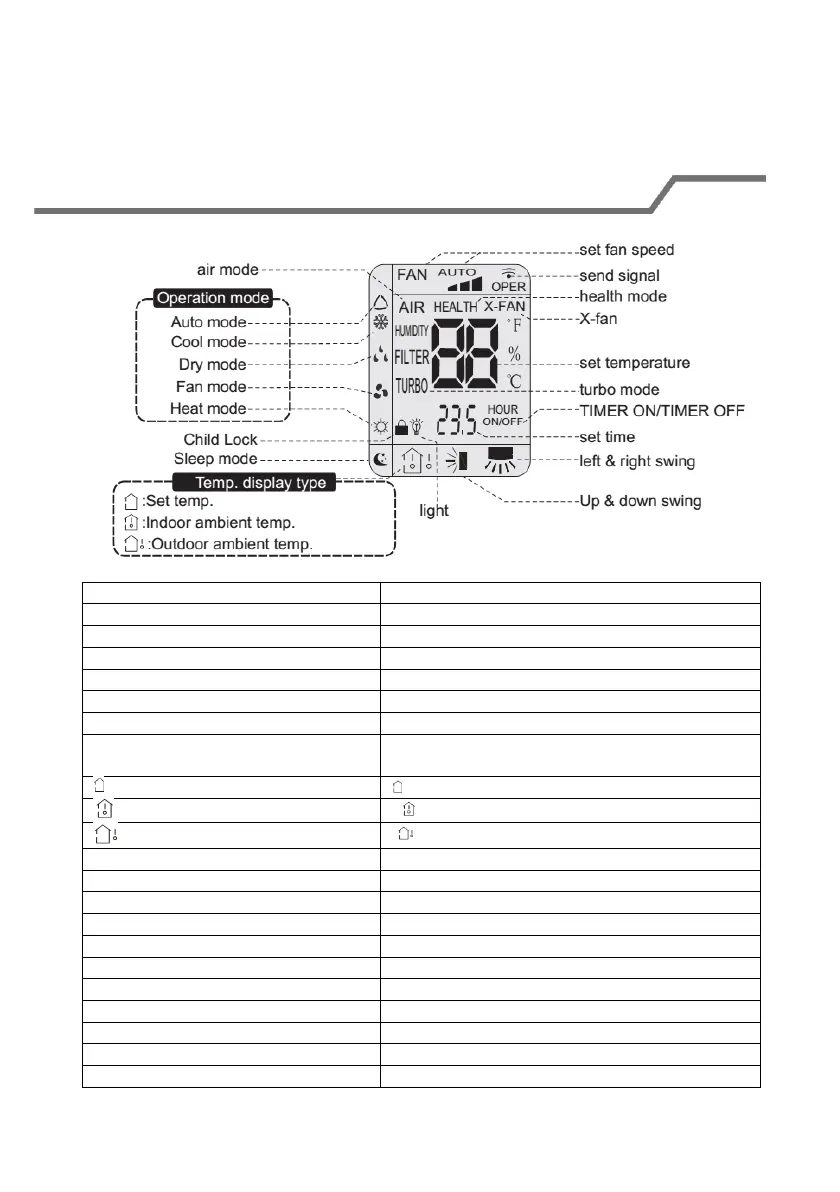
Introduzione alle icone presenti sullo schermo del
display
Operation mode
Modalità operative
Auto mode
Modalità automatica
Cool mode
Modalità di raffreddamento
Dry mode
Modalità di asciugatura
Fan mode
Modalità ventola
Heat mode
Modalità di riscaldamento
Temp. display type
Tipo di visualizzazione a display della
temperatura
:Set temp.
: imposta temp.
:Indoor ambient temp.
: temp. ambiente interna
:Outdoor ambient temp.
: temp. ambiente esterna
air mode-
Modalità aria
Child Lock-
Blocco bambini
Sleep mode
Modalità sleep
light
Luce
set fan speed
Impostazione velocità ventola
send signal
Invia segnale
health mode
Modalità salute
X-fan
X-fan
set temperature
Imposta temperatura
turbo mode
Modalità turbo
301