EasyManua.ls Logo

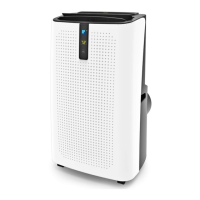
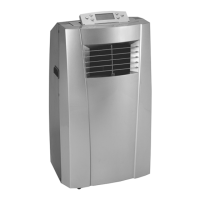
ProKlima A018A-09C-PLUS-W - User Manual

ProKlima A018A-09C-PLUS-W
235 pages
Print Icon
To Next Page IconTo Next Page
Loading...
1
Operating instructions
Bahag No.
30280289
30288991
Item No.:
A018A-09C-PLUS-W
A018A-12C1-W
Please read this user’s manual carefully to ensure proper use, maintenance and
installation

Questions and Answers

  • M
    Madeline CopelandAug 13, 2025
    Why is my ProKlima A018A-09C-PLUS-W Air Conditioner not cool enough?
    • J
      Jamie FernandezAug 13, 2025
      If your ProKlima Air Conditioner isn't cooling enough, ensure all doors and windows are closed to prevent warm air from entering. Eliminate any heat sources within the room. Check that the exhaust air hose is correctly connected and not blocked; clean it if necessary. Also, make sure the temperature setting isn't too high, and the air inlet isn't blocked; clean the air inlet to ensure proper airflow.
  • J
    James SanchezAug 17, 2025
    What to do if my ProKlima Air Conditioner does not start?
    • S
      Samantha NicholsAug 17, 2025
      If your ProKlima Air Conditioner unit doesn't start when you press the on/off button, it could be due to several reasons. First, check if the water full indicator lamp is blinking, indicating that the water tray is full; if so, empty the water tray. Additionally, if you're using electric heating mode, ensure the room temperature isn't higher than the set temperature, or if you're using cooling mode, ensure the room temperature isn't lower than the set temperature; in either case, reset the temperature accordingly.
  • J
    Joyce TuckerAug 21, 2025
    Why is my ProKlima A018A-09C-PLUS-W so noisy?
    • C
      carrollrobertAug 21, 2025
      If your ProKlima Air Conditioner is making unusual noise, ensure it is placed on a flat, level surface. If the sound seems to be coming from the inside, it could be the normal flow of refrigerant within the unit.
  • W
    Wendy JamesAug 25, 2025
    What to do if my ProKlima Air Conditioner shows E2 Code?
    • D
      David FloresAug 26, 2025
      If your ProKlima Air Conditioner displays an E2 code, it indicates that the water tray is full during cooling. To resolve this, take off the rubber stopper and empty the water.
  • S
    Steven SandovalAug 28, 2025
    What does E4 code mean on ProKlima Air Conditioner?
    • V
      vjonesAug 28, 2025
      If your ProKlima Air Conditioner displays an E4 code, it means the water tray is full during heating. Please empty the water tray.
  • F
    Frank JohnsonSep 1, 2025
    What does E0 code mean on ProKlima A018A-09C-PLUS-W Air Conditioner?
    • J
      Jose HayesSep 1, 2025
      If your ProKlima Air Conditioner displays an E0 code, it indicates a failure of the room temperature sensor. Replace the room temperature sensor; the unit can also function without replacing it.
  • M
    melissa29Sep 5, 2025
    What does E3 code mean on ProKlima A018A-09C-PLUS-W Air Conditioner?
    • M
      Martin JonesSep 5, 2025
      If your ProKlima Air Conditioner displays an E3 code, it means the evaporator temperature sensor has failed. Replace the evaporator temperature sensor.
  • U
    ujohnsonSep 8, 2025
    What does E1 code mean on ProKlima Air Conditioner?
    • S
      Steven MckinneySep 8, 2025
      If your ProKlima Air Conditioner displays an E1 code, it indicates a failure of the condenser temperature sensor. Replace the condenser temperature sensor.

Summary

Safety Awareness

R290 Refrigerant Warnings

Specific information regarding appliances with R290 refrigerant gas.

General Safety Instructions

General safety guidelines for indoor use and precautions.

Appliance Repair Instructions (R290)

Impedance Declaration

Connect appliances to supply with system impedance no more than 0.381Ω.

General Repair Instructions

Prior to work on systems with flammable refrigerants, safety checks are necessary.

Area Safety Checks

Safety checks before work on systems containing flammable refrigerants.

Controlled Work Procedure

Work shall be undertaken under a controlled procedure to minimize risk.

Work Area Safety

Instruct staff on work nature, avoid confined spaces, section off area.

Refrigerant Presence Check

Check area with detector for flammable atmospheres before and during work.

Fire Extinguisher Availability

Ensure appropriate fire extinguishing equipment is available for hot work.

Ignition Source Control

Avoid all possible ignition sources when working with flammable refrigerant.

Ventilation Requirements

Ensure area is open or adequately ventilated before and during work.

Refrigeration Equipment Checks

Check components, markings, and position of refrigerating equipment.

Electrical Device Safety Checks

Perform initial safety checks on electrical components before connecting supply.

Sealed Component Repair

Disconnect electrical supplies before removing sealed covers for repairs.

Intrinsically Safe Component Repair

Only intrinsically safe components can be worked on live in flammable atmosphere.

Cabling Inspection

Check cabling for wear, corrosion, pressure, vibration, sharp edges, aging.

Flammable Refrigerant Detection

Do not use ignition sources like halide torch for leak detection.

Leak Detection Methods

Use electronic leak detectors calibrated for refrigerant and suitable for flammable gases.

Refrigerant Removal and Evacuation

Follow procedures for breaking into refrigerant circuit, recovering refrigerant, purging, evacuating.

Refrigerant Charging Procedures

Follow requirements for charging refrigerants, keeping cylinders upright, earthing system.

Appliance Decommissioning

Familiarize with equipment, isolate electrically, recover refrigerant safely.

Equipment Labelling

Label equipment as decommissioned and emptied of refrigerant.

Refrigerant Recovery Process

Remove refrigerants safely using appropriate cylinders and equipment.

Service Personnel Competence

General Training Requirements

Special training required for equipment with flammable refrigerants.

Training Content Overview

Training covers explosion potential, ignition sources, safety concepts, and procedures for service tasks.

Equipment Transportation, Marking, and Storage

Equipment Marking and Signs

Signs for appliances address local regulations for safety and health.

Flammable Refrigerant Disposal

Follow national regulations for disposal of equipment with flammable refrigerants.

Equipment Storage Guidelines

Store equipment according to manufacturer's instructions and local regulations.

Parts Identification

Included Accessories

Control Panel Overview

Remote Control Functions

Operation Guide

Pre-Operation Setup

Find a place with power, install exhaust hose, adjust window position.

Cooling Mode Operation

Press Mode to "Cool", select temperature and fan speed.

Dehumidifying Mode Operation

Press Mode to "Dehumidify", auto-sets temperature and low fan speed.

Fan Mode Operation

Press Mode to "Fan", select fan speed.

Timer Function

Set desired ON or OFF time for the air-conditioner.

Auto Swing Function

Control louver swing movement up and down.

Sleep Mode Function

Adjust temperature gradually during cooling or heating.

Water Drainage Management

Manage water level, drain full tank, or use continuous drainage.

WIFI Connectivity and App Control

Connect to WIFI via mobile app for remote control.

Installation Procedures

General Installation Guidelines

Install in flat, empty place with 30cm clearance, avoid wet locations.

Exhaust Hose Installation Guide

Instructions for temporary installation of exhaust hose with adaptor and connector.

Water Full Indicator Alarm

Water level switches control water level; drain when full.

Maintenance Procedures

Cleaning Precautions

Disconnect power before cleaning, avoid chemicals, do not wash directly.

Air Filter Cleaning

Clean air filter every two weeks if clogged with dust/dirt.

Exterior Surface Cleaning

Clean the surface with neutral detergent and wet cloth, then dry.

Troubleshooting Guide

ProKlima A018A-09C-PLUS-W Specifications

General IconGeneral
TypeSplit System
Cooling Capacity9000 BTU/h
RefrigerantR32
Power Supply220-240V, 50Hz
Power Consumption (Cooling)780W
Weight (Indoor Unit)8.5 kg

Related product manuals