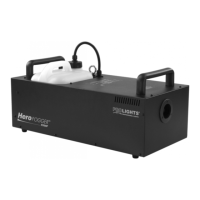
HERO H300F
8
Manual operation
For immediate fog output at the maximum volume of fog, keep the button [MANUAL] pressed. The display
indicates »Manual 100 %«. As soon as you release the button, the fog output will stop. The manual opera-
tion will take priority over the continuous operation and the timer operation. Even if one of these operat-
ing modes is activated, the fog machine will always emit the maximum volume of fog when the button
[MANUAL] is pressed.
Timer operation
In the timer mode, the fog machine will automatically emit fog. The time intervals, duration and fog vol-
ume depend on the corresponding menu settings. Press the button [TIMER], to activate the timer mode.
The display indicates the set time interval. The unit counts down to 0 seconds and emits fog. To deactivate
the timer mode, press the button [TIMER] again.
2.3 DMX SETTINGS
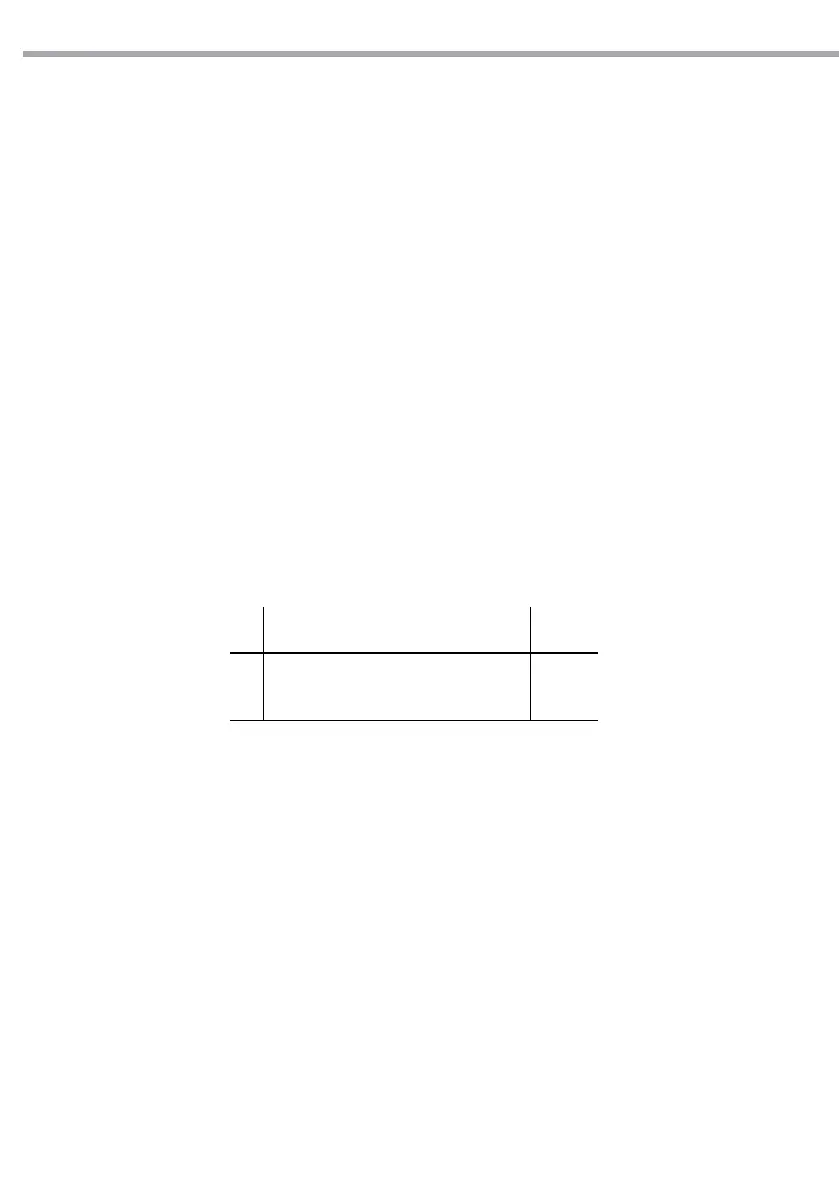
The HERO H300F is equipped with a DMX512 system. For connecting a DMX controller, 3-pin and 5-pin
male-female XLR connections are provided at the back of each machine. The machines use one control
channel for adjusting the output volume. The channel has a DMX value range of 0 to 255. After connecting
a DMX controller, timer functions such as output duration and interval can be programmed using the DMX
controller or the DMX control software. The machine cannot be controlled via the built-in control panel
nor the wireless remote anymore. By using the DMX protocol, fog machines, lighting eects, and other
special eects machines can be interconnected and easily controlled.
• If channel A has a value from 0 to 5, the unit is o.
• Between the values 6 to 255 the fog output volume is regulated. With 6 being the minimum output
volume and 255 approaching the maximum output volume. The output volume rises as the DMX value
is increased.
Note
If you experience low output, pump noise or no output at all, unplug immediately. Check the uid level,
the external fuse, the connection to the remote control, and power from the wall. If all of the above ap-
pears to be O.K., plug the unit again. If fog does not come out after holding the remote button down for
30 seconds, check the hose attached to the tank to make sure there is uid going through the hose. If you
are unable to determine the cause of the problem, do not simply continue pushing the remote button, as
this may damage the unit. Return the machine to your dealer.
CH Function in A channel mode Value
A
SMOKE OUTPUT
O (no output)
Volume Output (1 - 100 % output)
000 - 005
006 - 255


 To Next Page