EN 2
English
Frequently Asked Questions
9. Can I adjust the effective focus of the IP Camera?
The focus of the network camera is pre-adjusted and fixed during production, you can not adjust the effective focus of the
IP Camera.
10. What should I do if my IP Camera password is forgotten?
The easiest way to solve this problem is to reset the IP Camera to the factory default. Please use a pointed object to hold
the reset button on the bottom for 5-10 seconds to reset to factory default setting. The default password to view the
camera video is ipcam.
14. How could I know if I need to install the Microsoft .NET Framework?
Since LiveView program is developed based on Microsoft .NET Framework 2.0, it is a must to install .NET 2.0 or later.
However, if you're using Windows XP SP3 Professional, Windows Vista and Windows7, it's not needed to install .NET
framework.
15. How can I do a turn the camera lens 180° if I want to hang the camera on the ceiling wall?
Go to the web configuration page of the camera
Login Credential
Video
Video Flip
Select Video Flip
Save & Apply
13. What should I do if I can not hear any audio sound from the IP Camera?
Go to the web configuration page of the camera
Login Credential
Video
Video Settings
Make sure Enable
audio microphone is selected
Save & Apply
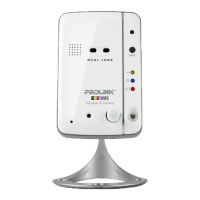
12. How can I change my IP Camera video-play password?
Go to the web configuration page of the camera
Login Credential
Video
Video Settings
Password (play
video): type in your new password here
Save & Apply
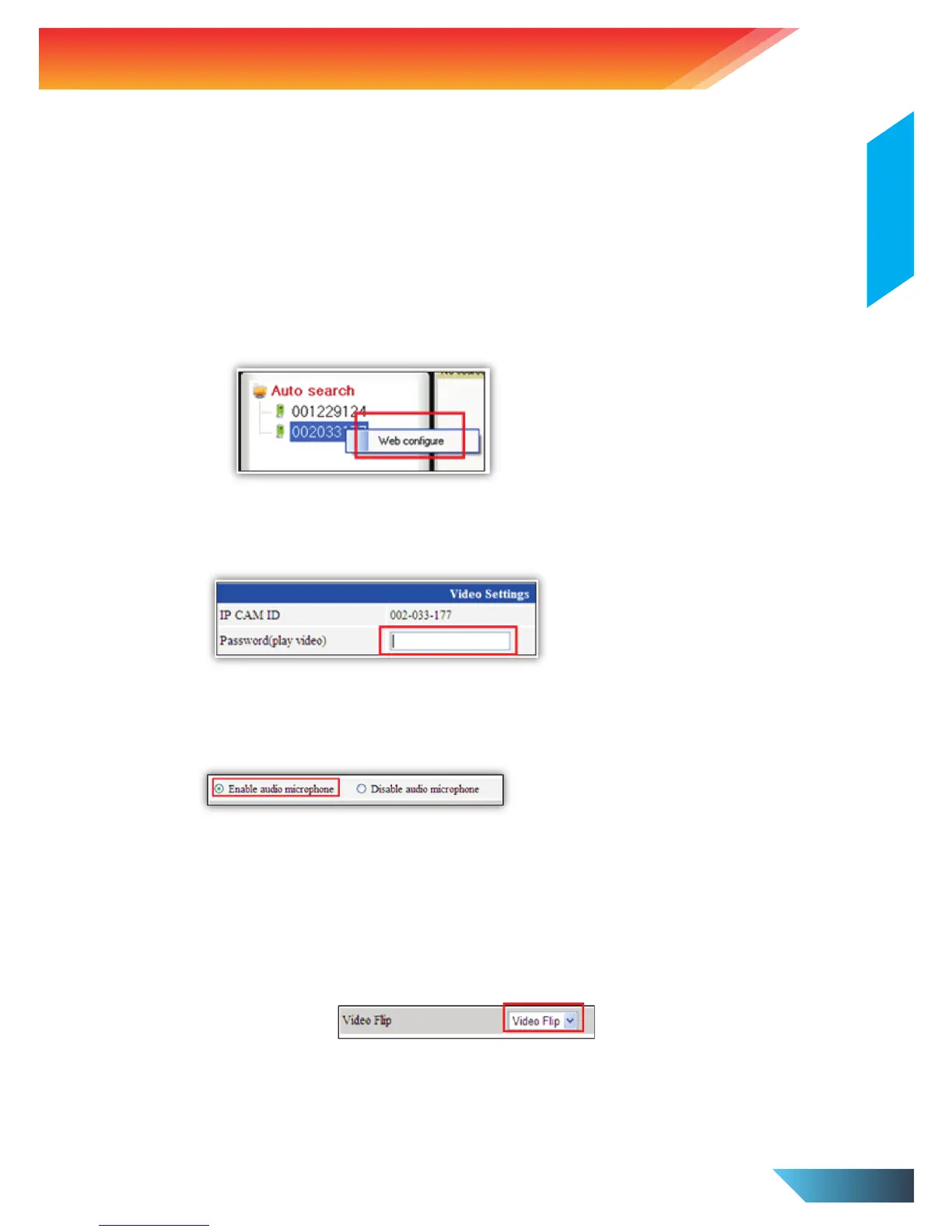
11. How can I access the IP Camera web configuration page?
Open the LiveView software
Under Auto search
Right click the camera ID and click Web configure


 To Next Page