3. Installation/Instalasi
A. Preparation/Persiapan
Step 1. Place the camera and phone at about 1 ~ 3 feet distance of the router.
Langkah 1. Tempatkan kamera dan telepon pintar pada jarak sekitar 1 ~ 3 kaki dari router.
Notes/Catatan:
• Make sure the phone is connected to the router wirelessly.
Pastikan telepon pintar terhubung ke router secara nirkabel.
• Camera is operating only at 2.4GHz Wireless N standard.
Kamera hanya beroperasi pada standar Wireless N 2.4GHz.
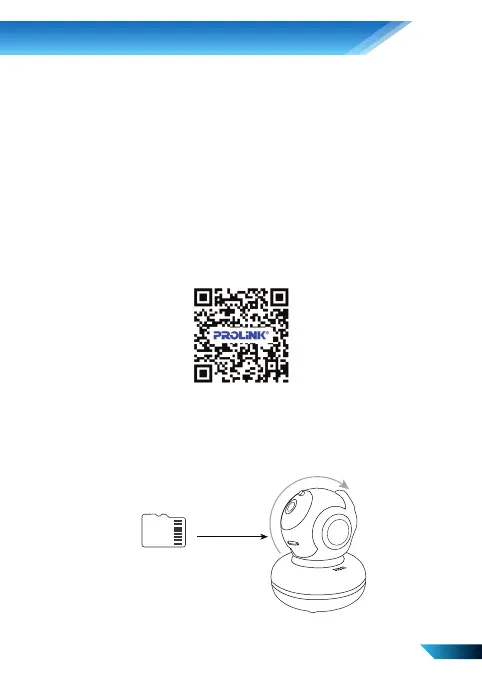
Step 2. Download, Install, and create an Account through our App from Google / App Store by
scanning the QR Code Below. Alternatively, search for “PROLiNK mEzee”.
Langkah 2. Unduh, Instal, dan buat Akun melalui Aplikasi kami dari Google / App Store dengan
memindai Kode QR di bawah ini. Atau, cari "PROLiNK mEzee".
Step 3. [Optional – for Recording to Micro SD Card] Insert the Micro SD card into the Micro SD
Card slot.
Langkah 3. [Opsional - untuk Merekam ke Kartu Micro SD] Masukkan kartu Micro SD ke dalam
slot Kartu Micro SD.
3
Micro SD Card


 To Next Page
 Loading...