Notes:
1. For PPPoE users, please check the Username, Password or other Special Requirement from ISP and key in the
required values.
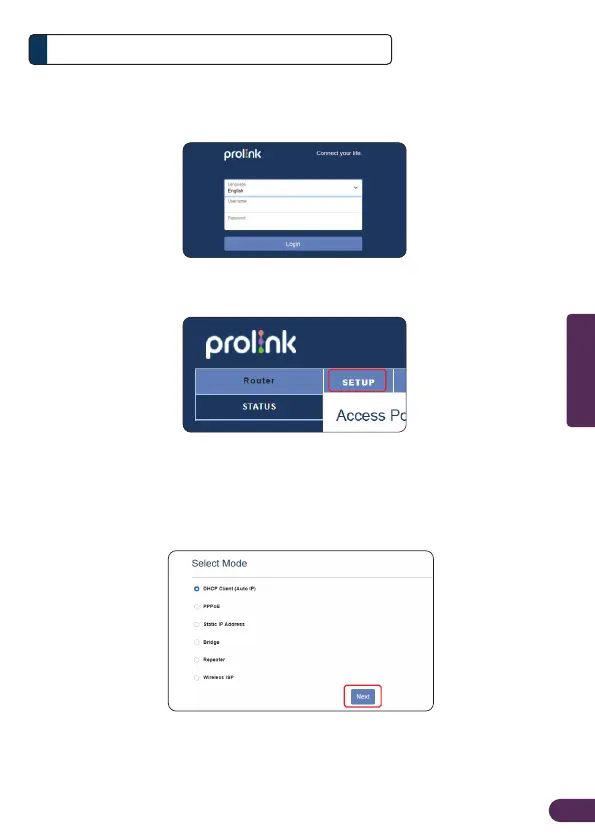
2. For Cable Modem/Fibre Modem users, or connecting to home / oce network switch, select DHCP Client mode
(Router default setting).
Important:
• Please complete the Setup Wizard in order to surf Internet
Router Configuration4
3. Enter Username and Password to login. Username and Password information
can be found from Product Label.
4. Click SETUP
5. Select your WAN ACCESS TYPE* and Press NEXT.
EN6
English



 To Next Page