EasyManua.ls Logo

ProLinx homeTro JF-H-40DA - User Manual

ProLinx homeTro JF-H-40DA
76 pages
Print Icon
To Next Page IconTo Next Page
Loading...
Foldable Treadmill
User Manual
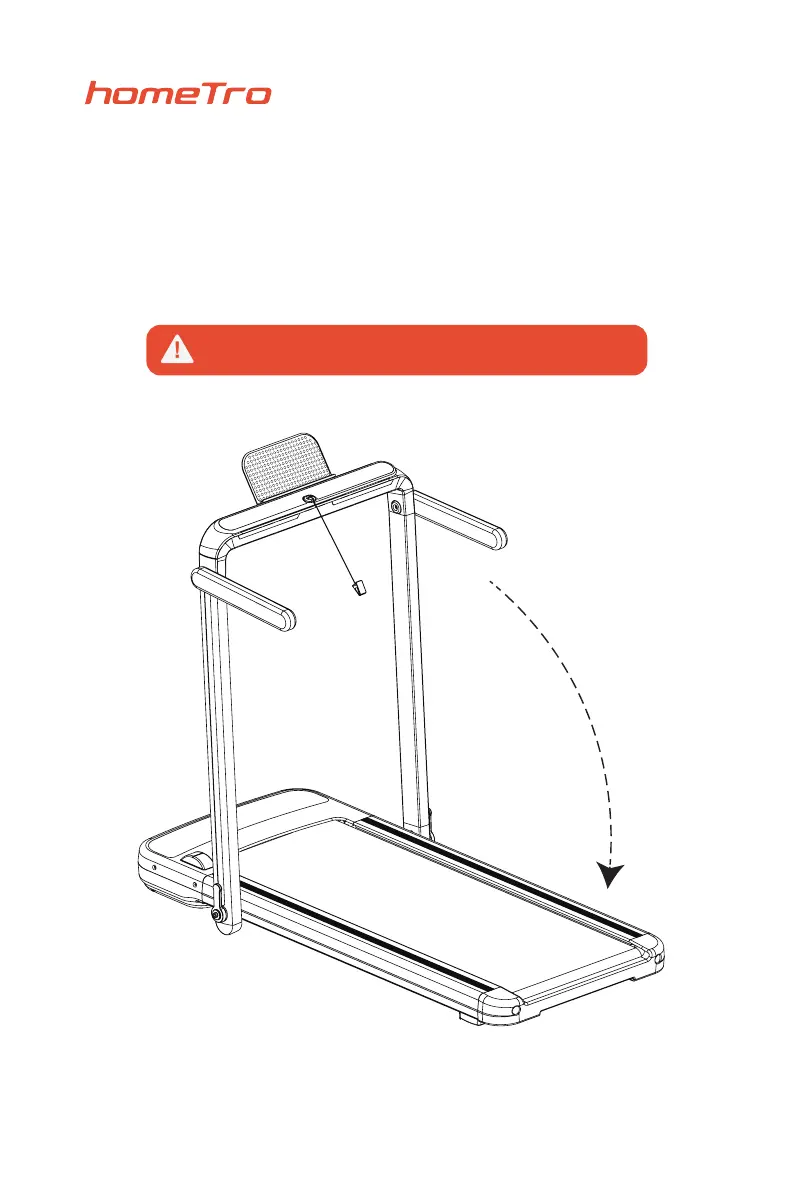
Please put the red safety key on the digital panel before turning on,
otherwise the treadmill will display E07 problem.

Questions and Answers

  • C
    Christopher PayneAug 13, 2025
    What to do if my ProLinx homeTro JF-H-40DA Treadmill shows overcurrent protection?
    • K
      kristin22Aug 13, 2025
      If your ProLinx Treadmill displays an overcurrent protection error, it could be due to several reasons: * Excessive load: Reduce the weight on the treadmill to not exceed the rated load. * Foreign object: Check for and remove any obstructions stuck in the motor or roller. * Insufficient lubrication: Increase the amount of lubricant on the roller. * Damaged components: The controller or motor might be damaged, requiring replacement.
  • A
    Andrew OwensAug 17, 2025
    Why does my ProLinx homeTro JF-H-40DA Treadmill say motor overvoltage protection?
    • J
      jerry81Aug 17, 2025
      Motor overvoltage protection on your ProLinx Treadmill can occur due to: * Unstable grid voltage: The user's grid voltage may be unstable with a very high peak voltage that can be solved by adding an external filter voltage stabilizer. * Incorrect wheel diameter setting: Reset the wheel diameter value, trying not to exceed the rated voltage of the motor. * Controller damage: The controller may be damaged and needs replacement.
  • B
    Becky SmithAug 21, 2025
    What to do if my ProLinx Treadmill electronic watch has no display?
    • M
      Morgan WestAug 21, 2025
      If the electronic watch on your ProLinx Treadmill isn't displaying anything, check the following: * Ensure the power cord is properly plugged in. * Verify the power switch is turned on. * Check if the fuse on the controller is blown. * Confirm the 4-core wire of the electronic watch and the controller is well connected. * Ensure the controller and transformer are well connected.
  • A
    Amber FrankAug 25, 2025
    What to do if my ProLinx homeTro JF-H-40DA Treadmill has a communication error?
    • C
      carterkristaAug 25, 2025
      A communication error on your ProLinx Treadmill could be caused by: * Loose connection: Reinforce the connection line interface of the upper and lower control. * Damaged connection: Replace the main connection line of the upper and lower control. * Faulty components: The electronic watch or controller might be damaged and need replacement.
  • C
    Charles GrantAug 28, 2025
    What to do if my ProLinx homeTro JF-H-40DA Treadmill motor can't start?
    • P
      Patrick FlemingAug 28, 2025
      If your ProLinx Treadmill motor won't start: * Check whether all connecting wires are connected properly. * Observe the error signal appearing on the electronic panel.
  • C
    Christopher SmithSep 1, 2025
    What to do if the safety switch is off on my ProLinx Treadmill?
    • A
      abarnettSep 1, 2025
      If the safety switch is off on your ProLinx Treadmill, consider these potential causes: * Safety switch installation: Install the safety switch if it is not already installed. * Induction wire damage: Replace the induction wire of the safety switch if it's damaged. * Electronic meter damage: Replace the electronic watch if the safety switch interface is damaged.
  • C
    Cassandra GarrisonSep 5, 2025
    What causes the main motor to be in an open circuit on my ProLinx homeTro JF-H-40DA Treadmill?
    • K
      Kimberly ParkSep 5, 2025
      An open circuit in the main motor of your ProLinx Treadmill can result from: * Loose connection: Reinforce the motor connection line. * Motor damage: Replace the motor if it's in an open circuit and damaged. * Controller damage: Replace the controller if it's in an open circuit and damaged.
  • N
    Nicole WhiteSep 8, 2025
    What to do if the touch screen is not sensitive on my ProLinx homeTro JF-H-40DA?
    • M
      marcusbrownSep 9, 2025
      If the touch screen on your ProLinx Treadmill isn't responding well, check: * Whether the touch screen is wet. * If there is sweat on your hands.

Summary

Foldable Treadmill User Manual

Safety Key Warning

Ensure the safety key is attached before powering on to prevent E07 error.

FITSHOW App Integration

FITSHOW Installation Procedure

Steps to install and use the FITSHOW application for treadmill control.

App Registration Attentions

Important notes for new users on providing correct contact details for account retrieval.

Product Brief Introduction

Treadmill Component Identification

Diagram illustrating the names and locations of various treadmill parts.

Safety Precautions & Warning Instructions

General Safety Precautions

Guidelines for safe operation, placement, and usage of the treadmill.

Prohibited Actions

List of actions and conditions to avoid for user safety and equipment protection.

Main Parameters & Configuration List

Technical Specifications

Details on rated voltage, motor specs, speed range, dimensions, and FCC ID.

Packing and Accessories List

Lists items included in the package and available accessories.

Installation Instructions

Product Erection Procedure

Step-by-step guide for assembling the treadmill components.

Fuse Replacement Procedure

How to Replace the Fuse

Detailed instructions on how to replace a blown fuse in the treadmill power socket.

Remote Control Function Description

Remote Control Buttons and Functions

Explanation of each button on the remote control and its operation.

Fitness Advice & Guidelines

Warm-up and Breathing

Recommendations for warming up and proper breathing techniques during exercise.

Stretching Exercises

Detailed guide for various stretching exercises to perform before and after workouts.

Product Manual: Console Functions

Brief Description and Display

Overview of treadmill features, parameters, and the LED display.

Smart Button Operations

Explanation of the functions and usage of the smart buttons on the console.

Operating Parameters and Sport Modes

Power, Speed, and Time Settings

Details on operating parameters, including voltage, speed limits, and exercise time settings.

Automatic and Manual Exercise Modes

Explanation of how to use the automatic and manual exercise modes.

Product Maintenance

Lubrication Guide

Recommendations and steps for lubricating the treadmill belt.

Running Belt Tension Adjustment

Procedure for adjusting the running belt tension to prevent slippage.

Running Belt Deviation Adjustment

Belt Alignment Procedure

Instructions on correcting running belt misalignment using adjustment screws.

Common Troubleshooting Methods

Fault Code Troubleshooting

Table detailing fault codes, their judgments, and corresponding solutions.

Other Common Issues

Troubleshooting steps for common problems like no display or motor start issues.

FCC Compliance and Disposal

FCC Statement and Exposure Limits

FCC compliance information, operating conditions, and radiation exposure limits.

Product Disposal Instructions

Guidance on the responsible disposal of the product according to EU regulations.

Declaration of Conformity

EU Compliance Statement

Details on conformity with RED and RoHS directives and relevant standards.

Customer Support

Contact Information

Email address for customer service inquiries and support.

ProLinx homeTro JF-H-40DA Specifications

General IconGeneral
BrandProLinx
ModelhomeTro JF-H-40DA
CategoryTreadmill
LanguageEnglish