2016 & 2017 PROMASTER REAR SPEAKER
INSTALLATION
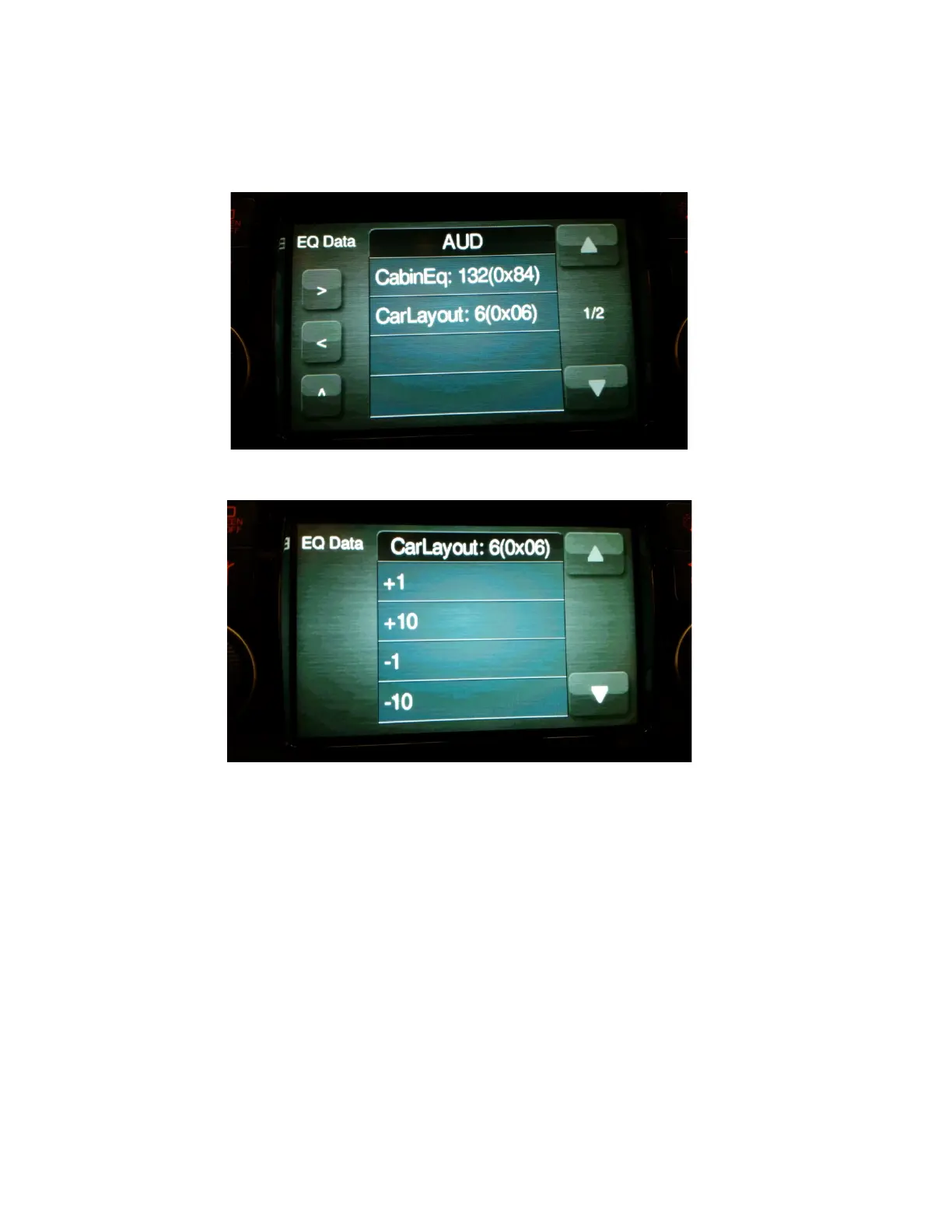
4. Touch the line for AUD Eng Menu. The following screen will appear.
5. Touch the line for CARLAYOUT: 6(0x06). The following screen will appear.
6. Touch the line for +1 or -1 to scroll through the different layouts until the
desired layout appears in the top line. For enabling rear speakers, select
8(0x08).
CarLayout:
6(0x06) Front Speakers Only
8(0x08) Front and Rear Speakers
NOTE: Layouts other than the one listed above will also appear. They
are invalid. Only select one of the two layouts listed above.
Page 10 of 14


 To Next Page