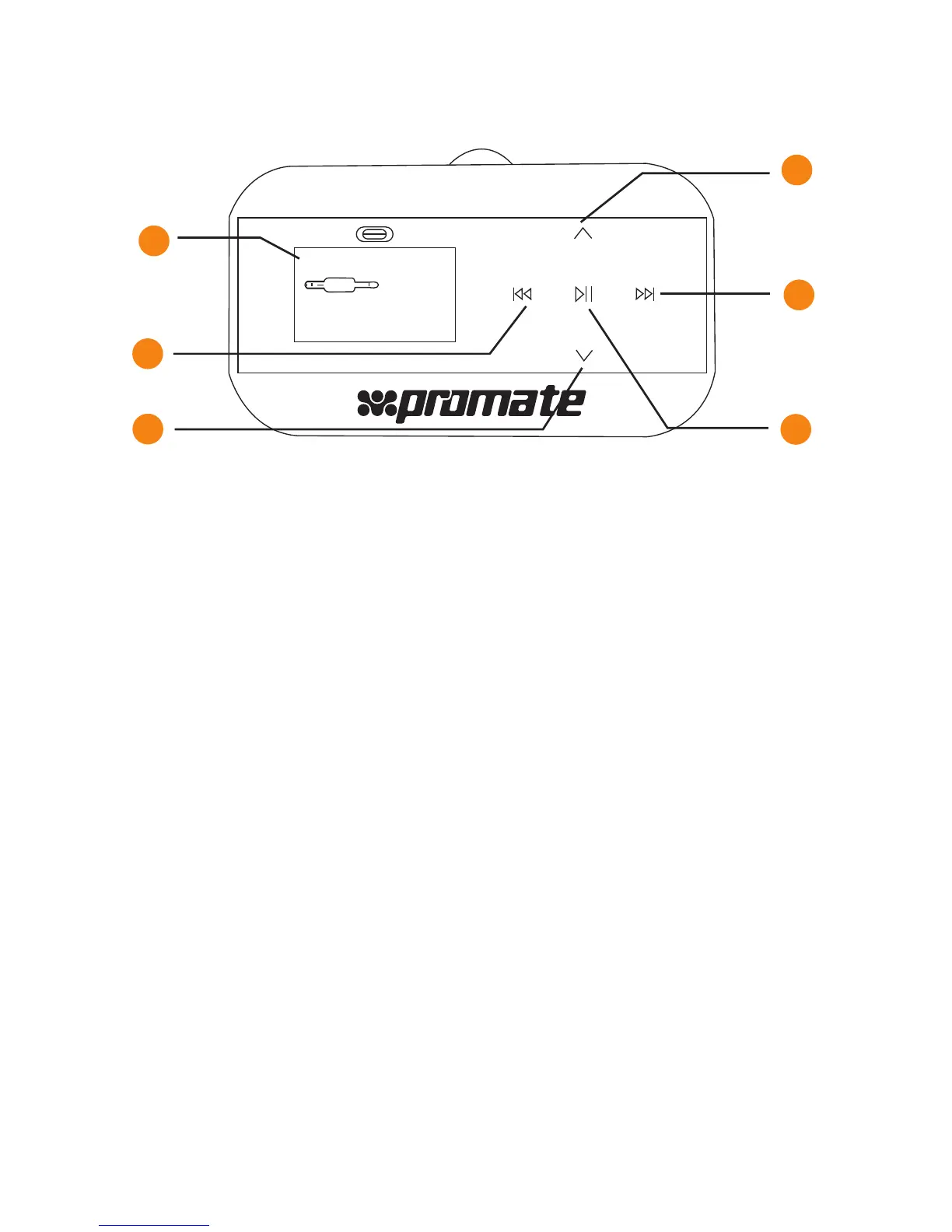
Functions:
1. LCD Display
2. Previous Track & Volume Decrease
(USB flash Memory & SD card)
Press this button once to return to the previous file.
Press and hold to decrease the volume.
3. Press the button
To decrease the broadcast frequency
4. Press the button
To increase the broadcast frequency
5. Next Track & Volume Increase
(USB flash memory &SD card)
Press this button once to advance to the next file.
6. Play/Pause
(USB flash memory & SD card)
Press this button once to start playing an MP3 file.
Press it again to pause.
NO DEVICE
LINE IN
Car mp3
90.3
Fm12
1
2
3
4
5
6
3


 To Next Page